How to Clean Battery Corrosion from Electronics : Smart Solution for Battery Corrosion

Electronics Battery Corrosion Fast


You notice battery corrosion on your favorite gadget. This unwelcome, crusty buildup can damage your electronics. But don’t worry — you can fix it! In this guide, you’ll discover how to clean battery corrosion from electronics the right way using simple tools and smart techniques. Learn how to remove electronics battery corrosion fast, protect your device from permanent damage, and keep it working like new.

Tired of dealing with dead or unresponsive electronics?

You grab your device, press the button—nothing happens. That’s when you notice the white, crusty buildup inside the battery compartment. It’s frustrating, right? But don’t panic. You can fix it quickly and safely. In this guide, you’ll learn how to remove electronics battery corrosion fast using simple tools and easy steps.

We’ll show you how to clean corrosion without damaging your device, restore its performance, and prevent future problems. You’ll take control, protect your gadgets, and save money—all in a few minutes.

Let’s get started and bring your device back to life!

Electronics Battery Corrosion Fast

Signs Of Battery Corrosion

Batteries power our gadgets, but they sometimes leak. This leak causes battery corrosion. Corroded batteries can harm your devices. Knowing the signs of battery corrosion is crucial. It helps in preventing damage. Detecting corrosion early ensures your electronics stay safe and functional. 

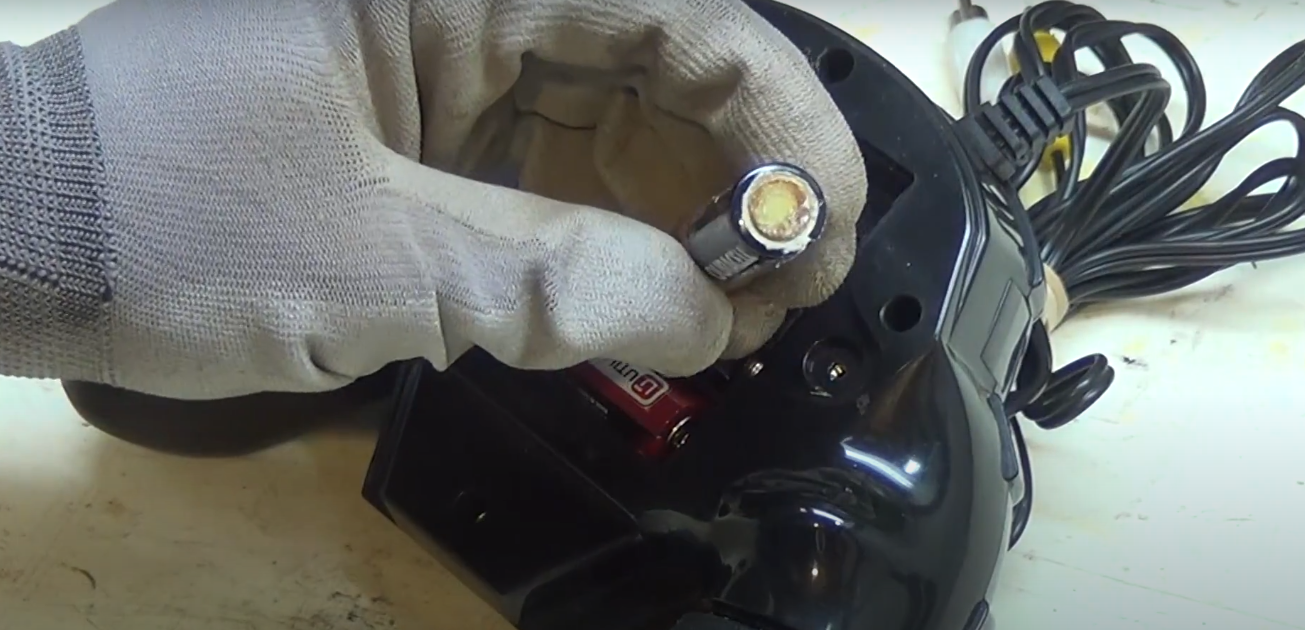
Battery corrosion is usually visible. It often appears as a powdery substance. This substance can be white, blue, or green. This color change indicates a chemical reaction. It signals that the battery is leaking. Leaked chemicals can damage your device. Regular checks help in identifying corrosion early, allowing you to deal with electronics battery corrosion fast before it causes serious harm.

How To Identify Corroded Batteries

  • Visual Inspection: Look for any discoloration around the battery compartment.
  • Unusual Odors: Smell the battery area. A sharp, metallic scent can be a sign.
  • Device Malfunction: Devices may not turn on or work properly. This can be a result of corrosion.

Common Places To Find Battery Corrosion

Corrosion often appears in devices with removable batteries. Remote controls, toys, and flashlights are common examples. Corrosion might also occur in rarely used items. Checking these gadgets periodically is wise to catch electronics battery corrosion fast and avoid damage.

Effects Of Battery Corrosion On Electronics

Effect Description
Damage to Contacts Corrosion can eat away metal contacts. This prevents an electrical connection.
Short Circuits Leaked chemicals can cause short circuits. This can damage the device.
Device Failure Corrosion can lead to complete device failure.

Steps To Check For Battery Corrosion

  1. Remove Batteries: Take out the batteries carefully.
  2. Inspect Compartment: Look for any unusual substance or discoloration.
  3. Use a Flashlight: Shine light into hard-to-see areas for better inspection.

Recognizing these signs helps you act quickly. Quick action can save your electronics from damage. Regular checks keep your gadgets in good shape. Stay vigilant and protect your devices by addressing electronics battery corrosion fast before it spreads.
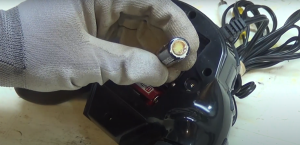
Electronics Battery Corrosion Fast


Safety Precautions

Cleaning battery corrosion from electronics requires careful handling. Safety precautions are essential to prevent accidents and ensure a smooth cleaning process. Without proper safety measures, you risk inhaling harmful substances or damaging your device further. If you’re learning how to clean battery corrosion from electronics, it’s important to approach this task with the right gear and environment to protect yourself and your electronic devices. Following the right steps will help you deal with electronics battery corrosion fast, reducing damage and extending the life of your gadget. Below, we explore crucial safety aspects like protective gear and ventilation to help you clean battery corrosion safely.

Protective Gear

Wearing the right protective gear is crucial. It shields you from harmful chemicals and prevents skin irritation. Here are some items you need:

  • Gloves: Use rubber gloves to avoid skin contact with corrosive substances.
  • Safety goggles: Protect your eyes from splashes and fumes.
  • Apron: Wear a protective apron to prevent spills on clothing.

Ensuring you have the right gear is not just about protection. It also helps you work efficiently. Here’s a quick reference table for protective gear:

Item Purpose
Gloves Protects hands from chemicals
Safety goggles Protects eyes from splashes
Apron Protects clothing

Always check the condition of your gear before starting. A damaged gear can reduce protection. Keep spare gear in case of wear and tear. Proper protective gear is your first line of defense.

Ventilation

Ventilation is vital to disperse harmful fumes. Poor air circulation can lead to inhalation risks. Follow these tips to ensure proper ventilation:

  1. Open windows: Ensure windows are open to allow fresh air.
  2. Use fans: Place fans to direct fumes away from your breathing zone.
  3. Avoid closed spaces: Never work in a tightly closed area.

A well-ventilated space reduces health risks. It helps you focus on cleaning without worrying about inhaling toxic fumes. Here’s a simple setup for effective ventilation:

Action Benefit
Open windows Allows fresh air circulation
Use fans Directs fumes away
Avoid closed spaces Prevents fume buildup

Remember, good ventilation doesn’t just protect you. It also ensures a more comfortable working environment. Prioritize air flow for safe and effective cleaning.

Tools And Materials Needed

Cleaning battery corrosion from electronics can seem daunting, but with the right tools and materials, it becomes a manageable task. Corrosion occurs when batteries leak, leaving a crusty, white residue that can damage your devices. To clean electronics battery corrosion fast and restore your gadgets to their best condition, having the right cleaning solutions and tools is essential. If you’re wondering how to clean battery corrosion from electronics safely and effectively, this guide will walk you through everything you need. Let’s explore battery corrosion removal tips you’ll need to tackle this common issue with confidence.

Cleaning Solutions

To safely remove battery corrosion, choose a cleaning solution that neutralizes the acidic residue. Here are a few options you can consider:

  • Baking Soda Solution: A mixture of baking soda and water can neutralize battery acid. Mix a tablespoon of baking soda with a cup of water.
  • Vinegar: White vinegar is another excellent choice. It reacts with the corrosion to clean it effectively.
  • Isopropyl Alcohol: Use 70% or higher concentration to clean and disinfect the area.

Here’s a quick reference table for preparing these solutions:

Solution Ingredients Preparation
Baking Soda 1 tbsp Baking Soda, 1 cup Water Mix well until dissolved
Vinegar White Vinegar Use directly
Isopropyl Alcohol Isopropyl Alcohol (70%+) Use directly

Each solution has its benefits. Baking soda is gentle and neutralizes acids. Vinegar is acidic, effectively breaking down corrosion. Alcohol cleans and disinfects. Choose based on what you have at home and the severity of the corrosion to effectively deal with Electronics Battery Corrosion Fast and protect your devices.

Cleaning Tools

Equally important to solutions are the tools you use. These help in safely applying the solutions and removing corrosion:

  1. Soft Cloth: Use a microfiber cloth to apply the cleaning solution. It’s gentle and won’t scratch surfaces.
  2. Cotton Swabs: Perfect for reaching tight spaces. They help in precisely applying the solution.
  3. Toothbrush: A soft-bristled toothbrush can scrub away stubborn corrosion.
  4. Gloves: Always wear gloves to protect your hands from chemicals.
  5. Eye Protection: Safety glasses can protect your eyes from splashes.

Here’s a summary of the tools and their use:

Tool Use
Soft Cloth Apply the solution gently
Cotton Swabs Reach small areas
Toothbrush Scrub corrosion
Gloves Protect hands
Eye Protection Protect eyes

Using the right tools ensures you can clean effectively without damaging your electronics. Always handle your devices with care during cleaning to prevent further damage. These precautions help you deal with Electronics Battery Corrosion Fast while keeping your gadgets safe.

Electronics Battery Corrosion Fast

Step-by-Step Cleaning Process

Battery corrosion can damage your beloved electronics. Knowing how to clean it properly is essential. Here’s a simple step-by-step cleaning process to help you restore your devices. Follow these steps to ensure a smooth and safe cleaning journey, and learn how to deal with Electronics Battery Corrosion Fast for the best results.

Powering Off The Device

Before cleaning, always turn off the device. This is crucial to prevent any electric shock or damage. Never attempt to clean a device while it’s powered on. Below are some key reasons for powering off:

  • Safety: Reduces the risk of electric shock.
  • Prevention: Protects internal components from short circuits.
  • Conservation: Stops the battery from draining further.

To power off:

  1. Find the power button or switch.
  2. Press and hold until the device shuts down.
  3. Ensure the screen is completely dark and inactive.

Once powered off, you’re ready for the next step. Proceed with caution, ensuring the device stays off throughout the process.

Removing Batteries

After powering off, remove the batteries. This prevents further corrosion and damage. Follow these simple steps:

  1. Locate the battery compartment.
  2. Open the compartment carefully.
  3. Remove batteries gently, avoiding excessive force.

Reasons to remove batteries:

  • Safety: Prevents acid leakage during cleaning.
  • Access: Allows easier cleaning of affected areas.
  • Inspection: Enables you to check battery terminals.

Be careful not to touch any leaked acid. Use gloves if necessary. Ensure all batteries are removed before proceeding.

Applying Cleaning Solution

With batteries removed, apply a cleaning solution. This helps dissolve the corrosion. You can use household items like:

Solution Purpose
Baking Soda Paste Neutralizes acid effectively
Vinegar Dissolves corrosion quickly
Lemon Juice Acts as a natural cleaner

Steps to apply the cleaning solution:

  1. Mix baking soda with water to form a paste.
  2. Apply paste using a cotton swab or toothbrush.
  3. Allow it to sit for a few minutes to work on the corrosion.

Ensure thorough coverage for best results. Move to scrubbing after application.

Scrubbing The Corrosion

Once the solution sits, begin scrubbing. This removes stubborn corrosion. Use the following tools:

  • Toothbrush: Soft bristles, effective scrubbing.
  • Cotton Swabs: Precise cleaning in small areas.

Steps to scrub:

  1. Gently scrub the corroded areas.
  2. Focus on battery terminals and surrounding spaces.
  3. Repeat until corrosion is visibly reduced.

Importance of scrubbing:

  • Removal: Clears corrosion completely.
  • Maintenance: Ensures device longevity.

Be patient and gentle. Avoid damaging delicate parts.

Wiping And Drying

After scrubbing, wipe and dry the device. This prevents any leftover solution from causing damage. Follow these steps:

  1. Use a clean cloth to wipe down all areas.
  2. Ensure no residue remains.
  3. Dry the device thoroughly.

Reasons to wipe and dry:

  • Prevention: Stops moisture from affecting electronics.
  • Cleanliness: Leaves device spotless.
  • Safety: Ensures safe reassembly.

Once dry, check for any missed spots. Repeat if necessary. Ensure complete drying before reinserting batteries.

Disposal Of Corroded Batteries

Battery corrosion can damage your electronic devices. It’s essential to clean it properly to extend the life of your gadgets. But cleaning isn’t the only step. You also need to get rid of the corroded batteries safely. Improper disposal can harm the environment and even cause accidents. So, understanding the right disposal methods is crucial to managing Electronics Battery Corrosion Fast and keeping both your devices and surroundings safe.

How To Identify Corroded Batteries

Corroded batteries often have a white or bluish powder on them. This is a sign of leakage. It’s important to handle them carefully. Wear gloves to avoid contact with your skin. Corroded batteries can be hazardous.

Why Proper Disposal Matters

Throwing corroded batteries in regular trash is a bad idea. They contain harmful chemicals. These can leak into the soil and water. Proper disposal helps keep the environment clean. It also prevents potential health risks.

Safe Disposal Methods

  • Recycling Centers: Many cities have recycling facilities. They accept batteries for safe disposal.
  • Retail Drop-Off: Some stores have drop-off bins for batteries. Check with your local electronics store.
  • Municipal Waste Programs: Some areas offer special waste collection days. You can dispose of batteries during these events.

Tips For Storing Batteries

Store batteries in a cool, dry place. Keep them in their original packaging. This helps prevent corrosion. Check the expiration dates regularly. Replace old batteries to avoid leakage.

FAQs On Battery Disposal

Question Answer
Can I throw batteries in the trash? No, it’s unsafe and harmful to the environment.
Where can I recycle batteries? Check local recycling centers or electronic stores.
Are there any fees for battery disposal? Some places may charge a small fee.

Understanding how to clean and dispose of corroded batteries properly is vital. It ensures safety and protects the environment. Follow these guidelines to manage battery disposal effectively.


Preventing Future Corrosion

Battery corrosion can damage electronics and reduce their lifespan. Cleaning corrosion is crucial, but preventing it is even more important. Taking steps to prevent future corrosion will help maintain your devices in excellent condition. Simple habits can keep your electronics safe and functional for years, especially if you act early and address Electronics Battery Corrosion Fast.

Storage Tips

Proper storage is essential to prevent battery corrosion in electronics. Follow these tips to keep your devices safe:

  • Keep batteries dry: Moisture is a leading cause of corrosion. Store electronics in a dry place.
  • Avoid temperature extremes: High temperatures can increase the risk of corrosion. Store devices in cool areas.
  • Remove batteries: If not used for a long time, remove batteries from devices. This prevents leakage and corrosion.
  • Use airtight containers: These containers protect from humidity. Seal devices inside when not in use.

Consider using the table below for quick storage tips:

Storage Environment Action
Dry Store electronics in dry places
Cool Avoid heat exposure
Airtight Use sealed containers

Regular Maintenance

Regular maintenance extends the life of your electronics by preventing corrosion. Establish a routine to check your devices:

  1. Inspect batteries: Check for signs of leakage or wear. Replace old batteries promptly.
  2. Clean contacts: Use a dry cloth to wipe battery contacts. This removes dust and residue.
  3. Test functionality: Ensure devices work properly. Regular testing helps detect early signs of corrosion.
  4. Monitor usage: Track battery usage to avoid overdraining. Overdrained batteries can corrode faster.

Simple steps can make a big difference. Regular checks ensure your electronics stay corrosion-free. A little effort goes a long way in maintaining your devices.

Frequently Asked Questions

How Do You Clean Electronics After Battery Corrosion?

To clean electronics after battery corrosion, first remove the corroded battery carefully. Use a cotton swab dipped in white vinegar or lemon juice to gently wipe the affected area. Dry the area with a clean cloth. Ensure no residue remains before inserting new batteries.

Regular maintenance prevents future corrosion.

How Do You Remove Corrosion From Electronics?

To clean Electronics Battery Corrosion Fast, first, power off and disconnect the device. Gently clean with a cotton swab dipped in isopropyl alcohol. Dry thoroughly before reassembling. Always handle electronics with care to prevent further damage while addressing Electronics Battery Corrosion Fast effectively.

Is Vinegar Or Alcohol Better For Battery Corrosion?

Vinegar is better for battery corrosion. Its acidity dissolves corrosion effectively. Alcohol cleans but lacks the corrosion-fighting power of vinegar. Use vinegar for best results, then rinse with water and dry thoroughly. Always ensure safety by wearing gloves and working in a well-ventilated area when handling corroded batteries. This method helps you tackle Electronics Battery Corrosion Fast while protecting your health and devices.

Does Battery Corrosion Ruin Electronics?

Yes, battery corrosion can damage electronics. It disrupts connections, causing devices to malfunction or stop working. Clean the corrosion promptly to prevent further harm. Use a mixture of baking soda and water for cleaning. Regular maintenance and checking batteries can help avoid corrosion-related issues. Always handle electronics with care, especially if you want to deal with Electronics Battery Corrosion Fast and keep your devices running smoothly.

Conclusion

Cleaning battery corrosion is crucial for electronic health because it prevents long-term damage. To keep your devices safe, learn how to remove electronics battery corrosion fast by following the steps in this guide. Always wear protective gloves and work in a ventilated area while cleaning. Regular checks help you spot early signs of corrosion and avoid issues. Dispose of corroded batteries properly to ensure safety and environmental care.

This ensures safety for you and the environment. Maintaining Clean Electronics Battery Corrosion Fast ensures better performance. You can enjoy longer device life. Keep this guide handy for future reference. Share with friends who might need help. Happy cleaning and stay safe!


How to Check Engine Oil Car: Quick & Easy Method

How to Check Engine Oil


You drive your car every day, but many drivers forget to check their engine oil regularly. Ignoring this simple task can lead to engine damage. Learn how to check engine oil Car the right way.

​But wait—when was the last time you checked your engine oil? This might seem like a small detail, but keeping an eye on your Check Engine Oil Car is crucial for maintaining your car’s performance and longevity. Neglect it, and you could be facing costly repairs or, worse, a breakdown at the most inconvenient time.

​In this guide, you’ll discover how to easily check your car’s engine oil. By the end, you’ll feel confident about this simple yet essential task, making sure your car runs smoothly and efficiently. Let’s get started and make sure your ride is always ready to roll!


Importance Of Engine Oil

Engine oil is the lifeblood of your car. It keeps the engine running smoothly. Without it, the engine could overheat and get damaged. Regular oil checks ensure your vehicle stays in good condition. Knowing how to check oil helps avoid costly repairs. This guide will teach you how to do it.

How to Check Engine Oil

Gather The Necessary Tools

Before starting, gather a few simple tools. You will need a clean rag or paper towel. A flashlight might help if it’s dark. That’s all you need to begin checking the oil.

Park The Car On A Level Surface

Make sure the car is on a flat surface. This gives an accurate oil reading. Turn off the engine and wait a few minutes. This allows the oil to settle in the pan.

Locate The Dipstick

Open the car hood and find the dipstick handle. It usually has a bright color. Pull it out gently and wipe it clean. This helps get a clear reading of the oil level.

Check The Oil Level

Insert the dipstick back fully and pull it out again. Look at the oil level on the stick. There are marks on the stick to guide you. The oil should be between the minimum and maximum marks.

Assess The Oil Condition

Besides the level, check the oil color. Fresh oil is amber and clear. Dirty oil appears dark and cloudy. If it looks dirty, consider changing it soon.

Tools Needed

 Keeping your car’s engine running smoothly is important. One of the easiest ways is by checking the engine oil. Regular checks can help make sure your engine stays healthy. This guide will walk you through the steps needed to check your engine oil. You don’t need to be a mechanic to do it. With the right tools, anyone can perform this simple task.

Basic Tools

To check the engine oil, you’ll need a few basic tools. A clean rag or paper towel is essential for wiping the dipstick. A flashlight can help you see better in low light. Having gloves will keep your hands clean. Lastly, make sure you have the car’s manual handy. It contains useful information about your vehicle.

Optional Tools

Some additional tools can make the job easier. An oil funnel is helpful if you need to add oil. Safety glasses protect your eyes from any spills. A flat surface to park your car ensures accurate readings. While not necessary, these tools can provide extra safety and convenience.

Preparation Steps

Checking your Check Engine Oil Car is an essential task. It ensures your vehicle runs smoothly and prevents damage. Regular checks help in maintaining the engine’s health. Knowing the right steps to check the oil is crucial. Proper preparation can make this process easy and efficient. Follow these preparation steps for accurate results.

Park On Level Ground

Parking on level ground is important for checking engine oil. It ensures an accurate reading. When the car is tilted, oil shifts in the engine. This can give a false reading. Find a flat surface to park your car.

Here are some key points to consider:

  • Choose a flat parking spot. Avoid hills or sloped driveways.
  • Turn off any distractions. Focus solely on the task.
  • Engage the parking brake. This keeps the car steady.

Use a bubble level if unsure about the ground. This tool helps confirm the ground’s flatness. Accurate parking ensures the oil level is measured correctly. A false reading can lead to unnecessary oil changes or engine issues.

Turn Off The Engine

Turning off the engine is a crucial step. An active engine can give inaccurate oil levels. It also poses safety risks.

Follow these steps:

  • Switch off the ignition. Allow the car to come to a complete stop.
  • Remove the keys. This prevents accidental starts.
  • Ensure all electricals are off. This includes headlights and a radio.

Turning off the engine before checking the oil is vital. It prevents burns from hot parts and ensures a safe environment. This step is necessary for an accurate oil level reading. A running engine can cause oil to splash, leading to incorrect results.

Wait For the Engine To Cool

Waiting for the engine to cool is essential. A hot engine can give an inaccurate oil reading. It also poses safety hazards.

Consider these guidelines:

  • Allow the engine to cool for at least 10 minutes.
  • Check for excessive heat. Feel the hood for warmth.
  • Avoid touching hot engine parts. This prevents burns.

Cooling the engine ensures the oil settles. This provides a true reading of oil levels. A hot engine can cause oil to expand, skewing the results. Patience is key here. Waiting a few minutes can prevent future engine problems.

Checking Oil Level

Regularly checking your car’s engine oil level is crucial for keeping it running smoothly. The engine oil lubricates, cleans, and cools the engine, ensuring optimal performance. Neglecting this simple check can lead to serious engine damage and costly repairs. Understanding how to check the engine oil level can prevent problems before they start. This process is straightforward and can be done in a few minutes. Let’s explore the steps involved in checking your car’s engine oil level.

Locate The Dipstick

Finding the dipstick is the first step in checking your engine oil. The dipstick is usually near the engine, often marked with a bright handle to make it easy to spot. If you are unsure, look at your car’s manual for guidance. Once located, ensure the car is on a level surface. This provides an accurate oil reading. Avoid checking immediately after driving; let the engine cool first. Heat can expand the oil, giving a false reading.

Here are some tips to locate the dipstick:

  • Look for a brightly colored handle. It’s often yellow or orange.
  • Check near the front of the engine. It’s usually within easy reach.
  • Refer to the owner’s manual. It has diagrams and instructions.

Remove And Clean Dipstick

Once the dipstick is located, gently pull it out of the tube. Keep a clean cloth or paper towel handy. It’s essential to clean the dipstick before taking the actual reading. Cleaning removes old oil and dirt, ensuring a clear view of the fresh oil level. Hold the dipstick at a downward angle to prevent oil from sliding back into the tube. Wipe the entire length of the dipstick thoroughly. Check for any signs of dirt or metal particles, which can indicate engine problems.

Cleaning steps include:

  • Pull the dipstick out completely. Do it gently.
  • Wipe with a clean cloth. Remove all oil residues.
  • Inspect for particles. Alert a mechanic if found.

Reinsert and remove the dipstick again

With the dipstick clean, carefully slide it back into the tube. Push it in to get an accurate reading. Ensure the dipstick is fully seated; this is crucial for precision. After inserting, wait a few seconds before pulling it out again. This allows fresh oil to coat the dipstick evenly. Remove the dipstick smoothly to avoid splashing oil. Hold it horizontally to see the oil level. The oil level should be between the marked lines on the dipstick.

Important steps:

  • Reinsert the dipstick fully. Push until seated.
  • Wait a few seconds. Let the oil settle.
  • Pull out smoothly. Check oil level lines.

Read Oil Level

Reading the oil level is the final step. Look at the markings on the dipstick. These lines indicate the minimum and maximum oil levels. The oil should sit between these lines. If it’s below the minimum, your engine needs oil. Above the maximum can be harmful too. Check the color and consistency of the oil. Fresh oil is usually amber and smooth. Dark or gritty oil may need changing. If the level is correct, wipe the dipstick clean and replace it securely.

Things to watch for:

  • Oil level between lines. Add oil if needed.
  • Color of oil. Amber is ideal.
  • Consistency. Smooth, without particles.

Assessing Oil Condition

Checking your car’s engine oil is an essential task. It ensures that your engine runs smoothly. Regular oil checks can help avoid major repairs. Assessing the oil condition is a key part of this process. It involves looking at the color, texture, and smell of the oil. These factors can tell you a lot about the health of your engine. Knowing how to evaluate oil condition can save you time and money.

Color And Clarity

Engine oil color can indicate its condition. Fresh oil is usually amber or golden. Over time, oil darkens as it collects dirt and soot. But dark oil isn’t always bad. It might still perform well. It’s important to check clarity, too. Oil should be clear enough to see through. If it’s cloudy or opaque, it might be contaminated. Here’s a simple method to assess color and clarity:

  • Use a white paper towel to blot some oil.
  • Observe the color against the white background.
  • Check if you can see the paper through the oil.

If the oil is dark but clear, it might be okay. But if it’s dark and cloudy, consider changing it. Regular checks can keep your engine healthy.

Texture And Consistency

Texture and consistency are vital for oil performance. Good engine oil is smooth and slick. It should not feel gritty or thick. Gritty oil can indicate debris or metal particles. This can harm your engine. Thick oil might mean it has been exposed to high heat. Here’s how to test texture and consistency:

  1. Rub a small amount between your fingers.
  2. It should feel smooth and slippery.
  3. If it feels rough or sticky, it may be time to change it.

Regular testing helps you catch problems early. Keeping your oil in good condition extends engine life.

Odor Check

Oil odor can reveal hidden issues. Fresh oil has a mild smell. If you notice a burnt smell, it could be a problem. A burnt odor might mean the oil is old or overheated. This can reduce its effectiveness. Here’s a simple way to check the odor:

  • Smell the oil dipstick carefully.
  • A burnt smell indicates it might need replacing.
  • Also, check for a gasoline smell. This might indicate engine issues.

Regularly checking the oil’s smell can prevent engine damage. It helps ensure your car runs smoothly and efficiently.

When To Change Oil

Engine oil is vital for keeping your car running smoothly. It lubricates moving parts and helps prevent engine wear. Knowing when to change your oil is crucial to maintaining your vehicle’s health. Regular checks can save you from costly repairs. Understanding mileage recommendations and oil condition indicators can help you decide the right time for an oil change.

Mileage Recommendations

Mileage recommendations are essential for scheduling oil changes. Most car manufacturers suggest changing oil every 3,000 to 5,000 miles. This can vary based on driving conditions. Frequent short trips might require more frequent changes. High-speed driving and towing heavy loads can also affect oil life. Check your car’s manual for specific advice.

Some cars have oil life monitoring systems. These systems track the condition of your oil and alert you when a change is needed. Always consider these alerts seriously. Here are some general guidelines:

  • 3,000 miles: For older cars or extreme driving conditions.
  • 5,000 to 7,500 miles: Most modern vehicles under normal conditions.
  • 7,500 to 10,000 miles: Some synthetic oils can last longer.

Remember, these are general suggestions. Your car might have different needs. Regular checks will ensure your engine remains in good shape.

Oil Condition Indicators

Oil condition indicators help you assess the state of your engine oil. A visual check is the simplest method. Fresh oil is clear or slightly amber. Dirty or dark oil means it’s time for a change. Look out for metal particles or a burnt smell; these are signs of engine issues.

Most cars have dipsticks for checking oil levels. Pull out the dipstick and wipe it clean. Insert it back and remove it again. Check the oil level against the markings. If it’s low, consider topping up or changing the oil.

Some vehicles have dashboard warning lights. These lights indicate low oil levels or poor oil quality. Don’t ignore these warnings; they prevent serious engine damage.

In summary, keep an eye on the color, smell, and level of your engine oil. Regular monitoring helps you stay ahead of any potential issues. This will ensure your car runs efficiently.

Common Mistakes

 Check Engine Oil Car is crucial for its health. It ensures that your engine runs smoothly and efficiently. Regular checks help catch problems early, saving you from costly repairs. But many car owners make mistakes when checking oil. This can lead to engine damage or reduced performance. Understanding these common mistakes helps you avoid them.

Not Checking Regularly

Many car owners skip regular engine oil checks. This is a big mistake. Regular checks are essential for maintaining engine health. It helps you spot issues like low oil levels or contamination. Here are some reasons why regular checks are important:

  • Prevents engine damage: Low oil levels can cause engine parts to wear out.
  • Improves fuel efficiency: Clean oil helps the engine run smoothly.
  • Increases engine life: Regular checks ensure your engine stays in good condition.

Experts suggest checking your car’s oil every month. This ensures that your car runs smoothly. It’s a simple task that takes only a few minutes. Make it a habit, and your car will thank you.

Ignoring Warning Lights

Many drivers ignore warning lights on the dashboard. This is dangerous. Warning lights signal issues that need attention. Ignoring them can lead to serious problems. Here’s why you shouldn’t ignore them:

  • Early detection: Warning lights alert you to issues before they become serious.
  • Prevents breakdowns: Addressing issues quickly can prevent costly repairs.

If you see a warning light, check your oil level immediately. Consult your car’s manual for guidance. It will help you understand what each light means. Taking action promptly can save you a lot of trouble.

Overfilling Oil

Adding too much oil can be harmful. Overfilling can cause the oil to foam. This reduces its ability to lubricate the engine. Here’s why overfilling is a mistake:

  • Causes leaks: Excess oil can increase pressure, causing seals to leak.
  • Reduces performance: Too much oil can make the engine work harder.
  • Increases emissions: Overfilling can lead to higher exhaust emissions.

To avoid overfilling, always check the oil level with the dipstick. Follow the instructions in your car’s manual. It will guide you on the correct oil level. Be cautious and precise when adding oil.

Tips For Maintenance

Maintaining your Check Engine Oil Car is crucial for its performance and longevity. Regular checks and proper maintenance can prevent costly repairs and ensure your vehicle runs smoothly. This guide will help you understand how to check your engine oil and offer tips for maintaining it effectively.

Regular Checks

Checking your engine oil regularly is essential for your car’s health. Aim to check it at least once a month. Consistency is key to spotting issues early. Follow these steps:

  • Park your car on a level surface.
  • Turn off the engine and let it cool for a few minutes.
  • Open the hood and locate the dipstick.
  • Pull out the dipstick and wipe it clean with a cloth.
  • Insert the dipstick back fully and pull it out again.
  • Check the oil level, which should be between the two marks.
  • If it’s low, consider adding more oil.

Regular checks help catch potential problems early. Low oil levels can cause engine damage. Checking also lets you see the oil’s color and condition. Dark oil may need replacing soon.

Using Quality Oil

The type of oil you use affects your engine’s performance. Quality oil ensures better lubrication and reduces wear. Consider these factors when choosing oil:

Factor

Importance

Viscosity

Ensures smooth flow and protection.

Brand

Reputable brands offer reliable products.

Type

Synthetic oils often perform better.

Price

Cheap oils may compromise quality.

Using the right oil improves engine efficiency and lifespan. Consult your car’s manual for recommendations. Avoid using low-grade oil; it can lead to engine issues.

Keeping Records

Tracking your oil changes helps maintain your car’s health. Recording oil changes provides a maintenance history. This is useful for spotting patterns and planning future maintenance.

Consider these tips for keeping records:

  • Note the date and mileage of each oil change.
  • Record the type and brand of oil used.
  • Keep receipts or invoices for reference.
  • Use a notebook or digital app for convenience.

Keeping records helps you remember when the next oil change is due. It also aids in assessing the oil’s performance over time. A well-documented history can enhance your car’s resale value.


Frequently Asked Questions

Do You Check The Oil When The Engine Is Hot Or Cold?

Check the oil when the engine is cold for accurate readings. A cold engine makes sure the oil settles in the pan. This provides a precise measurement of the oil level. Always park on a level surface before checking to prevent skewed results. Avoid checking immediately after driving.

What Is The Proper Way To Check Oil In A Car?

To check your car’s oil, park on a level surface and turn off the engine. Let it cool for a few minutes. Open the hood and locate the dipstick. Pull it out, wipe it clean, reinsert fully, and remove again.

Check the oil level against the markers on the dipstick.

How Do You Know If Your Car Oil Is Low?

Check the oil dipstick under the hood. Make sure the engine is off and cool. Pull out the dipstick, wipe it, then reinsert. Withdraw again and examine the oil level against the marked indicators. The low oil level is below the minimum mark.

Regularly monitoring prevents engine damage.

How Do You Know If Your Car Needs Oil?

Check the oil level using the dipstick. Look for warning lights on the dashboard. Listen for engine noises like knocking or ticking. Monitor for increased engine temperature or poor performance. Regularly inspect for oil leaks under the car.

How Often Should You Check Engine Oil?

Check engine oil every month. Regular checks ensure optimal engine performance and longevity. Always maintain proper oil level. 

What Tools Are Needed To Check Engine Oil?

You need a clean rag and the car’s dipstick. These are enough for a simple oil check.

Conclusion

Checking your car’s engine oil is easy and important. Regular checks ensure your engine runs smoothly. Follow simple steps to keep your car healthy. Remember to park on level ground. Wait until the engine cools. To check the engine oil, pull out the dipstick, wipe it clean, and reinsert it.

​Check the oil level and color. Top up if necessary. Clean oil extends your car’s life. It prevents costly repairs and breakdowns. Stay proactive with engine oil maintenance. Your car will thank you for it. You now know how to check the engine oil car.

​Keep practicing, and it will become second nature. Happy driving!


Fast Charging Cable Type C Samsung: Speed Up Your Charge

Fast Charging Cable Type C Samsung

If you feel tired of waiting for your phone to charge, you can power up faster when you use a Fast Charging Cable Type C Samsung that keeps you going without any delay.

Especially if you own a Samsung device with a Type-C port, choosing the right cable can make all the difference. Imagine cutting your charging time in half and having your phone ready whenever you need it. Sounds appealing, right?

In this post, we’ll explore everything you need to know about fast charging cables for Samsung Type-C devices. Get ready to supercharge your charging experience!

Fast Charging Basics

Fast charging has changed the way we use our devices. No longer do we wait hours for a full battery. With Type C cables, especially for Samsung, the charging experience is faster and more efficient. This guide will help you understand the basics of fast charging. Let’s dive into why fast charging matters and how it works with Samsung devices.

Fast Charging Cable Type C Samsung

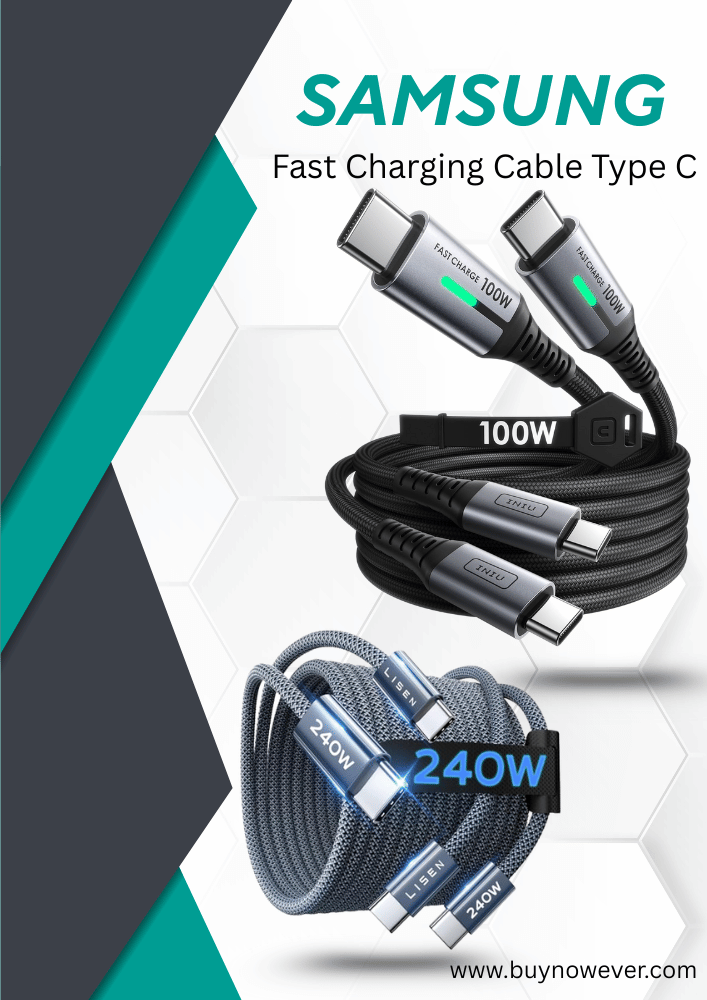
etguuds USB C to USB C Cable 3ft, 2-Pack 60W USBC to USBC Cord, Type C to C Charger Cable Fast Charging for iPhone 17 16 15 Pro Max Plus Air, Samsung Galaxy S25 S24 S23, for MacBook/iPad, Pixel

Fast Charging Cable Type C Samsung

Understanding Fast Charging

Fast charging is not just a feature; it’s a need. Devices today demand more power quickly. Fast charging uses higher power to fill your battery faster. This is done by increasing the voltage and current. Type C cables support this by handling more power safely. Samsung’s Type-C cables are designed to manage this efficiently. They ensure your device gets the right amount of power quickly.

Benefits Of Fast Charging

  • Less time plugged in
  • More time for other activities
  • Convenience during travel
  • Efficient power management

Less time charging means more time for everything else. It’s perfect for those always on the go. Fast charging is a lifesaver during travel. You don’t need to wait long at airports or stations. It’s not just about speed, but also about efficient power use.

Fast Charging Cable Type C Samsung

INIU USB C Cable, [6.6ft, 2-Pack] 100W USB C to C Fast Charging Cord, Braided Type C Charger Cable for iPhone 17 16 Pro Max, Samsung Galaxy S25 S24 Ultra, MacBook Pro, iPad Air Switch,2 Steam Deck etc.

Fast Charging Cable Type C Samsung

How Fast Charging Works

Fast charging involves a complex process, but here’s the simple version. A charger increases power to the battery. A Type C cable delivers this power. The device’s internal system manages how much power it accepts. It ensures the battery is charged safely and quickly. This process reduces the risk of overheating.

Feature Description
Compatibility Ensure it’s compatible with your device
Quality Look for durable materials
Length Choose a cable length that suits your needs

Choosing the right cable is crucial. Compatibility is key. Make sure the cable matches your device’s requirements. A durable cable lasts longer. Consider the length, too. Short cables are good for desk use; long ones are better for distant outlets.

Fast Charging Cable Type C Samsung


T-Type Cable Features

The Type-C cable for Samsung devices has transformed the way we charge and connect. It’s fast, efficient, and versatile. Designed to handle high power and data speeds, it meets the needs of modern mobile users. In this section, explore the key features that make the Type-C cable a preferred choice for Samsung users.

Durability And Longevity

Durability matters when selecting a charging cable. The Type-C cable boasts a robust design that withstands daily use. Crafted from high-quality materials, it resists wear and tear effectively. Users find that its reinforced connectors reduce breakage.

This cable’s long lifespan makes it cost-effective. No need to replace it frequently. Its sturdy construction supports frequent plugging and unplugging.

Fast Charging Capability

Speed is crucial for charging mobile devices. The Type-C cable offers fast charging, drastically reducing waiting times. It supports high-wattage power delivery, ensuring devices charge quickly and efficiently. Users experience less downtime and more productivity.

Quick charging is a key feature that users appreciate. It helps when you’re in a hurry or need to top up your device quickly.

Reversible Connector

Ease of use is vital. The Type-C cable features a reversible connector, eliminating frustration. It connects easily without worrying about orientation. This user-friendly design prevents damage to ports.

Reversible connectors simplify the charging process. Users enjoy a hassle-free experience without fumbling with connections.

Compatibility With Multiple Devices

Versatility is a standout feature. The Type-C cable works with a range of Samsung devices. It’s compatible with smartphones, tablets, and laptops. This universal compatibility makes it a convenient choice.

The Type-C cable supports various Samsung models, offering flexibility. One cable suits many devices, reducing clutter.

Data Transfer Efficiency

Fast data transfer is another advantage. The Type-C cable facilitates rapid data exchange between devices. Users benefit from quick file transfers and synchronization. This efficiency enhances productivity.

Efficient data transfer is essential for seamless connectivity. It ensures files move swiftly between Samsung devices.

Environmental Impact

Sustainability is important in today’s world. The Type-C cable supports eco-friendly practices. Its durability reduces electronic waste. Users contribute to a greener environment by choosing long-lasting cables.

The Type-C cable’s robust design limits waste. It aligns with eco-conscious values and supports sustainable tech solutions.

Samsung Fast Charging Technology

Fast Charging Cable Type C Samsung is designed to keep your devices powered up swiftly. Samsung’s fast charging technology is a marvel in the world of mobile charging. It ensures your device spends less time plugged in and more time in your hands. Let’s delve deeper into what makes this technology stand out.

Understanding Samsung Fast Charging Technology

Samsung’s fast charging technology is built to reduce charging time significantly. This is especially useful for users constantly on the go. It utilizes higher voltage and current to speed up the charging process.

The technology works with compatible devices, ensuring a seamless charging experience. For this, both the charger and device need to support fast charging.

How Fast Charging Works

Fast charging involves increasing the power delivery to the device. Samsung chargers use higher wattage to fill up your battery in less time. This is achieved by raising the voltage or amperage, or both.

Here’s a simple breakdown:

  • Voltage: The electrical potential difference.
  • Current: The flow of electric charge.
  • Wattage: Voltage multiplied by current.

Benefits Of Samsung Fast Charging

  • Time-saving: Charge your device quickly and efficiently.
  • Convenience: Less waiting, more doing.
  • Compatibility: Works with a range of Samsung devices.

Not all Samsung devices support fast charging. It’s crucial to check your device’s specifications. Most newer models are equipped with this feature, enhancing user experience.

Device Model Fast Charging Support
Samsung Galaxy S21 Yes
Samsung Galaxy Note 20 Yes
Samsung Galaxy A50 No

Tips For Optimal Charging

  1. Use the original Samsung fast charger and cable.
  2. Avoid using your device while charging to improve speed.
  3. Keep the charging port clean and free from debris.

Benefits Of Type-C Cables

The fast charging cable Type-C for Samsung devices has become a favorite for tech enthusiasts. This cable offers a range of benefits that enhance the overall user experience. Whether charging your device quickly or ensuring data transfers are seamless, Type-C cables are a reliable companion. Let’s delve into the specific advantages of using Type-C cables.

1. Enhanced Charging Speed

Type-C cables support fast charging, significantly reducing the time it takes to recharge your device. A typical Samsung fast charging cable can power up a device from 0% to 50% in just 30 minutes. This is ideal for users who are always on the go and need their devices ready quickly.

2. Reversible Design

One of the standout features of Type-C cables is their reversible connector. Users no longer need to fumble with the cable to find the correct orientation. Simply plug it in, and it works. This design reduces wear and tear on both the cable and the device’s charging port.

3. Versatile Connectivity

Type-C cables are not limited to charging alone. They support data transfer, video output, and even audio. This versatility makes them a perfect choice for those who use their devices for various tasks, from transferring files to connecting to external displays.

4. Future-proof Technology

The USB Type-C standard is widely adopted by tech manufacturers. Investing in a Type-C cable ensures compatibility with future devices. As more brands and devices adopt this standard, having a Type-C cable becomes a smart choice.

5. Durable And Reliable

Type-C cables are built with durability in mind. They often feature reinforced materials that withstand bending and stretching. This ensures a longer lifespan, providing users with a reliable charging solution that won’t easily fray or break.

6. Compact And Portable

Despite their capabilities, Type-C cables are compact and easy to carry. They fit easily into bags and pockets, making them an excellent choice for travelers and commuters. Their small size doesn’t compromise their performance, offering all the benefits in a convenient package.

Feature Benefit
Enhanced Charging Speed Quick recharge time, ideal for busy users
Reversible Design Easy to use, reduces wear and tear
Versatile Connectivity Supports data, video, and audio
Future-Proof Technology Compatible with upcoming devices
Durable and Reliable Long-lasting with reinforced materials
Compact and Portable Easy to carry, perfect for travel

Compatibility With Samsung Devices

Samsung users often seek efficient and reliable charging solutions. Fast Charging Cable Type C Samsung is a popular choice. It offers quick charging times and seamless connectivity. But how compatible is it with Samsung devices? Let’s explore.

Understanding Type C Compatibility

Type C cables have a universal design. This design is ideal for Samsung’s modern devices. Most Samsung smartphones and tablets now support Type-C connections. This means faster data transfer and charging.

List Of Compatible Samsung Devices

  • Samsung Galaxy S21
  • Samsung Galaxy Note 20
  • Samsung Galaxy A52
  • Samsung Galaxy Tab S7
  • Samsung Galaxy Z Fold 3

Benefits Of Using Type-C Cable With Samsung Devices

Using a Type C cable has several benefits. First, it ensures quicker charging. This reduces the time your device spends plugged in. Second, Type C cables are more durable. This means fewer replacements and lower costs.

Technical Specifications

Feature Details
Charging Speed Up to 100W
Data Transfer Rate 10Gbps
Reversibility Yes

How To Choose The Right Cable

Choosing the right cable is crucial. Check your device’s specifications. Ensure the cable matches these specifications. This prevents compatibility issues. Look for cables with good reviews. These are likely to be more reliable.

Samsung devices benefit greatly from Type-C cables. They offer efficient charging and data transfer. Always choose the right cable for your device. This ensures optimal performance and longevity.

Fast Charging Cable Type C Samsung


Choosing The Right Fast Charging Cable

Fast charging cables are essential for anyone with a Samsung device. They ensure your phone charges quickly and efficiently. But with so many options, how do you choose the right one? Understanding the factors such as cable length, build quality, and price can help you make an informed decision. Let’s explore these aspects to find the best cable for your needs.

Cable Length Options

The length of your cable can impact your charging experience. A short cable may limit mobility, while a long one can be cumbersome. Here are a few considerations:

  • Short Cables (1-3 feet): Perfect for desk use or charging with a power bank.
  • Medium Cables (4-6 feet): Ideal for home or office, offering flexibility without tangling.
  • Long Cables (7-10 feet): Great for reaching distant power outlets, though they may be less portable.

Here’s a quick comparison:

Length Use Case Pros Cons
1-3 feet Desk or travel Portable, less clutter Limited range
4-6 feet General use Balanced length Moderate tangle risk
7-10 feet Living room or bedroom Extended reach Bulky, tangles easily

Build Quality Considerations

Investing in a well-built cable ensures longevity and reliability. Here are some factors to consider:

  • Material: Look for cables made of durable materials like nylon or braided fabric.
  • Connector Quality: Ensure the connectors are sturdy and fit snugly into your device.
  • Reinforcement: Cables with reinforced stress points reduce wear and tear.

High-quality cables often have:

  1. Thick insulation to prevent damage.
  2. Strong connectors that resist bending.
  3. Brand reputation for reliability.

Choosing a cable with these features can prevent frequent replacements and ensure consistent charging speeds.

Price Vs Performance

Balancing price and performance is crucial. A cheap cable might save money but offer poor performance. Consider these points:

  • Budget Cables: Affordable, but may lack durability and speed.
  • Mid-range Cables: Offer a good balance of quality and price.
  • Premium Cables: High cost, but excellent performance and longevity.

Here’s a comparison guide:

Type Price Range Performance Durability
Budget $5-$10 Basic Low
Mid-range $10-$20 Good Moderate
Premium $20-$30 Excellent High

Finding the right balance ensures you get a cable that meets your needs without overspending.

Common Myths About Fast Charging

Fast charging has transformed the way we power our devices. With a Fast Charging Cable Type C Samsung, users enjoy quicker charging times, ensuring their gadgets are always ready. Yet, many myths surround fast charging. Let’s explore some common misconceptions and clarify the facts.

Myth 1: Fast Charging Damages The Battery

Many believe that fast charging harms the battery’s lifespan. This isn’t entirely true. While rapid charging increases temperature, modern devices include safeguards. These features regulate temperature and current, protecting the battery.

Myth 2: All Type C Cables Support Fast Charging

Not every Type C cable can handle fast charging. Some cables lack the required power throughput. It’s crucial to choose cables designed for fast charging to ensure efficient power delivery.

Myth 3: Fast Charging Stops at 100%

Some think fast charging continues indefinitely. In reality, once the battery hits 100%, the charging speed slows. This trickle charging maintains full capacity without causing stress to the battery.

Myth 4: Using Your Phone While Charging Slows Down Fast Charging

Using your phone while charging might seem like it affects the speed. Yet, fast charging compensates for the extra power usage. You can use your device with little impact on charging time.

Myth 5: Fast Charging Works Only With Samsung Devices

Fast Charging Cable Type C Samsung isn’t exclusive to Samsung phones. Many modern devices support fast charging, provided they have compatible technology and chargers.

Myth Truth
Fast Charging Damages Battery Modern safeguards protect the battery.
All Type C Cables Support Fast Charging Only specific cables are designed for it.
Fast Charging Stops at 100% Charging slows to maintain capacity.
Using the Phone Slows Down Charging Fast charging compensates for power use.
Works Only with Samsung Devices Compatible with many modern gadgets.
Fast Charging Cable Type C Samsung


Care And Maintenance Tips

The Samsung Fast Charging Cable Type C is a reliable companion for powering up your devices swiftly. Proper care ensures its longevity and efficiency. Below are essential tips to maintain your cable.

Proper Storage

Storing your cable properly can prevent wear and tear. Avoid bending or twisting the cable too tightly. Use cable organizers or ties to keep it neat.

Avoid Excessive Heat

Heat can damage the cable’s integrity. Keep it away from direct sunlight or hot surfaces. Exposure to high temperatures can weaken the material.

Regular Cleaning

Dust and debris can affect charging efficiency. Clean the cable ends periodically using a soft cloth. For stubborn dirt, a slight dampness can help. Ensure the cable is dry before use.

Check For Damage

Inspect the cable regularly for signs of damage. Look for frayed wires or bent connectors. Replace damaged cables promptly to avoid potential hazards.

Use Compatible Devices

Compatibility ensures optimal performance. Use your Type C cable with Samsung or other compatible devices. Mismatched devices can reduce charging speed and efficiency.

Secure Connections

Ensure a firm connection between the cable and device. Loose connections can disrupt charging. Push the connector in gently until it clicks.

Table: Quick Maintenance Tips

Tip Description
Proper Storage Prevent wear by storing neatly.
Avoid Heat Keep away from hot surfaces.
Regular Cleaning Clean ends with a soft cloth.
Check Damage Inspect for frays and bends.
Use Compatibility Ensure device compatibility.
Secure Connections Ensure firm connector fit.

Future Of Fast Charging Technology

The world of technology is always moving forward. Fast charging technology is a prime example. It allows devices to charge quickly, saving time and keeping us on the go. Samsung’s Fast Charging Cable Type C is a leader in this field. It ensures quick and efficient power transfer. What does the future hold for this technology? Let’s explore.

Fast Charging Evolution

Charging methods have changed over the years. Early phones took hours to charge. Today, thanks to Type C cables, charging is quicker than ever. The Type C cable supports higher power delivery. It allows faster and safer charging. In the future, charging times may decrease even more.

Wireless Charging Advancements

Wireless charging is gaining popularity. It’s convenient and reduces cable clutter. The technology is improving rapidly. Future devices might charge wirelessly at speeds matching wired connections. Samsung is already working on this. Wireless charging may soon become the norm.

Eco-friendly Charging Solutions

As technology advances, eco-friendliness becomes crucial. Fast charging technology is no exception. Future charging cables may be made from sustainable materials. Energy efficiency will improve, reducing environmental impact. This aligns with global efforts towards a greener planet.

Enhanced Safety Features

Fast charging involves high power levels. Safety is a top priority. Future cables will likely have better safety features. These include overcharge protection and heat management. Such features ensure devices remain safe during fast charging.

Feature Current Status Future Prospects
Charging Speed Fast with Type C Even Faster
Wireless Charging Becoming Common May Match Wired Speed
Eco-Friendliness Improving Sustainable Materials
Safety Features Basic Protection Advanced Safety

Universal Compatibility

Compatibility remains a key factor. The Type C cable is already versatile. It works with many devices. Future cables might offer universal compatibility. This means one cable for all devices. It simplifies charging and reduces waste.

Potential For AI Integration

Artificial intelligence can play a role in future charging. AI can optimize charging speeds and times. It can adjust based on usage patterns. This leads to efficient energy use. It also prolongs battery life.

Frequently Asked Questions

What Is A Type C Fast Charging Cable?

A Type C fast charging cable is designed for quick power delivery. It supports higher voltage and current levels, charging devices faster than standard cables. Type C cables are reversible, allowing easy connection without worrying about orientation. They are compatible with many modern devices, including Samsung smartphones, tablets, and laptops.

How Does Samsung Fast Charging Work?

Samsung fast charging works by delivering higher power levels to your device. It uses advanced technology to increase charging speed without damaging the battery. With a compatible charger and cable, Samsung devices can charge up to 50% in about 30 minutes.

This feature is ideal for users who need quick power boosts.

Are All Type C Cables Fast Charging?

Not all Type C cables support fast charging. To enable fast charging, a Type C cable must meet specific standards and specifications. It should be paired with a compatible charger. Always check product details for fast charging compatibility when purchasing Type-C cables for Samsung devices.

Why Choose Samsung Type-C Cables?

Samsung Type-C cables are optimized for fast, reliable charging and data transfer. They are built with high-quality materials to ensure durability and longevity. Choosing Samsung cables guarantees compatibility and optimal performance with Samsung devices. They provide secure connections and can withstand daily wear and tear.

Conclusion

A fast charging cable can enhance your Samsung experience. It delivers quick power, saving precious time. This means more time for gaming or chatting. A Type C cable is easy to use and reliable. Its design suits modern needs. No more waiting for a full battery.

Always ready for the day ahead. Investing in a good cable is wise. It lasts longer and performs better. Choose quality over cost. Your device deserves the best. Enjoy smoother and faster charging with Type-C cables. Make your Samsung phone efficient and ready.