Sonos Arc and Bluetooth: A Deep Dive into Connectivity
Imagine sitting in your living room, the perfect movie queued up, but something feels off. You realize it’s the sound – it’s just not cutting it.
You’ve heard about the Sonos Arc and Bluetooth, renowned for its immersive sound experience, and you’re curious if it could be the game-changer you need. But there’s one question nagging at you: Does Sonos Arc have Bluetooth? You’re not alone in wondering about this.
Many people are in search of that perfect audio setup, hoping for seamless connectivity and top-notch sound quality. Bluetooth has become a staple in wireless audio devices, but does it integrate with the high-tech Sonos Arc? We’ll unravel the mystery and give you clear insights, helping you make an informed decision about your next audio investment. Get ready to explore the possibilities and understand how the Sonos Arc can transform your listening experience.
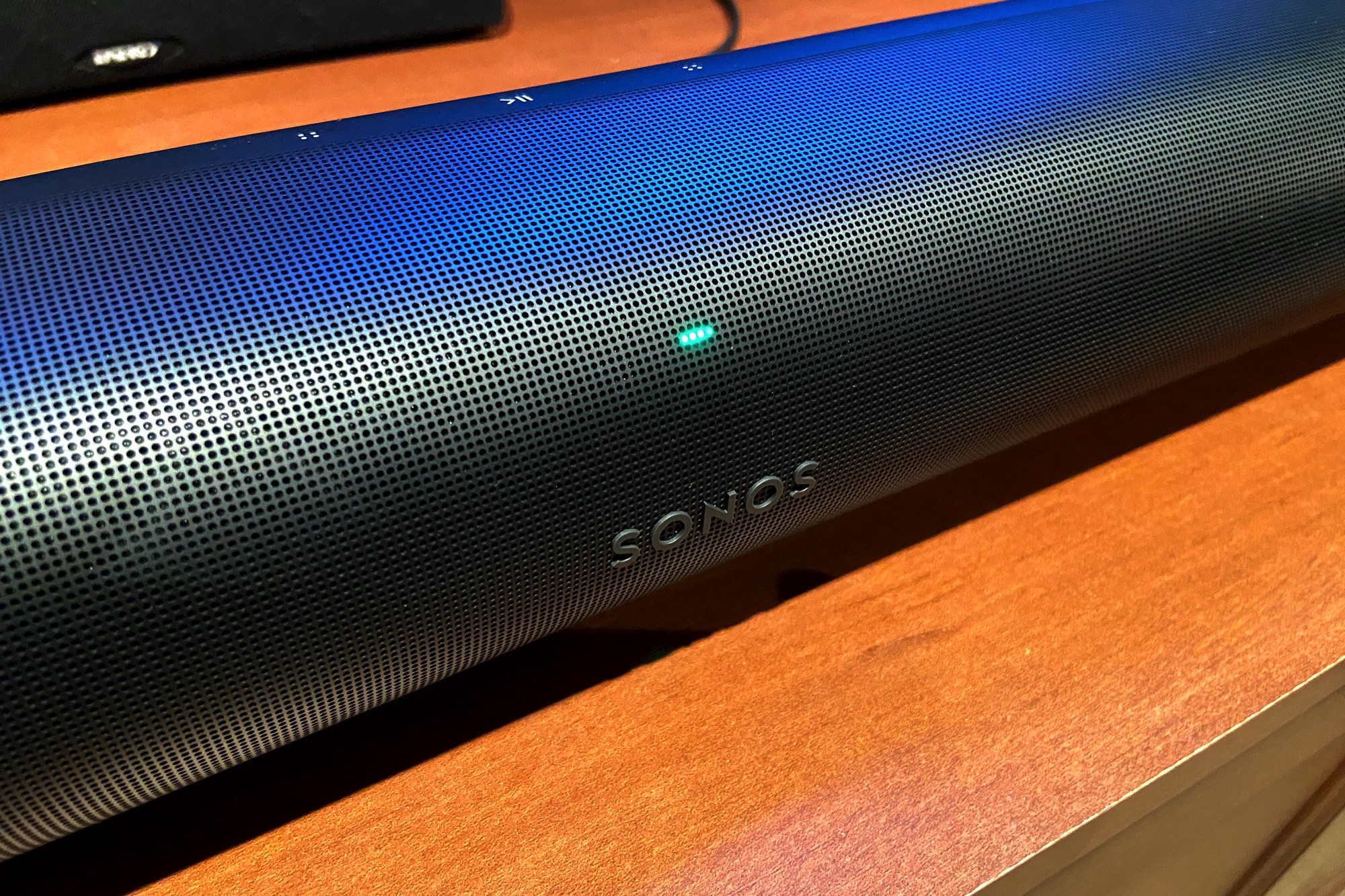
The Sonos Arc is a popular choice for audio enthusiasts. Its sleek design and advanced features make it stand out. Many people are curious about its Bluetooth capabilities. Here, we explore the key features of the Sonos Arc.
Sound Quality
The Sonos Arc offers rich, immersive sound. It includes Dolby Atmos technology. This creates a 3D sound experience. Each note and beat comes alive in your room. The soundbar has 11 high-performance drivers. This ensures powerful sound delivery.
Design
The design is sleek and modern. The Sonos Arc fits well in any living space. It is available in black or white. The minimalist design complements any decor. The soundbar is wall-mountable. This adds flexibility to your setup.
Connectivity
Sonos Arc does not have Bluetooth connectivity. Instead, it uses Wi-Fi for streaming. This ensures stable and high-quality audio. The Arc connects with the Sonos app. This allows easy control and access to various music services.
Voice Control
Sonos Arc features built-in voice control. It supports Amazon Alexa and Google Assistant. You can control music hands-free. Play, pause, or skip tracks with your voice. This feature adds convenience to your listening experience.
The Sonos Arc is compatible with many devices. It works well with TVs that have HDMI eARC or ARC. It also integrates with other Sonos speakers. This lets you create a multi-room audio system. Enjoy synchronized music throughout your home.
Smart Features
The Sonos Arc has smart features like Trueplay tuning. This adjusts the sound to your room’s acoustics. The soundbar also updates automatically. This ensures you always have the latest features and improvements.
Feature
Description
Sound Quality
Dolby Atmos, 3D sound, 11 drivers
Design
Sleek, modern, wall-mountable
Connectivity
Wi-Fi, Sonos app, no Bluetooth
Voice Control
Amazon Alexa, Google Assistant
Compatibility
HDMI eARC, multi-room with Sonos
Smart Features
Trueplay tuning, automatic updates
Sonos Era 100 – Black – Wireless, Alexa-Enabled Smart Speaker
Bluetooth Connectivity
Bluetooth connectivity is a common feature in many audio devices. It allows users to connect devices wirelessly, providing convenience and flexibility. Many people wonder if the Sonos Arc, a popular smart soundbar, includes Bluetooth connectivity. Understanding the capabilities and limitations of the Sonos Arc can help users make informed decisions about their audio setup. Let’s dive into the specifics of Bluetooth functionality in the Sonos Arc.
Bluetooth Connectivity In Sonos Arc
The Sonos Arc does not have Bluetooth connectivity. Instead, it relies on Wi-Fi for wireless communication. This design choice supports high-quality audio streaming and integrates seamlessly into the Sonos ecosystem. The absence of Bluetooth can be surprising to some users, but it aligns with Sonos’s focus on delivering superior sound quality through Wi-Fi.
While the Sonos Arc lacks Bluetooth, it offers several alternatives for wireless connection. Users can stream music using Wi-Fi through the Sonos app. This method provides access to a wide range of streaming services like Spotify and Apple Music. AirPlay 2 is another option for Apple users, enabling direct streaming from iOS devices.
Benefits Of Wi-fi Over Bluetooth
Wi-Fi offers advantages over Bluetooth, especially for audio quality. It supports high-resolution audio files, ensuring a more immersive listening experience. Wi-Fi connections also have a longer range than Bluetooth, allowing users to move freely without losing signal. The Sonos Arc leverages these benefits to deliver top-notch sound performance.
How To Connect Sonos Arc
Connecting the Sonos Arc to your home network is straightforward. Use the Sonos app to set up the soundbar. Follow the on-screen instructions to connect the Arc to your Wi-Fi network. Once connected, stream music and audio from various services. For HDMI connections, use the HDMI ARC port on your TV for seamless audio integration.
Comparing Bluetooth And Wi-fi
Feature
Bluetooth
Wi-Fi
Range
Short
Long
Audio Quality
Standard
High-Resolution
Interference
Common
Less Common
Compatibility
Universal
Requires App/Network
Understanding the differences between Bluetooth and Wi-Fi is crucial. It helps in choosing the right audio setup for your needs. The Sonos Arc, with its focus on Wi-Fi connectivity, offers robust sound quality that Bluetooth cannot match.
Alternatives To Bluetooth
Sonos Arc, a popular soundbar, offers immersive sound for home entertainment. But does it come with Bluetooth? The simple answer is no. It doesn’t have Bluetooth connectivity. Instead, Sonos Arc offers other innovative ways to connect and stream audio. These alternatives provide seamless listening experiences. Let’s explore these options to understand how you can enjoy your Sonos Arc without Bluetooth.
Sound Bar for Smart TV, Soundbar with Bluetooth/ARC/Opt/AUX Connect, Auto Volume Boost, 3 Equalizer Modes, 2 in 1 Detachable Soundbar for TV/PC/Gaming/Projectors
Wi-fi Streaming
Wi-Fi streaming is a strong alternative to Bluetooth. It allows for higher-quality audio without interruptions. With Wi-Fi, you can stream music directly from your favorite apps like Spotify, Apple Music, or Amazon Music. Simply connect your Sonos Arc to your home Wi-Fi network. This ensures a smooth and consistent audio experience.
Apple AirPlay 2
For Apple users, AirPlay 2 is a fantastic option. It lets you stream audio from any Apple device. Whether it’s an iPhone, iPad, or Mac, you can easily send your favorite tunes to the Sonos Arc. AirPlay 2 also supports multi-room audio. This means you can play music in different rooms simultaneously.
Sonos App
The Sonos app is another great tool for controlling your Sonos Arc. It’s available on both iOS and Android platforms. With the app, you can access a variety of music services. You can also group speakers, adjust volume, and personalize your sound settings. The app makes it easy to enjoy music without needing Bluetooth.
Hdmi Arc/earc
HDMI ARC and eARC provide direct connections to your TV. They offer superior sound quality compared to traditional Bluetooth connections. This setup ensures that your Sonos Arc delivers the best possible audio performance. With HDMI, you can experience clear and powerful sound, perfect for movies and shows.
Alternative
Benefit
Wi-Fi Streaming
High-quality audio with no interruptions
Apple AirPlay 2
Easy streaming from Apple devices, supports multi-room audio
Sonos App
Control music, adjust settings, and access multiple services
HDMI ARC/eARC
Superior sound quality for TV audio
These alternatives to Bluetooth make the Sonos Arc a versatile and user-friendly sound system. They provide high-quality audio options that enhance your listening experience. Whether you use Wi-Fi, AirPlay 2, the Sonos app, or HDMI connections, you’re assured of an exceptional audio journey.
Using Sonos Arc With Other Devices
The Sonos Arc and Bluetooth are renowned for their immersive sound quality and sleek design. But does it have Bluetooth? The short answer is no. The Sonos Arc doesn’t support Bluetooth connectivity. This might seem limiting, but it integrates seamlessly with various devices. Let’s explore how you can use the Sonos Arc with other gadgets for an exceptional audio experience.
Connecting Through Wi-fi
One of the best ways to connect your Sonos Arc with other devices is via Wi-Fi. This method offers a stable and high-quality audio connection. You can stream music directly from your smartphone, tablet, or computer using the Sonos app. The app supports popular music services, ensuring you have access to your favorite tunes.
Using HDMI ARC/eARC
For a direct connection to your TV, the Sonos Arc supports HDMI ARC/eARC. This feature ensures a high-quality audio transfer. It also allows for seamless control using your TV remote. Simply connect the HDMI cable from your TV to the Arc, and you’re set for a cinematic sound experience.
Airplay 2 Compatibility
If you’re an Apple user, AirPlay 2 is a convenient way to connect your Sonos Arc with Apple devices. This feature enables streaming from iPhones, iPads, or Macs. Simply select the Sonos Arc in your AirPlay menu, and enjoy rich audio instantly.
Streaming Services Integration
Spotify
Apple Music
Amazon Music
Pandora
These are just a few of the many streaming services compatible with the Sonos Arc. With the Sonos app, you can easily switch between services and enjoy your playlists effortlessly.
Voice Control Features
The Sonos Arc supports voice control for hands-free operation. It integrates with Amazon Alexa and Google Assistant. You can adjust volume, skip tracks, or play specific songs using just your voice.
Table Of Compatible Devices
Device Type
Connection Method
Smartphones
Wi-Fi, AirPlay 2
Televisions
HDMI ARC/eARC
Computers
Wi-Fi, AirPlay 2
These connection options ensure that the Sonos Arc remains versatile, even without Bluetooth. Experience quality sound across multiple devices with ease.
User Experience With Sonos Arc
The Sonos Arc has become a popular choice for sound enthusiasts seeking an immersive audio experience. Many users wonder if it has Bluetooth capabilities. While it does not support Bluetooth, the Sonos Arc offers a rich user experience through its seamless integration with Wi-Fi and other smart home devices. Let’s explore how users interact with the Sonos Arc and what makes it stand out.
Easy Setup And Connectivity
Setting up the Sonos Arc is straightforward. Users appreciate the simplicity of connecting it to their TV via HDMI ARC. The Sonos app guides users through the setup process, making it user-friendly. The device connects to Wi-Fi, allowing access to a wide range of streaming services. Users can effortlessly stream music from platforms like Spotify, Apple Music, and more.
Intuitive Controls
Voice Control: The Sonos Arc supports voice commands through Amazon Alexa and Google Assistant. Users can control the soundbar using simple voice prompts.
Sonos App: The app provides comprehensive control over audio settings. Adjust bass, treble, and create sound profiles to suit preferences.
Touch Controls: The soundbar features touch-sensitive controls. Users can play, pause, or adjust volume directly from the device.
Sound Quality And Experience
The Sonos Arc delivers exceptional sound quality. Its Dolby Atmos technology offers a dynamic and immersive listening experience. Users describe the sound as room-filling, with clear dialogue and deep bass. Watching movies or listening to music becomes a captivating experience.
Multi-room Audio
Users can expand their audio setup with Sonos speakers. Connect multiple speakers via Wi-Fi to create a multi-room audio system. This feature allows sound to flow seamlessly throughout the home, enhancing the listening experience.
Sonos Roam – White – Wireless Portable Bluetooth Speaker
Smart Home Integration
The Sonos Arc integrates with various smart home platforms. It works well with devices like smart TVs and home automation systems. Users can enjoy synchronized audio and video experiences. This integration enhances the overall user experience.
Feature
Description
Wi-Fi Connectivity
Enables streaming from various platforms without Bluetooth.
Voice Control
Supports Alexa and Google Assistant for hands-free operation.
Dolby Atmos
Provides immersive sound quality.
Multi-Room Audio
Connects with other Sonos speakers for whole-home sound.
Comparison With Other Soundbars
The Sonos Arc is a sleek and powerful soundbar, but many wonder about its Bluetooth capabilities. Though the Arc does not support Bluetooth, it offers other features that make it a strong contender in the soundbar market. Let’s explore how the Sonos Arc compares with other soundbars to help you decide which is best for your home audio needs.
Design And Build Quality
The Sonos Arc boasts a minimalist design with high-end materials, making it a stylish addition to any living room. Other soundbars, like the Bose Soundbar 700, also offer a sleek design, yet some may find the Arc’s elongated shape fits better under large TVs.
Soundbar
Design
Build Quality
Sonos Arc
Minimalist
High-End
Bose Soundbar 700
Sleek
Premium
Samsung HW-Q950T
Modern
Durable
Sound Quality
The Sonos Arc offers immersive sound with Dolby Atmos support, providing a theater-like experience. While the Samsung HW-Q950T also supports Dolby Atmos, the Arc’s soundstage is often praised for its clarity and depth.
Sonos Arc: Clear, Immersive, Dolby Atmos
Bose Soundbar 700: Balanced, Crisp, No Dolby Atmos
Samsung HW-Q950T: Powerful, Surround, Dolby Atmos
Connectivity Options
Connectivity is a crucial aspect when choosing a soundbar. The Sonos Arc connects via Wi-Fi and Ethernet but lacks Bluetooth. In contrast, the JBL Bar 5.1 offers Bluetooth, adding flexibility for streaming music from various devices.
Sonos Arc: Wi-Fi, Ethernet
Bose Soundbar 700: Wi-Fi, Bluetooth
JBL Bar 5.1: Bluetooth, Wi-Fi
Smart Features
Smart features elevate the user experience. The Sonos Arc integrates with smart assistants like Alexa and Google Assistant. While the LG SN11RG also offers smart integrations, the Arc’s ecosystem excels in compatibility and ease of use.
Sonos Arc: Alexa, Google Assistant
LG SN11RG: Alexa, Google Assistant
Bose Soundbar 700: Alexa, Google Assistant, Bose Music App
Setting Up Sonos Arc
The Sonos Arc is a popular soundbar known for its rich sound and sleek design. But does it have Bluetooth? The short answer is no. Instead, it connects through Wi-Fi to deliver high-quality audio. Many users wonder how to set up the Sonos Arc for the best experience. Let’s explore the setup process to make sure your Sonos Arc is ready to fill your room with immersive sound.
Preparing Your Space
Before setting up the Sonos Arc, choose the right spot. Place it below or above your TV. Ensure it has enough space to breathe. Avoid blocking the soundbar with objects. A clear path allows sound to travel better, enhancing your listening experience.
Connecting To Power
Plug the Sonos Arc into a power outlet. Use the power cable provided in the box. Look for the power port on the back of the soundbar. Make sure the cable is secure. A stable power connection is crucial for consistent performance.
Using The HDMI Connection
The Sonos Arc connects to your TV using an HDMI cable. Locate the HDMI ARC or eARC port on your TV. This port allows the best audio quality. Plug one end of the HDMI cable into the soundbar and the other into the TV. Ensure the cable is firmly connected at both ends.
Setting Up With The Sonos App
Download the Sonos app on your smartphone. It’s available on both iOS and Android. Open the app and follow the on-screen instructions. The app will guide you through connecting your Sonos Arc to Wi-Fi. A stable Wi-Fi connection is essential for smooth streaming.
Calibrating With Trueplay
Trueplay is a feature that fine-tunes your Sonos Arc. It adjusts the sound based on your room’s acoustics. Use the Sonos app to start the Trueplay process. Follow the app’s instructions to walk around your room. This ensures the best possible sound quality.
Adding Voice Control
Sonos Arc supports voice control for added convenience. You can use Amazon Alexa or Google Assistant. Set up your preferred voice assistant through the Sonos app. This allows you to control the soundbar with simple voice commands. Enjoy hands-free operation and easy access to your favorite music.
Common Issues And Solutions
The Sonos Arc is a popular soundbar known for its excellent audio performance. But many users ask, “Does Sonos Arc have Bluetooth?” Unfortunately, the answer is no. Sonos Arc does not support Bluetooth connectivity. Instead, it relies on Wi-Fi for wireless connections. This can lead to some common issues users face. Let’s explore these issues and their solutions.
1. Connectivity Problems
Some users experience trouble connecting the Sonos Arc to their network. This can be frustrating, especially during setup.
Solution: Ensure your Wi-Fi network is stable. Place the Sonos Arc close to the router during setup.
Use the Sonos app to guide you through the connection process. Follow the instructions carefully.
2. Audio Delays
Audio delays might occur when using the Sonos Arc with a TV. This can affect your viewing experience.
Solution: Check the audio settings on your TV. Ensure they’re set to “PCM” or “Stereo.”
Update the Sonos app and the Arc’s firmware regularly. This helps improve performance.
3. No Sound Output
Sometimes, the Sonos Arc may not output any sound despite being properly connected.
Solution: Verify that the Arc is selected as the audio output device on your TV.
Double-check all cable connections. Ensure they’re secure and correctly plugged in.
4. App Issues
The Sonos app may not function as expected, causing frustration.
Solution: Reinstall the Sonos app. This often resolves minor glitches.
Clear the app cache if using an Android device. This can improve app performance.
5. Firmware Updates
Missing or incomplete firmware updates can lead to performance issues.
Solution: Regularly check for firmware updates in the Sonos app.
Install updates promptly to keep your Sonos Arc running smoothly.
Issue
Solution
Connectivity Problems
Ensure stable Wi-Fi and follow app instructions.
Audio Delays
Check TV audio settings and update firmware.
No Sound Output
Verify audio output device and check cable connections.
App Issues
Reinstall the app and clear the cache if necessary.
Sonos Arc doesn’t support Bluetooth connections. Connect it using Wi-Fi or Ethernet for optimal performance. Use the Sonos app to set up and manage your device. Ensure your mobile device is connected to the same Wi-Fi network for seamless integration and control.
Is Sonos Arc Bluetooth Capable?
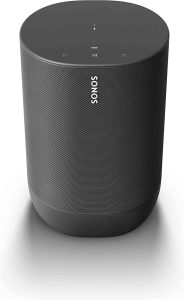
The Sonos Arc does not support Bluetooth. It connects via Wi-Fi for streaming and integrates with the Sonos app. For Bluetooth support, consider the Sonos Move or Sonos Roam models. These alternatives offer wireless connectivity with Bluetooth and Wi-Fi, enhancing flexibility for diverse audio needs.
Can I Play Music From My Phone On Sonos Arc?
Yes, you can play music from your phone on the Sonos Arc. Use the Sonos app to stream your favorite music. You can also connect via Bluetooth or AirPlay 2 for seamless audio playback. Enjoy a high-quality sound experience directly from your smartphone to the Sonos Arc.
Can You Get Bluetooth On Sonos?
Sonos speakers generally do not support Bluetooth connectivity. The Sonos Move is an exception, offering Bluetooth functionality. To stream via Bluetooth, you must use the Sonos Move. For other models, rely on Wi-Fi or the Sonos app for connectivity. Always check the specific model’s features for Bluetooth support.
Conclusion
Sonos Arc lacks Bluetooth connectivity. Its focus is on Wi-Fi streaming. This choice ensures high-quality sound without interruption. Many users appreciate the seamless integration with smart home systems. You can still connect via apps or voice assistants. Enjoy music with detailed sound and deep bass.
Sonos Arc and Bluetooth deliver remarkable audio experiences. Perfect for movie nights or music lovers. Consider other devices if Bluetooth is essential for you. Explore options that fit your needs. Sonos Arc excels in offering rich sound and smart features. A great choice for a connected home audio system.