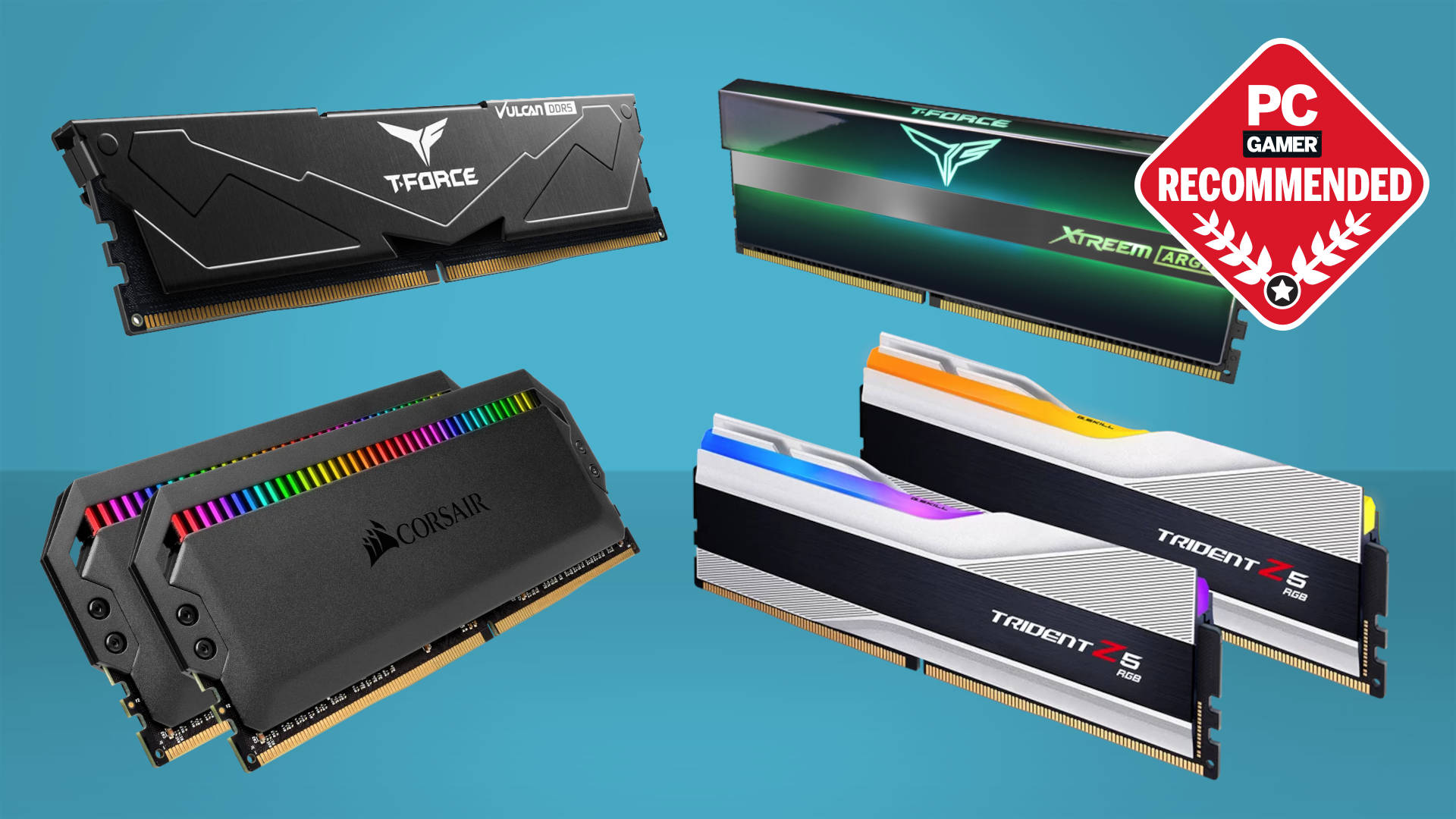
What is the Best Ram for Gaming: Top Picks Revealed
When you dive into the world of gaming, every component of your setup matters. But have you ever wondered what is the best RAM for gaming and what truly makes your games run smoother and faster?
The answer often lies in your computer’s RAM. Choosing the best RAM for gaming can be a game-changer, literally. Imagine eliminating those frustrating lags and enhancing your gaming experience to a whole new level. We’ll uncover what makes certain RAM stand out and how you can make the best choice for your setup.
Get ready to transform your gaming experience and unlock the full potential of your games. Curious about which RAM could be your perfect match? Let’s dive in and find out.
When choosing the best RAM for gaming, understanding the different types is crucial. RAM, or Random Access Memory, is essential for a smooth gaming experience. It helps your computer process data quickly, allowing for faster load times and better performance. There are several types of RAM, each with its strengths and weaknesses. Knowing these differences can help you make an informed decision. Let’s explore some of the most common types of RAM used in gaming today.
Ddr3 Vs Ddr4
DDR3 and DDR4 are popular types of RAM used in gaming computers. DDR3 was the standard for many years. It offers decent performance for most games. But as games become more demanding, DDR3 can struggle to keep up.
DDR4 is faster and more efficient than DDR3. It uses less power, which means your computer can run cooler and quieter. Here are some key differences:
Speed: DDR4 has higher speed capabilities, often exceeding 2133 MHz, while DDR3 is typically around 1600 MHz.
Power Consumption: DDR4 operates at 1.2 volts, making it more power-efficient compared to DDR3’s 1.5 volts.
Latency: DDR4 generally has higher latency, but its speed compensates for this.
Here’s a comparison table for a clearer view:
Feature
DDR3
DDR4
Speed
Up to 1600 MHz
2133 MHz and higher
Voltage
1.5V
1.2V
Latency
Lower
Higher
For most gamers, DDR4 is the better choice due to its speed and efficiency. It ensures your gaming rig runs smoothly, even with resource-heavy games.
Ddr5 Benefits
DDR5 is the latest in RAM technology, offering significant improvements over its predecessors. It’s designed to handle the most demanding applications and games, providing an edge for serious gamers. Here are some benefits of DDR5:
Speed: DDR5 offers speeds starting at 4800 MHz, which is much faster than DDR4.
Capacity: With DDR5, higher capacity modules are available, allowing for more memory in a single stick.
Efficiency: DDR5 is more efficient, using power more effectively and reducing heat output.
DDR5’s increased bandwidth and capacity mean better multitasking and smoother gameplay. This is especially true for games that require high memory usage. While DDR5 is more expensive, its performance benefits make it a worthwhile investment for those looking to future-proof their gaming setups.
The enhanced speed and efficiency of DDR5 can lead to noticeable improvements in load times and frame rates. This can significantly enhance the gaming experience, especially in modern, graphically-intensive games.
Key Specifications
Choosing the best RAM for gaming can greatly enhance your gaming experience. It affects how smoothly games run and how quickly data is processed. Key specifications, such as speed, latency, and capacity, are crucial. These aspects determine how well your system will perform during intense gaming sessions. Understanding these specifications helps in selecting RAM that suits your gaming needs.
Speed And Latency
Speed and latency are vital factors when selecting RAM for gamingSpeed refers to how fast the RAM can transfer data. It is measured in MHz. Higher MHz means faster data transfer, leading to smoother gameplay.
DDR4 RAM: Commonly ranges from 2133 MHz to 4266 MHz.
DDR5 RAM: Offers speeds starting at 4800 MHz, with potential for higher.
Latency measures the delay before RAM can access data. Lower latency translates to quicker access times, enhancing performance.
CL16 or CL18: Standard latency for DDR4, with CL16 being faster.
DDR5 options: Generally have higher latency but are compensated by speed.
Balancing speed and latency is important. A good combination ensures efficient data processing and minimal lag.
Type
Speed (MHz)
Latency
DDR4
2133 – 4266
CL16 – CL18
DDR5
4800+
Varies
Capacity Recommendations
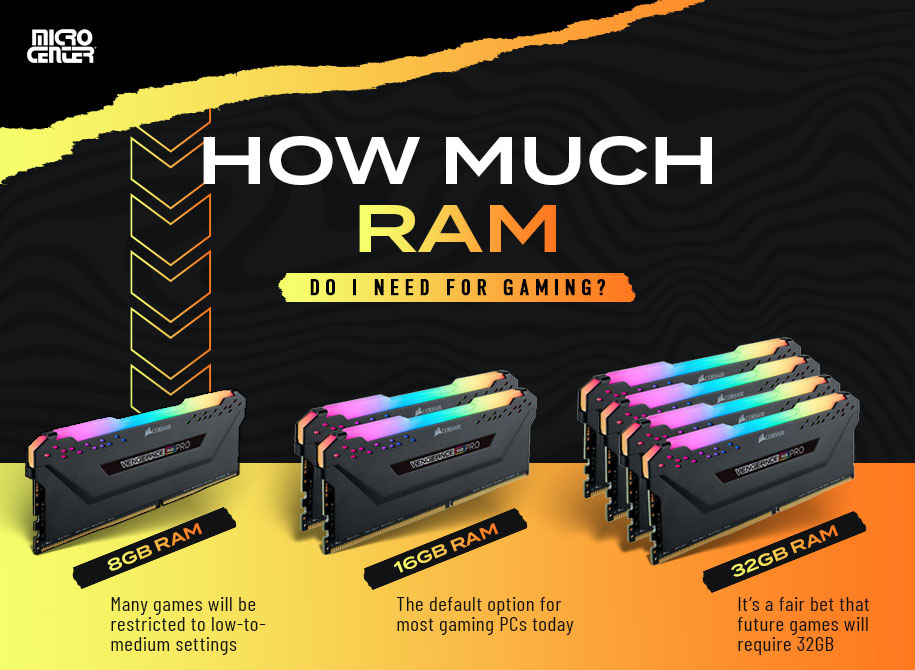
Capacity determines how much data RAM can hold at once. For gaming, capacity is crucial. It influences how many programs can run simultaneously without slowing down.
8GB: The minimum for gaming. Suitable for less demanding games or older titles.
16GB: Ideal for most gamers. Handles modern games and multitasking efficiently.
32G B: Best for high-end gaming and streaming. Supports future-proofing and memory-intensive tasks.
Consider your gaming needs and budget when choosing capacity.
Casual gamers: 8GB may suffice.
Regular gamers: 16GB ensures smooth performance.
Professional gamers or streamers: 32GB offers optimal support.
Investing in sufficient RAM capacity ensures a seamless gaming experience.
Top Brands
Choosing the best RAM for gaming can elevate your gaming experience to the next level. Top brands provide reliable performance, speed, and efficiency, making them favorites among gamers. Corsair, G.SKILL, and Kingston stand out as leaders in the RAM industry, offering a range of products tailored to gaming needs. Each brand brings unique features and advantages, catering to different preferences and budgets. Understanding what each brand offers can help you make an informed choice for your gaming setup.
Corsair
Corsair is renowned for its high-quality RAM modules that enhance gaming performance. Known for durability and speed, Corsair RAM is a staple for many gamers. Here are some key features:
Speed: Corsair offers RAM with varying speeds, suitable for different gaming needs.
RGB Lighting: Many models come with customizable RGB lighting, adding flair to your gaming rig.
Reliability: Corsair RAM is known for its reliability and long-lasting performance.
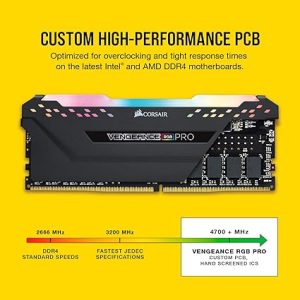
Corsair’s Vengeance series is popular among gamers. This series balances price and performance effectively. For those seeking top-tier performance, the Dominator Platinum series offers advanced cooling and speed. Below is a brief comparison table:
Series
Speed
Features
Vengeance
Up to 3600MHz
RGB, Efficient Cooling
Dominator Platinum
Up to 5000MHz
Advanced Cooling, Premium Build
Corsair consistently delivers RAM that meets the demands of high-performance gaming.
G.skill
G.SKILL is synonymous with high-performance RAM. It offers modules that cater specifically to gamers who need speed and stability. Some notable aspects include:
Performance: G.SKILL RAM is engineered for speed, ideal for competitive gaming.
Design: Sleek designs, often featuring RGB lighting for aesthetic appeal.
Customization: Options for overclocking, allowing users to maximize RAM performance.
The Trident Z series is a favorite among gamers. It combines speed with eye-catching design. For extreme gaming, the Ripjaws series offers robust performance with reliable stability. Here’s a comparison of these series:
Series
Speed
Features
Trident Z
Up to 4000MHz
RGB, Overclocking Capabilities
Ripjaws
Up to 3600MHz
Stability, High Speed
G.SKILL RAM is a top choice for gamers who prioritize speed and style.
Kingston
Kingston RAM is a trusted name in the gaming community. Known for affordability and solid performance, Kingston offers options for various gaming setups. Key points include:
Affordability: Kingston provides cost-effective solutions without compromising quality.
Versatility: Suitable for a range of gaming systems, from entry-level to advanced.
Longevit: Kingston RAM is built to last, ensuring consistent performance.
The HyperX Fury series is popular among budget-conscious gamers. It offers reliable performance at a reasonable price. For those seeking more features, the Predator series provides enhanced speed and cooling. Below is a comparison of these series:
Series
Speed
Features
HyperX Fury
Up to 3200MHz
Cost-Effective, Reliable
Predator
Up to 3600MHz
Enhanced Cooling, High Speed
Kingston offers gamers a balance between cost and performance, making it a dependable choice.
Budget Options
Choosing the best RAM for gaming can be tricky, especially when you’re on a budget. Balancing performance and cost is crucial for gamers who want to enjoy smooth gameplay without breaking the bank. Budget options don’t mean compromising on quality. With careful selection, you can find RAM that boosts your gaming experience at a price that fits your wallet.
Affordable Choices
Finding affordable RAM doesn’t mean settling for less. Several brands offer reliable performance at lower prices. Here are some options to consider:
Crucial Ballistix Sport L T: Known for its stability and speed. It has a sleek design and is easy to install. This RAM is a favorite among budget-conscious gamers.
Corsair Vengeance LPX: Offers excellent performance at a reasonable price. It features a low-profile heat spreader, making it suitable for smaller builds.
For those who prefer detailed specifications, here’s a table highlighting key features:
RAM Model
Speed
Capacity
Price Range
Crucial Ballistix Sport LT
2666 MHz
8GB – 32GB
$35 – $100
Corsair Vengeance LPX
3000 MHz
8GB – 16GB
$40 – $90
Investing in affordable RAM ensures you get good performance without spending a fortune. These options provide reliability and speed, crucial for gaming.
Best Value Picks
Value is about balancing cost with performance. The following RAM options offer exceptional value for money:
G.Skill Ripjaws V: Offers high speeds and robust performance. It is suitable for intensive gaming sessions and multitasking.
Kingston HyperX Fury: Automatically overclocks itself to the highest speed allowed by the system. It provides great value for gamers seeking performance boosts.
Here’s a closer look at their specs:
RAM Model
Speed
Capacity
Price Range
G.Skill Ripjaws V
3200 MHz
16GB – 64GB
$70 – $150
Kingston HyperX Fury
2666 MHz
8GB – 32GB
$45 – $120
These best value picks deliver solid performance without hefty price tags. They enhance gaming experiences, making them ideal for those seeking high-quality RAM without overspending.
High-end Options
Choosing the best RAM for gaming can be a daunting task. With so many options available, it’s important to understand what makes a RAM suitable for high-end gaming. High-end options offer exceptional speed, reliability, and performance that can significantly enhance your gaming experience. For gamers who seek the ultimate performance and smooth gameplay, investing in premium RAM can be a smart decision. Let’s explore some of the top choices in high-end RAM.
Premium Performance
For gamers who demand the best, premium performance RAM is essential. These top-tier options provide unmatched speed, ensuring your games load quickly and run smoothly. Here are some characteristics of premium performance RAM:
High Frequency: Typically, premium RAM operates at frequencies of 3200 MHz or higher, enabling faster data processing.
Low Latency: Timings like CL14 or CL16 offer reduced latency, enhancing performance during intensive gameplay.
Large Capacity: With capacities ranging from 16GB to 64GB, these RAM modules ensure you have enough memory for multitasking.
Below is a table comparing some popular high-end RAM options:
Brand
Frequency
Capacity
Latency
Corsair Vengeance
3600 MHz
32GB
CL16
G.Skill Trident Z
3200 MHz
16GB
CL14
Kingston Fury
3600 MHz
64GB
CL18
Investing in premium performance RAM ensures your gaming rig is equipped to handle the most demanding games. With faster load times and smoother gameplay, your gaming experience becomes more immersive and enjoyable.
Best For Streaming
Streaming requires a balance between gaming and broadcasting software. High-end RAM can improve your streaming quality by providing ample memory for both tasks. Here are some features to look for:
Dual Channel Configuration: Enables better bandwidth and efficiency, crucial for simultaneous gaming and streaming.
High Capacity: A minimum of 32GB is recommended to handle game files, streaming software, and background processes.
Stability: Ensures that your system remains stable, preventing interruptions during live streaming.
Consider these high-end RAM options for streaming:
These RAM modules offer the reliability and capacity needed for seamless streaming. Enhanced multitasking capabilities allow you to stream without lag, while maintaining high-quality gameplay. Choosing the right RAM will ensure your streaming sessions are smooth and professional.
Installation Tips
Choosing the best RAM for gaming can enhance your gaming experience. But installing new RAM can be tricky. These installation tips will guide you through the process, ensuring your RAM works perfectly. Proper installation is key to achieving optimum performance. Follow these steps to prevent common issues and enjoy seamless gameplay.
Compatibility Checks
Before installing RAM, ensure it’s compatible with your system. This step prevents costly mistakes. Check your motherboard’s specifications and supported RAM types. DDR4 is popular for gaming, but your motherboard must support it.
Motherboard Specifications: Refer to the manual or the other manufacturer’s website.
Maximum RAM Capacity: Know the maximum RAM your motherboard can handle.
RAM Type: DDR3, DDR4, etc. Verify compatibility with your motherboard.
Below is a simple compatibility checklist:
Component
Specification
Motherboard
DDR4 Support
CPU
64-bit Architecture
Operating System
64-bit OS
Checking compatibility ensures your RAM functions properly. Avoid unnecessary costs and frustrations by verifying each component matches your new RAM.
Bios Settings
After installing RAM, adjust your BIOS settings. Proper BIOS settings can optimize RAM performance. Access the BIOS menu during startup by pressing a specific key, like F2 or DEL.
Enter BIOS: Restart your PC and press the BIOS key repeatedly.
Navigate to Memory Settings: Look for sections labeled “Memory” or “Advanced”.
Enable XMP Profile: This improves performance by adjusting RAM speed.
Save Changes: Press F10 to save and exit.
Sometimes, your system might not recognize the full RAM capacity. Adjusting BIOS settings can help. Ensure XMP is enabled for enhanced gaming performance. An optimized BIOS setup can prevent lag and ensure smooth gameplay.
Remember, BIOS settings vary by manufacturer. Always refer to your motherboard’s manual for specific instructions. Proper BIOS configuration ensures your RAM performs at its best.
Future-proofing
Choosing the best RAM for gaming involves more than just looking at speed and capacity. Future-proofing is a crucial element to consider. With technology advancing rapidly, investing in RAM that can keep pace with future demands is wise. This ensures your gaming system remains competitive for years. But what does future-proofing entail? Let’s delve into it.
Upgrade Potential
When selecting RAM, consider its upgrade potential. This means choosing RAM that can easily be expanded or enhanced as your gaming needs grow. Here are some key points to ponder:
Compatibility: Ensure the RAM is compatible with future motherboards and CPUs. Check the motherboard’s maximum RAM support.
Slots Available: If your motherboard supports four RAM slots, start with two sticks. This allows room for upgrades.
Capacity Options: Opt for kits that offer various capacities. This flexibility can be crucial for future upgrades.
A table to illustrate common RAM upgrade paths might look like this:
Current Setup
Potential Upgrade
2x8GB (16GB)
4x8GB (32GB)
2x16GB (32GB)
4x16GB (64GB)
Choosing a setup that allows easy upgrades saves money in the long run. It prevents the need to replace existing RAM completely.
Emerging Technologies
As technology evolves, so do the requirements for gaming. Being aware of emerging technologies can guide your RAM choice:
DDR5 RAM: The latest in RAM technology, offering higher speeds and better efficiency than DDR4.
Intel XMP: A feature that lets you overclock RAM for better performance. Ensure your RAM supports this.
ECC Memory: Error-Correcting Code memory is crucial for stability. While more common in servers, it’s becoming relevant in gaming.
Staying informed about these technologies helps in making a future-proof choice. Here’s a brief comparison of DDR4 and DDR5 RAM:
Feature
DDR4
DDR5
Speed
1600-3200 MHz
Up to 8400 MHz
Power Efficiency
1.2V
1.1V
Capacity
Up to 16GB per stick
Up to 64GB per stick
Understanding these technologies ensures your system is ready for the future. It keeps your gaming experience smooth and enjoyable.
For gaming, 16GB of RAM is considered optimal. It provides enough memory for most modern games and multitasking. If you’re into high-end gaming or streaming, consider 32GB. This ensures smoother performance and future-proofs your setup. Always check game requirements to ensure compatibility with your system.
Does Ram Speed Affect Gaming Performance?
Yes, RAM speed can impact gaming performance. Faster RAM improves data access, enhancing overall system responsiveness. It results in better frame rates and reduced lag. However, the difference is more noticeable in high-performance games. Pairing fast RAM with a compatible CPU and motherboard maximizes benefits.
Is 8 GB RAM Enough for Gaming In 2023?
In 2023, 8GB of RAM is the minimum for gaming. It can run older games and some modern titles at lower settings. For a smoother experience and future-proofing, 16GB is recommended. This ensures better multitasking and performance with newer, resource-intensive games.
Should I Choose DDR4 or DDR5 for Gaming?
DDR5 offers higher speeds and better efficiency compared to DDR4. It’s ideal for high-performance gaming setups. However, DDR4 is still sufficient for most gamers and is more budget-friendly. Consider your motherboard compatibility and budget when deciding. For future-proofing, DDR5 is the better choice.
Conclusion
Choosing the right RAM boosts your gaming experience. It’s essential for smooth gameplay. Consider speed, capacity, and compatibility with your system. 16GB RAM often meets most gamers’ needs. For advanced gaming, opt for 32GB. Check if your motherboard supports the RAM type you pick.
DDR4 is common and offers great performance. Balancing budget and performance helps make a smart choice. Research various brands and read reviews. Each choice impacts gaming differently. In the end, the best RAM enhances graphics and reduces lag. Aim for quality to enjoy seamless gaming sessions.