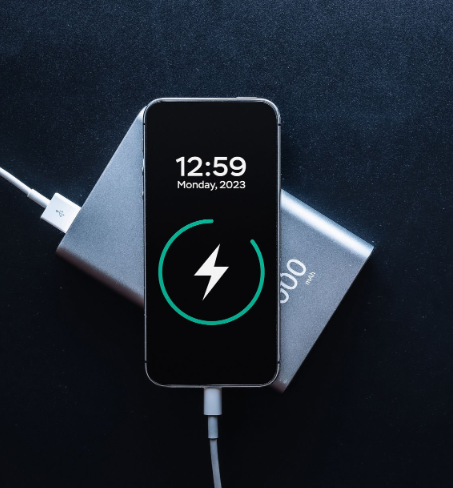
How to Charge Phone Wirelessly: Simplify Your Life
Imagine a world where you never have to fumble with tangled cords or search for a charger in the dark. It’s not just a dream—charge phone wirelessly is here to make your life easier and more convenient.
If you’ve ever wondered how to charge your phone wirelessly, you’re in the right place. This simple technology promises a clutter-free, hassle-free experience, but how does it work? And how can it seamlessly fit into your daily routine? By reading on, you’ll discover the ins and outs of wireless charging, learn how to get started, and see why it might be the perfect solution for your busy lifestyle.
Get ready to unlock the freedom and ease that comes with cutting the cord.
In today’s tech-driven world, wireless charging is becoming increasingly popular. It offers a simple and cable-free way to power up your smartphone. Understanding the basics of wireless charging can help you make the most of this innovative technology. Let’s dive into the essentials of how to charge your phone wirelessly.
What Is Wireless Charging?
Wireless charging uses electromagnetic fields to transfer energy between two objects. No cables needed. The energy flows from the charger to your phone, powering it up. This process is called inductive charging.
How Does Inductive Charging Work?
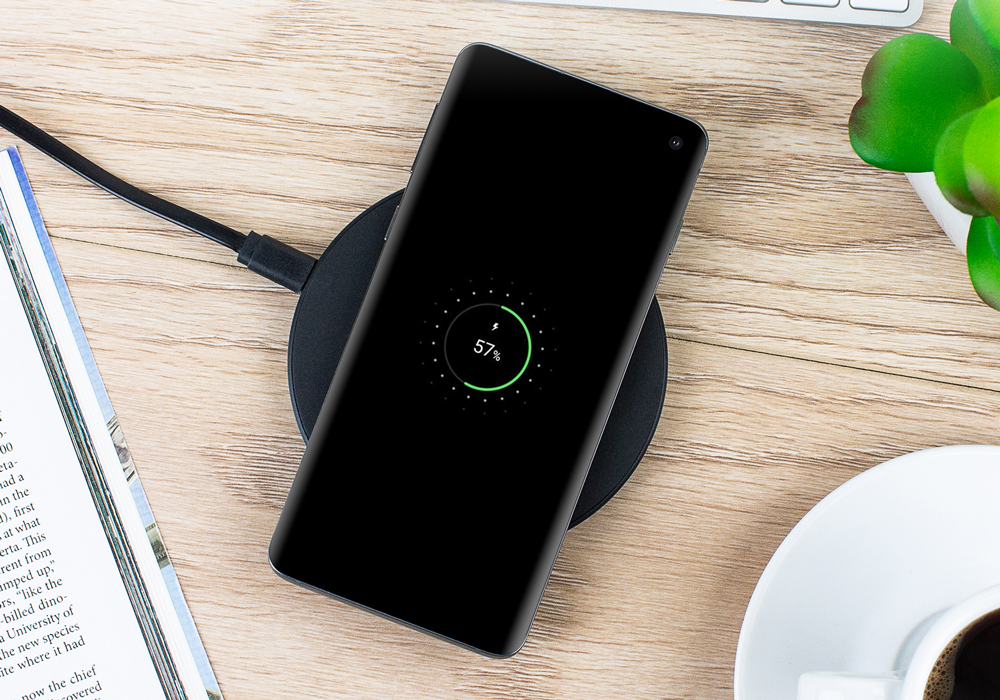
Inductive charging involves two main components: a charger pad and a receiver. The charger pad creates an electromagnetic field. Your phone, equipped with a receiver, absorbs this energy. It then converts it into electricity to charge the battery.
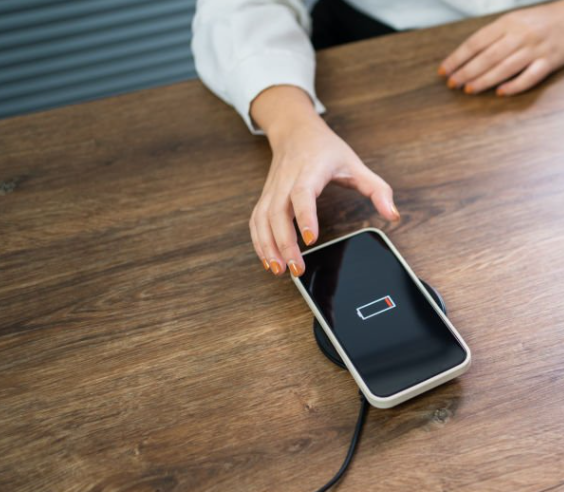
Convenience: Simply place your phone on the pad. No need to plug in cables.
Reduced Wear: Less plugging and unplugging means your phone’s port lasts longer.
Multiple Devices: Some pads can charge multiple devices at once.
Charger Type
Description
Standard Pad
Flat surface. Place your phone on top.
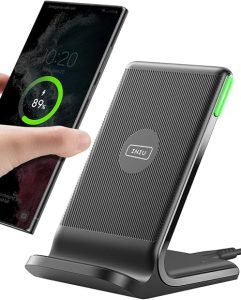
Stand
Angled design. Allows you to use your phone while charging.
Car Mount
Attaches to your car. Charges your phone while you drive.
Not all phones support wireless charging. Check if your phone has this feature. Many modern smartphones do. If not, you might need a special case or adapter.
Setting Up Your Wireless Charger
Plug the charger into a power outlet.
Place the charger on a flat, stable surface.
Position your phone on the charger.
Ensure the phone is centered for optimal charging.
Understanding these basics will help you enjoy the benefits of wireless charging. Happy charging!
Types Of Wireless Chargers
Wireless charging has become a popular way to power up your phone without fussing over cables. Understanding the different types of wireless chargers can help you choose the best option for your needs. Each type has its unique features and compatibility, which can make a big difference in your charging experience.
Qi Chargers
Qi chargers are the most common type of wireless chargers available today. Developed by the Wireless Power Consortium, Qi technology is compatible with many modern smartphones and devices. This makes Qi chargers a popular choice for consumers.
Key features of Qi chargers include:
Wide Compatibility: Most smartphones, including iPhones and Android devices, support Qi charging.
Variety of Designs: Available in stands, pads, and even built-in furniture options.
Charging Speed: Offers varying speeds, with some models providing fast charging options.
Here’s a simple table to compare some Qi charger features:
Feature
Description
Power Output
5W to 15W
Design Options
Pad, Stand, Built-in
Compatibility
Most Smartphones
With a Qi charger, you can enjoy a simple and efficient way to keep your devices powered without the mess of cables.
Pma Chargers
PMA chargers, or Power Matters Alliance chargers, are another type of wireless charging technology. Although less common than Qi, they still have their place in the wireless charging landscape. PMA chargers were initially popular in public spaces like cafes and airports.
Consider these aspects of PMA chargers:
Compatibility: Fewer devices support PMA compared to Qi.
Public Charging Stations: Often found in public areas for convenient access.
Corporate Use: Some businesses prefer PMA for internal use.
While PMA chargers are not as widely adopted, they provide a viable option for specific use cases. The technology has been integrated into certain devices and accessories, especially those aimed at corporate and public environments.
Airfuel Chargers
AirFuel chargers represent a more advanced form of wireless charging. Developed by the AirFuel Alliance, these chargers use resonant charging technology. This allows for more freedom and distance when charging your devices.
Key points about AirFuel chargers:
Resonant Charging: Allows charging over a greater distance than Qi or PMA.
Flexibility: Devices do not need to be precisely aligned with the charger.
Emerging Technology: Still gaining ground in the consumer market.
AirFuel technology is promising, offering more flexibility in how and where you charge your devices. It is especially useful in environments where precise alignment is difficult, such as in vehicles or integrated home systems. As this technology develops, it may become a more common choice for wireless charging.
Compatible Devices
Wireless charging is a convenient way to power up your phone without plugging it in. But not all phones are ready for wireless charging. Knowing which devices are compatible can save you time and effort. Let’s explore the world of compatible devices for wireless charging.
Supported Smartphones
Many modern smartphones support wireless charging. Here are some popular brands and models:
Apple: iPhone 8 and later models.
Samsung: Galaxy S6 and newer models, including the Note series.
Google: Pixel 3 and later models.
LG: G6 and newer models with wireless charging support.
Smartwatches And Earbuds
Many smartwatches and earbuds now offer wireless charging. Check out these examples:
Apple Watch: Series 3 and later.
Samsung Galaxy Buds: All models with wireless charging cases.
Google Pixel Buds: Second generation and later.
Charging Standards
Wireless charging relies on standards. The most common standard is Qi (pronounced “chee”). Devices supporting Qi can use any Qi-certified charger. Here’s a quick look at some popular brands and their standards:
Brand
Standard
Apple
Qi
Samsung
Qi, PMA
LG
Qi
Tips For Checking Compatibility
Not sure if your device supports wireless charging? Follow these simple steps:
Check the manufacturer’s website: Look for details in the specifications section.
Consult the user manual: Compatibility details are often included.
Search online forums: Other users may have shared their experiences.
Setting Up Wireless Charging
Wireless charging is the modern solution for keeping your phone powered without the clutter of cables. Setting up wireless charging involves a few simple steps to ensure efficiency and convenience. Understanding the process helps in maximizing the benefits of this technology.
Choosing A Location
Location is crucial for effective wireless charging. Choose a stable, flat surface that allows easy access. Avoid surfaces that are prone to vibrations or movement, as these can disrupt the charging process.
Consider these factors when selecting a location:
Proximity to power outlets: Ensure the charger can easily connect to a power source.
Accessibility: Place the charger where you can easily reach your phone.
Safety: Avoid areas near water or places where spills might occur.
A well-chosen location enhances charging efficiency and prevents potential hazards. This ensures your device receives consistent power without interruptions.
Connecting The Charger
Connecting the charger correctly is pivotal for wireless charging. Follow these steps to ensure a proper setup:
Plug the charger into a power outlet: Use the provided cable to connect the charger.
Verify the charger is powered: Check for indicator lights or signals that confirm power is flowing.
Check the compatibility: Ensure your phone supports the charger type (e.g., Qi wireless standard).
Proper connections prevent issues like slow charging or device overheating. Always use the charger that matches your phone’s specifications for optimal performance.
Aligning The Device
Alignment is the final step in setting up wireless charging. Position your phone correctly to ensure it charges efficiently.
Here are some tips for aligning your device:
Center the phone: Align the phone with the center of the charging pad.
Monitor charging progress: Look for charging indicators on your phone’s screen.
Avoid interference: Remove cases or covers that might block the charging signal.
Proper alignment ensures your phone receives uninterrupted power. It also helps maintain the health of your device’s battery.
Charging Speed And Efficiency
Wireless charging is a convenient way to charge phone wirelessly without cables. Yet, understanding its speed and efficiency is crucial. Charging speed can vary based on several factors. Efficiency determines how much energy your device receives. This guide breaks down key aspects to help you maximize wireless charging
Wattage Considerations
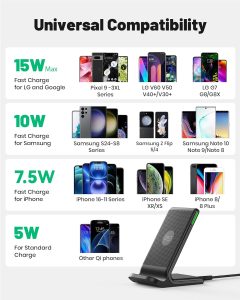
Wattage plays a significant role in wireless charging speed. Higher wattage means faster charging. Most wireless chargers offer between 5W to 15W. Here’s a simple breakdown:
5W: Standard speed, common in older chargers.
10W: Moderate speed, suitable for many devices.
15W: Fast charging for compatible phones.
Choosing the right wattage is crucial. Check your phone’s compatibility. Some devices may not support higher wattages. Using a charger with a higher wattage than your phone can handle won’t increase speed. Instead, it may cause overheating issues.
Here’s a quick comparison in a table format:
Wattage
Charging Speed
5W
Slow
10W
Moderate
15W
Fast
Choosing the right charger helps in achieving optimal charging speed. Always refer to your phone’s manual for recommended wattage.
Factors Affecting Speed
Several factors can influence wireless charging speed. Understanding these can help you charge your phone more efficiently.
Here are some key factors:
Charger Quality: Not all chargers are created equal. A high-quality charger often provides a more stable power output.
Phone Case: Thick or metal cases can slow down charging. Removing the case might improve speed.
Charger and Phone Alignment: Proper alignment on the charging pad ensures better power transfer. Misalignment can reduce efficiency.
Temperature: Charging in a cool environment is more efficient. Overheating can slow down the process.
Wireless charging speed can also depend on the phone’s battery state. A nearly full battery charges more slowly to prevent overcharging. Background apps can consume power, reducing efficiency.
By understanding these factors, you can improve your wireless charging experience. Adjusting small things can lead to better results.
Troubleshooting Wireless Charging
Wireless charging offers the convenience of powering your phone without cables. Yet, this technology can sometimes face issues that might disrupt its seamless functionality. Understanding how to troubleshoot these problems ensures your device stays charged and ready for use. Dive into the common issues and learn how to fix connection problems effectively, ensuring your wireless charging experience remains smooth and hassle-free.
Common Issues
Wireless charging can sometimes be hindered by several common issues. Recognizing these can help you address them promptly:
Phone Not Charging: Your device might not charge due to misalignment on the charging pad. Ensure the phone is placed correctly.
Slow Charging: A low-power charger could lead to slow charging. Check the charger’s specifications to ensure it supports fast charging.
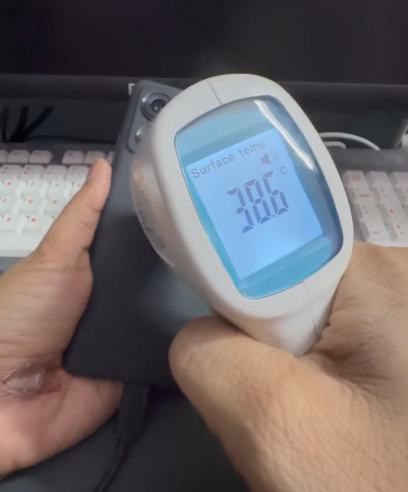
Overheating: Wireless charging may cause your phone to heat up. Remove any case that might insulate the phone excessively.
Incompatible Device: Ensure your phone supports Qi wireless charging technology. Not all devices are compatible.
Below is a table summarizing these issues:
Issue
Possible Cause
Solution
Phone Not Charging
Misalignment
Adjust the phone’s position
Slow Charging
Low-power charger
Use a higher power charger
Overheating
Phone case insulation
Remove the phone case
Incompatible Device
Non-Qi technology
Check device compatibility
Fixing Connection Problems
Connection problems can prevent wireless charging from working effectively. Fixing these issues often involves simple steps:
Check Charger Compatibility: Ensure your charger is compatible with your phone’s model.
Remove Foreign Objects: Check for objects between the phone and the charger that might disrupt the connection.
Inspect the Charger: Sometimes, the charger itself might be faulty. Test with another device or charger.
Reboot Your Phone: Restarting your phone can reset its wireless charging functions.
These steps can often resolve most connection problems and get your phone charging efficiently again. By keeping the charger clean and your software updated, you can maintain a reliable charging experience.
Benefits Of Wireless Charging
Wireless charging is an easy way to power up your phone without the hassle of cords. It uses electromagnetic fields to transfer energy between two objects. This method of charging is becoming popular due to its simplicity and efficiency. Let’s explore the benefits of wireless charging that make it an attractive option for smartphone users.
Convenience And Ease Of Use
With wireless charging, there are no cables to connect or disconnect. Simply place your phone on the charging pad. This makes it convenient for everyday use. No more fumbling with wires in the dark. It’s perfect for those who want a simple charging solution.
Reduced Wear And Tear
Charging ports can wear out over time. Wireless charging eliminates the need to plug and unplug cords. This reduces the chance of damage to your phone’s ports. Longer device lifespan is a significant benefit.
Cleaner And Organized Space
Wireless charging pads help keep your space tidy. No cables mean less clutter. A cleaner workspace can lead to a more focused mind. It’s an excellent choice for those who value organization.
Compatibility With Multiple Devices
Many charging pads support different devices. You can charge phones, earphones, and smartwatches on the same pad. This makes it a versatile charging solution for your gadgets.
Enhanced Safety Features
Wireless chargers often include safety features. They prevent overcharging and overheating. This ensures your devices are safe while charging. Peace of mind is a key advantage.
Environmental Impact
Fewer cables mean less electronic waste. Wireless charging supports a more sustainable lifestyle. It’s a small step towards reducing your carbon footprint.
Benefit
Description
Convenience
Easy to use, no need for cables
Durability
Reduces wear on device ports
Organization
Less clutter, cleaner space
Compatibility
Works with multiple devices
Safety
Prevents overcharging and overheating
Environment
Less electronic waste
Safety Tips
Charging your phone wirelessly offers convenience. No tangled cords or worn-out charging ports. But you must ensure safety. Here are some safety tips to keep your device and yourself secure while enjoying the ease of wireless charging.
Avoiding Overheating
Overheating is a common concern with wireless charging. Heat can damage your phone’s battery, reducing its lifespan. Here are some tips to prevent overheating:
Place your phone correctly: Align your phone with the wireless charger. Misalignment can cause the charger to work harder, generating more heat.
Remove the phone case: Thick cases can trap heat. If possible, remove the case while charging.
Use a well-ventilated area: Keep your phone and charger in a cool, open space. Avoid placing it on soft surfaces like beds or sofas.
Use the table below to choose the right charger for your phone, minimizing overheating risks:
Device
Recommended Charger Wattage
iPhone 12
15W
Samsung Galaxy S21
15W
Google Pixel 5
10W
Choosing the right charger wattage is crucial. It keeps your device safe from excessive heat.
Using Certified Devices
Always use certified wireless chargers. They ensure safety and efficiency. Here are some reasons why:
Quality assurance: Certified devices meet industry standards. They undergo rigorous testing to ensure safety.
Compatibility: These chargers are designed to work with multiple devices. They offer a seamless charging experience.
Warranty protection: Using uncertified chargers can void your phone’s warranty. Certified devices protect your investment.
Look for certifications like Qi on the packaging. This indicates that the charger is tested and approved. Always read reviews and verify the brand’s reputation before purchasing. Remember, a small upfront cost for a certified charger can save you from costly repairs later.
Upgraded 3 in 1 Wireless Charging Station for Apple Devices, Faster Mag-Safe Charger Stand, Magnetic Charger Station for iPhone 16/15/14/13/12 Series & AirPods Pro & Apple Watch Series (White)INIU Wireless Charger, 15W Fast Qi Certified Wireless Charging Station with Sleep-Friendly Adaptive Light Compatible with iPhone 16, 15, 14, 13 Pro XS 8 Plus Samsung Galaxy S25 S24 S23 Note 20 Google, etc
Frequently Asked Questions
How Do I Get My Phone To Charge Wirelessly?
Ensure your phone supports wireless charging. Use a compatible wireless charger. Place your phone on the charger properly. Connect the charger to a power source. Check your phone’s settings for wireless charging options.
How Do I Check If My Phone Supports Wireless Charging?
Check your phone’s manual or the manufacturer’s website for wireless charging support. Search for terms like “Qi-compatible” or “wireless charging. ” You can also look for a wireless charging symbol on the phone’s back or settings.
How Do I Turn On A Wireless Charger?
Plug the wireless charger into a power outlet. Ensure it’s connected properly. Place your device on the charging pad. The charger should automatically begin charging if compatible. Check for charging indicators like LED lights or device notifications to confirm it’s working.
How Do I Charge My Samsung Wirelessly?
Place your Samsung phone on a compatible wireless charging pad. Ensure the phone’s back aligns with the pad. Connect the pad to a power source. The phone will start charging automatically. Check for the charging icon on your screen to confirm it’s charging wirelessly.
How Does Wireless Phone Charging Work?
Wireless charging uses electromagnetic fields to transfer energy. Your phone receives power through a charging pad or stand.
Conclusion
Charge phone wirelessly to make life easier and clutter-free. No more tangled cords. Just place your phone on a charging pad. It’s that simple. Many devices support this technology now. Check your phone’s compatibility. Consider investing in a good wireless charger. It’s worth the convenience.
Remember, charging speed might vary. It’s usually slower than wired charging. But the ease of use often compensates for this. Keep your charging area clean and organized. This enhances efficiency. Enjoy the freedom wireless charging provides. Experience the future of phone charging today.