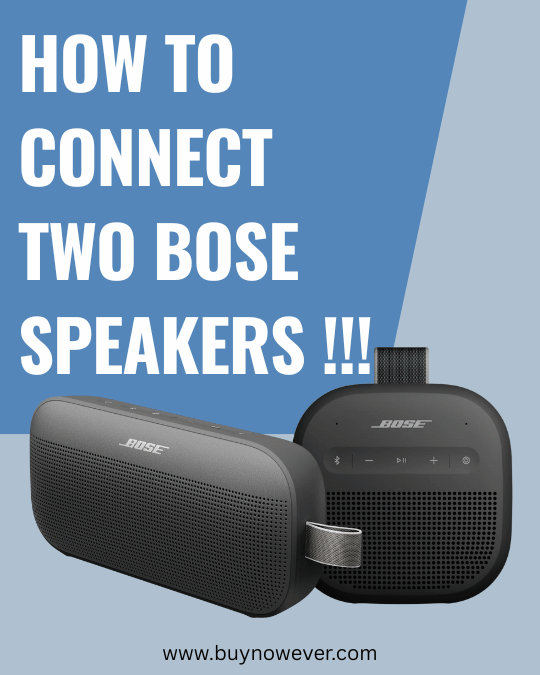
How to Connect Two Bose Speakers: Easy Step-by-Step Guide
Imagine immersing yourself in a world where your favorite music surrounds you with pristine clarity and depth. Sounds like a dream, right? You can make it a reality when you Connect Two Bose Speakers for a true stereo experience. It’s a simple step that transforms your audio, bringing your music to life.
With Bose speakers, this dream is just a few steps away from becoming your reality. But here’s the catch: connecting two Bose speakers can seem like a daunting task if you don’t know where to start. The good news is, it’s easier than you think.
Are you ready to transform your listening experience and unlock the full potential of your Bose speakers? By the end of this guide, you’ll have the know-how to seamlessly connect your speakers and elevate your sound game. Let’s dive in and get you set up for an audio experience like no other.
Connecting two Bose speakers can elevate your music experience. With the right setup, you can enjoy stereo sound and fill your space with music. Different types of Bose speakers have unique features and connection methods. Understanding these can help you connect them seamlessly. Whether you have portable, home audio, or smart speakers, knowing their types is crucial.
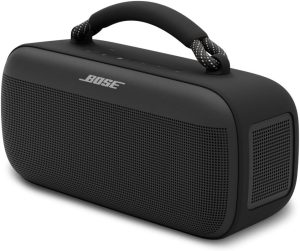
Bose SoundLink Max Bluetooth Speaker – Portable Wireless Party Speaker, IP67 Waterproof, Rope Handle, Up to 20 Hours of Playtime, USB-C, Built-in 3.5mm AUX Input, Black
Portable Bose speakers are known for their compact size and easy mobility. They are perfect for on-the-go music lovers. These models usually support Bluetooth connections, making them easy to pair.
Bose SoundLink Micro: Small but powerful, designed for outdoor use.
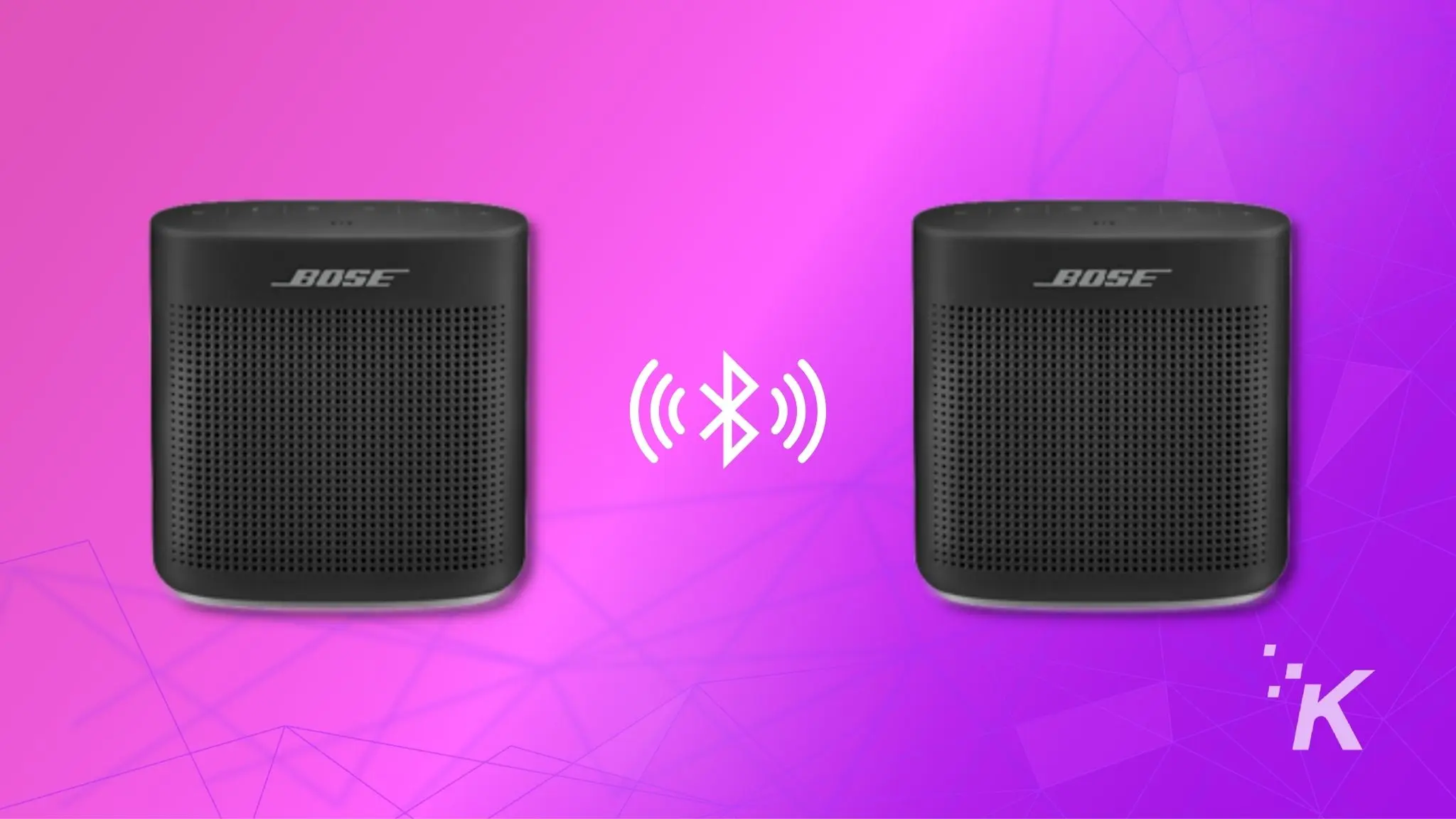
Bose SoundLink Color II: Offers a range of colors and water-resistant features.
Bose SoundLink Revolve: Provides 360-degree sound for all-around coverage.
Steps to connect:
Turn on both speakers.
Activate Bluetooth on your device.
Pair with the first speaker.
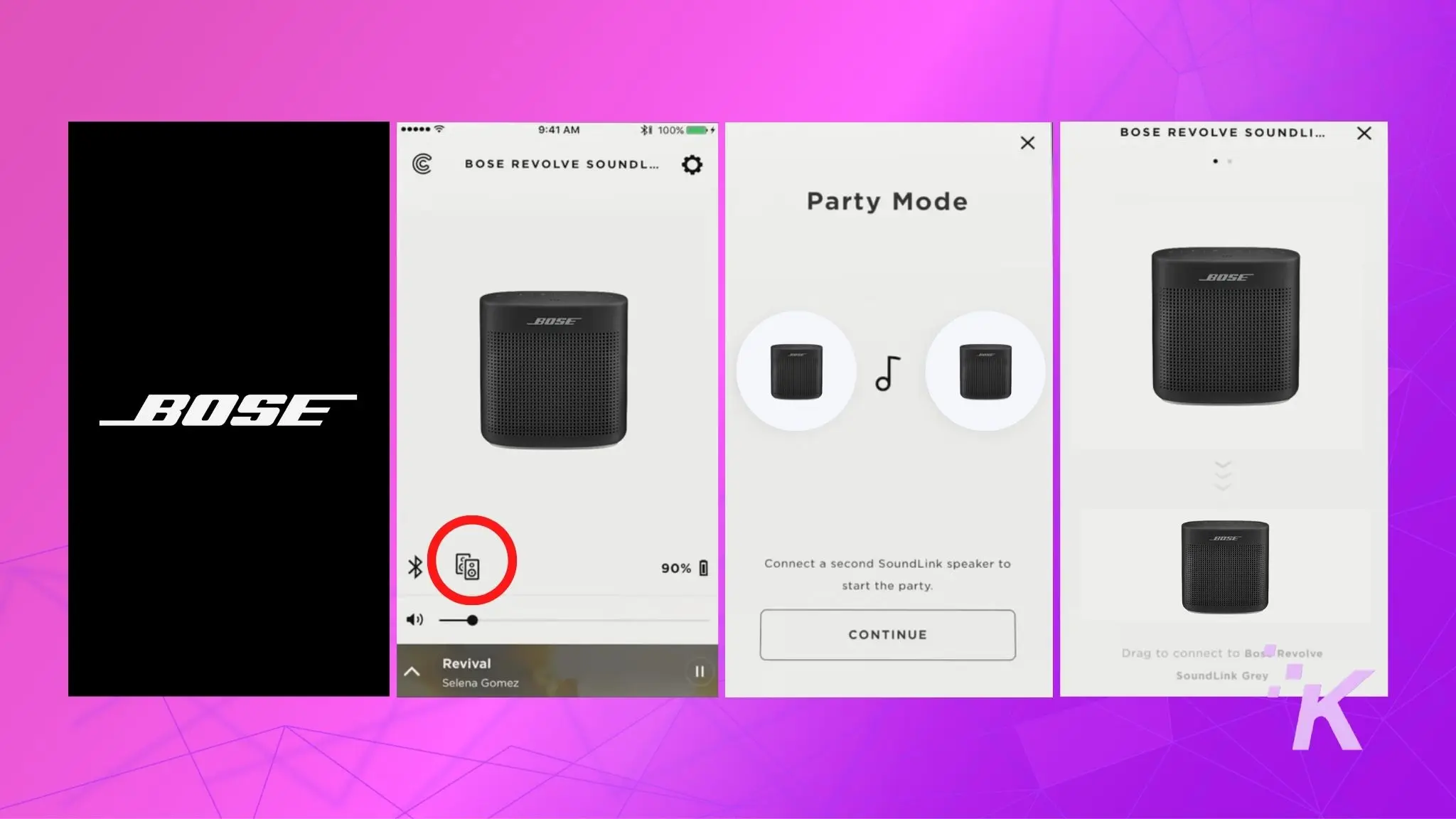
Use the Bose Connect app to link the second speaker.
These steps ensure a smooth connection, allowing you to enjoy music anywhere.
Home Audio Systems
Bose home audio systems provide a richer sound experience. They are ideal for those who prefer powerful audio at home. Connecting these systems can enhance movie nights or music sessions.
Popular models include:
Model
Features
Bose Home Speaker 500
Wide soundstage, voice control
Bose Soundbar 700
Advanced acoustics, sleek design
Bose Bass Module 700
Deep bass, wireless connection
Connecting home audio systems:
Connect speakers to the same Wi-Fi network.
Use the Bose Music app to set up and pair.
Follow the on-screen instructions to link multiple speakers.
These steps help in creating an immersive sound environment at home.
Smart Speakers
Smart speakers from Bose integrate voice assistants like Alexa or Google Assistant. They offer hands-free control and can be part of a smart home setup.
Key models to consider:
Bose Portable Smart Speaker: Combines portability with smart features.
Bose Home Speaker 300: Compact and powerful with smart capabilities.
Bose Soundbar 500: Slim design with built-in voice assistants.
How to connect smart speakers:
Ensure all devices are on the same Wi-Fi network.
Open the Bose Music app for setup.
Follow prompts to connect and enable voice control.
Using these steps, you can enjoy smart features alongside great sound.
Required Equipment
Connecting two Bose speakers can enhance your audio experience, creating a richer and fuller sound. Whether hosting a party or enjoying a quiet evening, having a synchronized audio setup is key. To achieve this, understanding the equipment required is crucial. You’ll need two compatible Bose speakers and a device to control them. The connection methods vary, including Bluetooth, wired, and app support. Each method has its benefits and specific steps. Let’s explore these options and find out how you can effortlessly connect your Bose speakers.
Bluetooth Connection
Using Bluetooth is a popular way to connect two Bose speakers. It’s wireless and convenient. Follow these steps to set up a Bluetooth connection:
Ensure both speakers are fully charged or plugged into a power source.
Turn on both speakers and enable the Bluetooth feature on each.
On your device, go to the Bluetooth settings and search for available devices.
Select the first Bose speaker from the list and pair it with your device.
Once connected, look for an option to add another speaker. This is often labeled as “Party Mode” or “Stereo Mode.”
Select the second speaker from the list to pair it with the first speaker.
Some Bose models might have slight variations in the process. It’s always a good idea to refer to the user manual for model-specific instructions. Once connected, enjoy your music with enhanced stereo sound.
Wired Connection
For those who prefer a stable connection, using a wired setup might be the best choice. Here’s how you can connect your speakers using wires:
First, check if your Bose speakers have an AUX or audio input port.
Use an audio cable (usually 3.5mm) to connect the output of one speaker to the input of the other.
This setup typically requires only one speaker to connect directly to the audio source, like a phone or computer.
Ensure the cable is securely plugged into both speakers to avoid any interruptions.
Connecting via wires can be more reliable than wireless connections. It reduces the risk of audio lag or interference. It’s ideal for stationary setups, where you won’t need to move the speakers often.
App Support
Bose offers app support to make connecting speakers easy. With the Bose Connect app, you can control and manage your speaker setup efficiently:
Download and install the Bose Connect app on your smartphone or tablet.
Open the app and turn on your Bose speakers.
The app will automatically search for nearby Bose devices.
Select the first speaker and wait for it to pair with the app.
Once connected, look for an option to add another speaker. This is often within the app’s menu.
Follow the on-screen instructions to pair the second speaker.
The app provides a seamless way to connect and control multiple speakers. It often includes additional features like firmware updates and sound settings. This option is perfect for those who enjoy using technology to enhance their audio setup.
Wireless Connection Steps
Connecting two Bose speakers can greatly enhance your listening experience. The process is quite simple, and there are several ways to do it wirelessly. This guide will help you understand the wireless connection steps for linking your Bose speakers. Whether you choose Bluetooth, Wi-Fi, or the Bose Connect app, you’ll enjoy richer sound and greater flexibility.
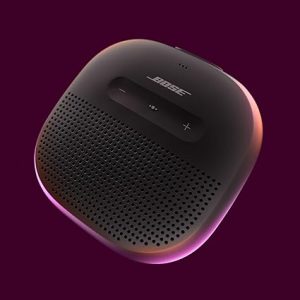
Bose New SoundLink Micro Portable Bluetooth Speaker (2nd Gen), Wireless Outdoor Speaker, Up to 12 Hours Battery Life, Waterproof and Dustproof, Black
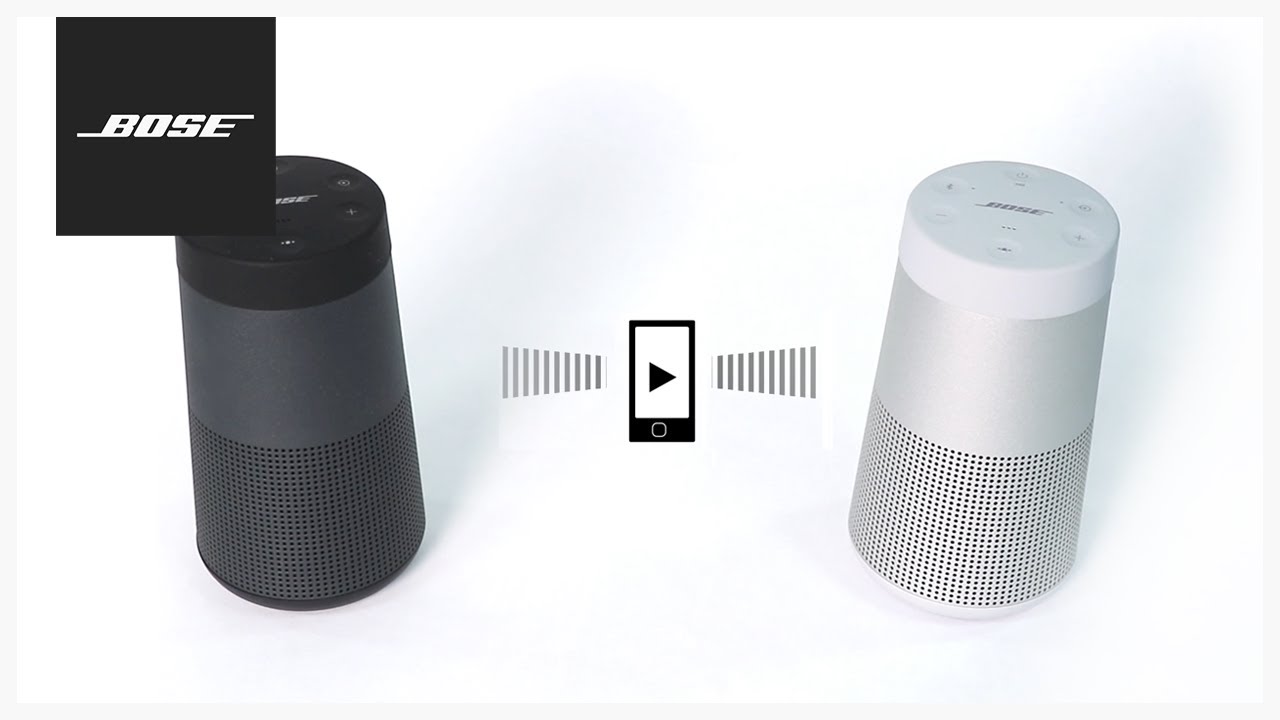
Bluetooth is a common way to connect devices wirelessly. Pairing Bose speakers using Bluetooth is straightforward. Here are the steps:
Turn on both speakers.
Press the Bluetooth button on each speaker.
Check that both speakers are visible on your device.
Select one speaker on your device to pair.
After pairing, connect the second speaker.
Once paired, both speakers will play sound together. Ensure that they are within range for a stable connection. Bluetooth range is typically around 30 feet. If the connection drops, move the speakers closer. Avoid obstacles like walls and furniture. These can interfere with the Bluetooth signal.
Using Wi-fi
Wi-Fi connection offers a more stable link between speakers. Connecting Bose speakers using Wi-Fi involves a few steps:
Download the Bose Music app.
Open the app and select your speaker.
Follow the setup instructions to connect to Wi-Fi.
Repeat for the second speaker.
Group the speakers within the app.
Wi-Fi allows for a greater distance between speakers, compared to Bluetooth. Position your speakers anywhere within the Wi-Fi range. This could be throughout your home. Make sure your Wi-Fi is strong to avoid disruptions. If the sound is choppy, check your Wi-Fi router.
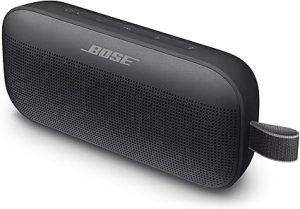
Bose SoundLink Flex Bluetooth Speaker (2nd Gen) – Portable Outdoor Speaker with Hi-Fi Audio, Waterproof and Dustproof, USB-C, Up to 12 Hours Battery Life, Black
The Bose Connect app simplifies the pairing process. Linking Bose speakers through the app is easy:
Download the Bose Connect app.
Open the app and pair your first speaker.
Select the “Party Mode” option.
Add the second speaker in Party Mode.
Both speakers now play the same audio.
The app offers extra features like volume control and audio settings. Use these features to customize your listening experience. The app also allows for firmware updates. This keeps your speakers working smoothly. Check the app regularly for updates and new features.
Wired Connection Steps
Connecting two Bose speakers can enhance your audio experience, whether you’re hosting a party or enjoying some music at home. Wired connections offer a stable and reliable way to link these speakers, providing superior sound quality. This guide will help you understand how to connect your Bose speakers using AUX cables, optical cables, and speaker wire. Each method has its own advantages, and you’ll learn how to set up each type of connection efficiently.
Using Aux Cables
AUX cables are one of the simplest ways to connect two Bose speakers. These cables are usually straightforward and are commonly used for audio connections. Here’s how you can use AUX cables to connect your Bose speakers:
Locate the AUX port on both Bose speakers.
Insert one end of the AUX cable into the AUX output port of the first speaker.
Connect the other end to the AUX input port of the second speaker.
Once connected, make sure both speakers are turned on. You may need to adjust the volume settings on each speaker to ensure balanced sound. AUX connections are ideal for short distances and provide clear audio without much interference. If you find the sound quality isn’t optimal, check the cable for any damage and ensure a secure connection.
Using Optical Cables
Optical cables offer a high-quality audio connection between two Bose speakers. They are known for their digital sound transmission, which minimizes loss and interference. Follow these steps to connect your speakers using optical cables:
Find the optical port on each speaker.
Insert one end of the optical cable into the output port of the first speaker.
Connect the other end to the input port of the second speaker.
After connecting, ensure both speakers are powered on. Optical connections are particularly useful for longer distances as they maintain sound quality across larger spaces. If you notice any issues with sound clarity, ensure the cable is properly seated and free from kinks or damage. Optical cables are a great choice for those seeking high-definition audio.
Using Speaker Wire
Speaker wire is a traditional method for connecting speakers and is effective for Bose systems. This approach is suitable for those who prefer a custom setup with specific wiring lengths. Here’s how to connect using speaker wire:
Identify the speaker terminals on both Bose speakers.
Strip the ends of the speaker wire to expose the metal conductor.
Connect the positive terminal of the first speaker to the positive terminal of the second speaker using the wire.
Do the same for the negative terminals.
Ensure the connections are secure and that no wires are touching each other, which can cause interference. Speaker wire connections allow for flexibility in setup, enabling you to place speakers at varying distances. If the sound is distorted, check for loose connections or frayed wires. Speaker wire is a reliable option for those who want a customizable audio setup.
Troubleshooting Tips
Connecting two Bose speakers can enhance your audio experience, offering richer sound. But like many tech devices, issues can arise during the connection process. Troubleshooting these problems can ensure seamless audio enjoyment. This guide provides solutions for common issues, such as connection problems, audio sync troubles, and interference. By understanding these challenges, you can enjoy uninterrupted music.
Connection Issues
Connection issues are common when linking two Bose speakers. Start by ensuring both devices have enough battery life. A low battery can disrupt the connection. Follow these steps to troubleshoot:
Check Bluetooth settings on both devices.
Make sure Bluetooth is enabled and both devices are discoverable.
Restart both speakers to reset any temporary glitches.
Ensure both speakers are within a 30-foot range of each other.
If problems persist, refer to the following table for additional steps:
Problem
Solution
Device not found
Reset Bluetooth settings
Poor sound quality
Reduce the distance between speakers
Audio Sync Problems
Audio sync issues can disrupt the listening experience. Delayed sound between speakers often stems from connectivity glitches. Here are some strategies to resolve sync problems:
Restart both speakers to refresh their connection.
Ensure the latest firmware is installed on both devices.
Check if a strong Wi-Fi signal is available.
If issues continue, adjusting settings can help. Access the Bose app and explore sync options. Sometimes, minor tweaks can make a big difference.
Interference Solutions
Interference from other devices can affect sound quality. Identifying and minimizing interference ensures clear audio. Here are some tips to reduce interference:
Keep speakers away from microwaves and cordless phones.
Maintain a clear line of sight between the speakers.
Reduce the number of active Bluetooth devices nearby.
Consider the environment. Thick walls or metal objects might block signals. Adjust speaker placement to improve the connection. With these steps, enjoy better audio performance.
Benefits Of Connecting Speakers
Connecting two Bose speakers can greatly enhance your audio experience. By linking them together, you can enjoy several benefits that single speakers cannot offer. This guide will explore these benefits in detail. You will learn why connecting your Bose speakers can make a significant difference in your listening journey. Whether you are a music lover or just want better sound, connecting two Bose speakers is a great choice.
Improved Sound Quality
Linking two Bose speakers provides richer and more dynamic sound. A single speaker delivers good sound, but two speakers create a fuller audio experience. You will notice the difference in the depth and clarity of the music. Connecting two speakers can help balance the audio better. This means both high and low frequencies will be clearer.
Consider these points:
Balanced audio output across a wider area.
Less distortion at higher volumes.
Improved bass response and treble clarity.
Using two speakers can also help in larger rooms. The sound fills the space more evenly. You won’t have to turn up the volume as much. This can prevent the sound from becoming too harsh. Overall, two speakers working together create a more immersive sound experience.
Enhanced Listening Experience
Connecting two Bose speakers makes listening more enjoyable. You feel like you are at a live concert. The sound surrounds you, making it more engaging. This setup allows for a stereo effect, where different sounds come from each speaker. It adds depth to the music, making it more real.
Benefits of the stereo effect include:
Clear separation of instruments and vocals.
More realistic sound positioning.
Enhanced atmosphere for movies and games.
Two speakers also offer more control over the sound. You can adjust the placement to suit your space. This flexibility helps in achieving the best sound quality. Whether you are watching a movie or listening to a podcast, the experience is better with connected speakers.
Multi-room Audio
Connecting two Bose speakers allows for a multi-room audio setup. This means you can have music playing in different rooms at the same time. You can control the music from one device, making it convenient. This setup is perfect for parties or family gatherings.
Advantages of multi-room audio:
Consistent audio experience throughout your home.
Control music from a single app.
Play different music in each room if desired.
Having multi-room audio enhances the overall home entertainment system. You can move from room to room without missing a beat. It creates a seamless audio environment. This feature is one of the most exciting aspects of connecting two Bose speakers.
Frequently Asked Questions
Can You Connect 2 Bose Speakers?
Yes, you can connect two Bose speakers using the Bose Connect app or through Bluetooth pairing. Ensure both speakers support the stereo or party mode feature. Follow the app’s instructions to link them for an enhanced audio experience. Check your speaker model compatibility for dual connection options.
How To Pair Bose Speakers?
Turn on both Bose speakers. Press the Bluetooth button on each speaker. Open your device’s Bluetooth settings and select the Bose speaker. Follow the prompts to pair. Ensure both speakers are connected by checking the Bluetooth settings. Enjoy your music in stereo or party mode.
How To Connect To Two Speakers At Once?
Use Bluetooth settings to pair two speakers simultaneously. Enable dual audio or party mode if available. Check your device’s compatibility with multi-speaker connections. Ensure both speakers are in pairing mode. Follow device-specific instructions to connect them. Explore apps that support multi-speaker setups for an enhanced audio experience.
Do All Bose Speakers Have Party Mode?
Not all Bose speakers have party mode. This feature is available on select models, such as the Bose SoundLink series. Always check the specific model’s features to confirm availability.
Conclusion
Connecting two Bose speakers is simple and enhances your listening experience. Start by ensuring both speakers are compatible. Check the settings on each device. Use the Bose Connect app if needed. Pairing them creates a richer sound. Perfect for parties or relaxing at home.
Always test the connection before use. This ensures everything works smoothly. Enjoy your music with better sound quality. Share your newfound knowledge with friends. Help them connect their speakers, too. This guide makes it easy for everyone. Now, you’re ready to enjoy your favorite tunes on Bose speakers.