Can I Check In a Portable Speaker Safely? Travel Essentials

Can I Check In a Portable Speaker Safely?

Are you planning to travel with your portable speaker but are unsure, can I check in a portable speaker safely when flying? You’re not alone.

Many travelers wonder about the rules and safety of bringing their audio devices on flights. Imagine arriving at your destination without your favorite tunes because you didn’t know the right way to pack your speaker. This guide will clear up the confusion and help you protect your device while traveling.

Continue reading to discover how to check in your portable speaker with ease.

Carry-on Vs Checked Luggage

Deciding whether to pack your portable speaker in carry-on or checked luggage affects safety and convenience. Each option has rules and limits that matter. Knowing these helps you travel smart and keep your speaker safe.

Airline Policies On Electronics

Airlines often restrict electronic devices in checked bags. Portable speakers usually have lithium batteries. These batteries pose a fire risk if damaged. Many airlines require such devices in carry-on bags only. Some may allow small devices in checked luggage. Always check your airline’s specific rules before packing.

Can I Check In a Portable Speaker Safely

JBL Flip 6 – Portable Bluetooth Speaker, powerful sound and deep bass, IPX7 waterproof, 12 hours of playtime, JBL PartyBoost for multiple speaker pairing for home, outdoor, and travel (Blue)
To buy this product, click here.

Size And Weight Limits

Carry-on bags have strict size and weight limits. Portable speakers must fit comfortably without exceeding limits. Heavy or large speakers may need to go in checked luggage. Checked bags allow more space but risk damage or loss. Consider the size and weight of your speaker carefully.

Can I Check In a Portable Speaker Safely


Battery Restrictions

Battery restrictions affect whether you can carry portable speakers on flights. Airlines and security have rules to keep flights safe. Understanding these rules helps avoid problems at the airport. Portable speakers usually have built-in batteries, so these rules apply.

Some batteries have limits on size and type. Rules differ for checked baggage and carry-on bags. Knowing these details makes travel easier and stress-free.

Lithium Battery Rules

Most portable speakers use lithium batteries. Airlines limit lithium battery size to prevent fire hazards. Usually, batteries under 100 watt-hours (Wh) are allowed in carry-on bags. Batteries over 100 Wh often need airline approval. Larger batteries may not be allowed in checked bags.

Check your speaker’s battery size before traveling. The battery size is often on the battery label or in the manual. Carry batteries in original packaging or protect terminals to avoid short circuits.

Power Bank Considerations

Power banks are common for charging speakers on the go. Airlines treat power banks like spare batteries. Carry power banks only in carry-on bags, not checked luggage. Most airlines allow up to 100 Wh without approval. Power banks between 100 Wh and 160 Wh may need airline approval.

Power banks over 160 Wh are usually banned on flights. Always check airline rules before packing power banks. Carry power banks safely to avoid damage or accidents during travel.

Packing Tips For Speakers

Packing a portable speaker for travel requires care. Proper packing protects the speaker from damage. It also keeps it safe during busy airport handling. Following simple tips can make your journey smoother.

Protective Cases And Padding

Use a hard or padded case for your speaker. Soft cases may not protect well from impacts. Wrap the speaker in bubble wrap or foam. This adds extra cushioning inside the case. Make sure the speaker fits snugly without moving around.

Avoiding Damage During Transit

Place your speaker in carry-on luggage if possible. This reduces the chance of rough handling. Avoid stacking heavy items on top of the speaker. Keep it away from liquids or sharp objects. Label the case as fragile to alert handlers.

Airport Security Procedures

Airport security checks are strict and thorough. They ensure safety for all passengers. Knowing what happens during these checks helps reduce stress. Portable speakers are common travel items. Understanding how they are screened is useful.

Screening Electronic Devices

Electronic devices like portable speakers must go through X-ray machines. Security officers check for unusual shapes or dense materials. Small speakers usually fit in carry-on bags without issues. Larger or unusual devices might need extra inspection. Sometimes, officers ask to turn on the device. This confirms it works and is not a hidden threat.

What To Expect At Security

At security, place your portable speaker in a separate bin. Remove it from your bag if asked. The device passes through the X-ray scanner along with other electronics. Security staff watch the screen carefully. You might be asked questions about your device. Stay calm and answer clearly. They might ask to inspect it by hand. This check is quick and routine.

International Travel Guidelines

Traveling with a portable speaker requires understanding international rules. Each country has its own guidelines. Knowing these rules helps avoid problems at the airport. This section explains key points about taking portable speakers abroad.

Country-specific Regulations

Different countries have different rules about portable speakers. Some allow them in checked luggage. Others require them in carry-on bags only. Battery types also matter. Lithium batteries often need special handling. Check the rules of your destination before packing. This prevents delays and extra fees.

Customs Declarations

Declare your portable speaker at customs if needed. Some countries require a declaration for electronic devices. Not declaring can lead to fines or confiscation. Keep your purchase receipt handy. It proves ownership and value. Follow customs instructions carefully to ensure smooth entry.

Can I Check In a Portable Speaker Safely


Alternatives To Checking Speakers

Carrying a portable speaker during travel can be tricky. Airlines often have strict rules about checked and carry-on items. Checking your speaker might risk damage or loss. Luckily, there are other ways to enjoy music without checking your speaker.

Shipping Options

Sending your speaker by mail is a safe choice. Pack it well in bubble wrap and a sturdy box. Shipping companies offer tracking, so you know where your speaker is. This option avoids airline baggage rules. It may take a few days, so plan. Shipping can be cheaper than paying baggage fees for heavy items.

Renting Speakers At Destination

Renting a speaker at your trip location saves hassle. Many cities have rental shops for electronics. You get a quality speaker without carrying it on a plane. Rentals often include cables and chargers. This option is great for short trips. It also frees up space in your luggage. Check rental prices online before you travel.

Can I Check In a Portable Speaker Safely


Frequently Asked Questions

Can I Bring A Portable Speaker On A Plane?

Yes, portable speakers are allowed in carry-on and checked baggage on most airlines.

Do Portable Speakers Need To Be Charged Before Flying?

Charged devices are preferred by security, so charging your speaker is a good idea.

Are There Size Limits For Portable Speakers On Flights?

Most airlines allow small to medium speakers; very large ones might have restrictions.

Can I Use My Portable Speaker During The Flight?

Using speakers on board is usually not allowed to avoid disturbing other passengers.

Should I Remove Batteries From My Portable Speaker Before Flying?

Remove or check lithium batteries separately as per airline rules for safety reasons.

Conclusion

Portable speakers can usually be checked in without issues. Always check airline rules before packing. Protect your speaker with a sturdy case. Remove batteries if the airline requires it. Keep your speaker handy for security checks. This helps avoid damage and delays.

Carrying a portable speaker adds fun to your travels. Follow simple steps to ensurea smooth airport experience. Enjoy your music wherever you go. Safe travels and happy listening!

Best Dual Bluetooth Speakers: powerful Sound Quality

Best Dual Bluetooth Speakers

Looking for the best dual Bluetooth speakers to boost your music experience? You want powerful sound that fills the room and the freedom to move without wires holding you back.

Imagine pairing two speakers effortlessly to create richer, louder audio wherever you go. Whether you’re hosting a party, chilling at home, or heading outdoors, the right dual Bluetooth speakers can transform your space. Keep reading to discover top picks that match your style and sound needs perfectly.

Your next favorite speakers are just a few clicks away.

Top Dual Bluetooth Speakers

Dual Bluetooth speakers offer a powerful sound experience. They connect two speakers wirelessly for stereo sound. This setup improves music quality and fills larger spaces with sound. Many models provide portability and water resistance. Here are some of the top dual Bluetooth speakers that deliver great sound and convenience.

JBL Flip 6

The JBL Flip 6 is popular for its clear sound and deep bass. It has a rugged design that resists water and dust. Pair two Flip 6 speakers to create a stereo sound system. The battery lasts up to 12 hours, perfect for outdoor use.

  • Battery Life: 12 hours
  • Water Resistance: IP67
  • Connectivity: Bluetooth 5.1

Best Dual Bluetooth Speakers

JBL Charge 6 – Portable Waterproof & Drop-Proof Bluetooth Speaker, Bold JBL Pro Sound with AI Sound Boost, 28Hrs of Playtime, Built-in powerbank & Comes with a Sturdy/Removable Carrying Strap (Black)
To buy this product, click here.

Bose Soundlink Revolve+ II

Bose SoundLink Revolve+ II offers 360-degree sound. It delivers balanced audio with deep bass. You can pair two speakers for a wider stereo sound stage. The speaker has a durable build and good battery life.

  • Battery Life: 17 hours
  • Water Resistance: IP55
  • Connectivity: Bluetooth 4.2

Anker Soundcore Flare 2

Anker Soundcore Flare 2 is budget-friendly and fun. It features LED lights that pulse with the music. Dual speakers can be linked for stereo sound. The speaker is waterproof and offers strong bass.

  • Battery Life: 12 hours
  • Water Resistance: IPX7
  • Connectivity: Bluetooth 5.0

Ultimate Ears Boom 3

Ultimate Ears Boom 3 has a compact and colorful design. It produces loud, clear, and balanced sound. Two Boom 3 speakers can be paired for stereo sound. The speaker floats and is fully waterproof.

  • Battery Life: 15 hours
  • Water Resistance: IP67
  • Connectivity: Bluetooth 5.0
Speaker Battery Life Water Resistance Bluetooth Version
JBL Flip 6 12 hours IP67 5.1
Bose SoundLink Revolve+ II 17 hours IP55 4.2
Anker Soundcore Flare 2 12 hours IPX7 5.0
Ultimate Ears Boom 3 15 hours IP67 5.0

Key Features To Consider

Choosing the best dual Bluetooth speaker means focusing on key features that affect your listening experience. These features ensure the speaker meets your needs for sound, battery, durability, and ease of use. Understanding what matters helps find a speaker that fits your lifestyle and budget. Below are important points to check before buying.

Sound Quality And Bass

Sound quality is the most crucial aspect of any speaker. Dual Bluetooth speakers should deliver clear, balanced audio from both units to create a rich stereo effect. Look for speakers with good frequency response and minimal distortion, even at high volumes.

Bass performance is also vital. A strong bass adds depth to music, making it more enjoyable. Some speakers have passive radiators or dedicated subwoofers to boost bass output. Check if the bass is punchy without overwhelming other sounds.

  • Stereo separation: Both speakers should play different audio channels clearly.
  • Frequency range: Look for a wide range, such as 60 Hz to 20 kHz.
  • Distortion level: Lower distortion means cleaner sound.
  • Bass enhancement features: Passive radiators or bass boost modes.

Here is a simple comparison of sound features:

Feature Importance What to Check
Stereo Sound High Clear left and right channels
Bass Quality Medium-High Strong but balanced bass
Clarity High Low distortion and crisp vocals

Best Dual Bluetooth Speakers

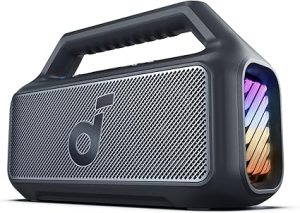
Soundcore Boom 2 by Anker, Outdoor Speaker, 80W, Subwoofer, BassUp 2.0, 24H Playtime, IPX7 Waterproof, Floatable, RGB Lights, USB-C, Custom EQ, Bluetooth 5.3, Portable for Camping and Beach – Black
To buy this product, click here.

Battery Life

Battery life determines how long you can enjoy music without charging. Dual Bluetooth speakers should have long-lasting batteries to support outdoor use or travel. Check the total playtime and charging time before buying.

Speakers with at least 8 to 12 hours of battery life offer good value. Some models allow charging via USB-C or wireless chargers for convenience. A fast charge feature helps get quick power in emergencies.

  • Playtime: Total hours the speaker can run on one charge.
  • Charging time: How long it takes to fully recharge.
  • Battery type: Lithium-ion batteries are common for longer life.
  • Power bank feature: Some speakers can charge phones.

Example battery specs:

Speaker Model Battery Life (Hours) Charging Time (Hours) Extra Features
Model A 10 3 Power bank support
Model B 12 2.5 Fast charge
Model C 8 4 Wireless charging

Durability And Water Resistance

Durability is key for a dual Bluetooth speaker used outdoors or near water. Look for rugged designs that resist drops and bumps. Materials like rubber or hard plastic offer better protection than thin metal or glass.

Water resistance ratings, such as IPX4, IPX6, or IP67, show how well the speaker can handle splashes, rain, or even full submersion. Choose a rating based on where you plan to use the speaker. Higher ratings mean better protection.

  • IP ratings: IPX4 (splash-proof), IPX6 (powerful water jets), IP67 (dust and water immersion).
  • Shock resistance: Protection against drops and impacts.
  • Build materials: Rubber edges, reinforced frames.

Durability checklist:

  1. Check the IP rating for water resistance.
  2. Look for shockproof or drop-resistant features.
  3. Choose speakers with rugged casing.
  4. Consider portability and weight.

Connectivity Options

Dual Bluetooth speakers must connect easily to devices and each other. Bluetooth version affects range and connection stability. Newer versions like 5.0 or 5.1 provide better range and fewer dropouts.

Some speakers allow pairing two units wirelessly for true stereo sound. Others support wired connections via aux-in or USB. Check if the speaker works with voice assistants or apps for extra control.

  • Bluetooth version: Higher versions mean better range and stability.
  • Wireless pairing: Ability to link two speakers for stereo.
  • Auxiliary input: Connect via 3.5mm cable if Bluetooth is unavailable.
  • USB connectivity: For charging or audio playback.
  • App support: Customize settings through a mobile app.

Connectivity comparison:

Feature Benefit Example
Bluetooth 5.0+ Stable, longer range Up to 30 meters range
Stereo Pairing True stereo sound Connect two speakers wirelessly
Aux-in Port Wired connection option 3.5mm audio cable
App Control Customize sound and settings Equalizer, firmware updates

Benefits Of Dual Bluetooth Speakers

Dual Bluetooth speakers offer more than just loud sound. They connect two speakers wirelessly, creating a richer audio experience. This setup brings several benefits that improve sound quality, ease of use, and flexibility. Understanding these benefits helps in choosing the right speaker system for different needs.

Enhanced Stereo Sound

Dual Bluetooth speakers provide true stereo sound by separating audio channels. One speaker plays the left channel, and the other plays the right. This separation creates a wider and more natural soundstage.

  • Clearer Audio: Different sounds come from different directions, making music clearer.
  • Better Bass and Treble: Each speaker can focus on specific frequencies, improving overall sound.
  • Immersive Experience: The sound feels like it surrounds you, making movies and music more enjoyable.

Compare single and dual Bluetooth speakers in the table below:

Feature Single Speaker Dual Speakers
Stereo Sound No Yes
Sound Quality Basic Enhanced and Clear
Sound Coverage Limited Wide and Spacious

Portability And Convenience

Dual Bluetooth speakers are easy to carry and set up. Most models are lightweight and compact. You can take them anywhere without extra wires or complicated connections.

  • Wireless Setup: Pairing two speakers with a phone or tablet is simple.
  • Long Battery Life: Many models offer hours of playtime for outdoor use.
  • Compact Design: Small size fits in bags or backpacks easily.

Users can quickly move the speakers between rooms or outside. This flexibility makes them ideal for trips, parties, or casual listening at home.

Examples of convenience features:

  1. Automatic reconnect after powering off
  2. Easy volume and track control on speakers
  3. Durable materials for outdoor use

Versatility In Use

Dual Bluetooth speakers work well in many situations. They adapt to different environments and needs.

  • Multi-Room Audio: Place speakers in separate rooms for synchronized music.
  • Party Mode: Connect multiple speakers for louder sound.
  • Outdoor and Indoor Use: Weather-resistant models allow use outside.

These speakers support various devices, including phones, tablets, and laptops. Their wide compatibility makes them useful for work and fun.

In summary, dual Bluetooth speakers offer clear sound, easy portability, and flexible use. They fit many lifestyles and spaces.

Best Dual Bluetooth Speakers


Popular Brands And Models

Choosing the right dual Bluetooth speakers means knowing the top brands and models. Popular brands offer reliable sound quality, durability, and easy connectivity. These brands have a range of dual speaker options that suit different needs and budgets. Understanding the features of each helps pick the perfect pair for any setting. Below are some popular brands and their best dual Bluetooth speaker models.

JBL Dual Speakers

JBL is famous for its vibrant sound and sturdy design. Their dual Bluetooth speakers provide powerful stereo sound with deep bass. Many models support JBL’s PartyBoost feature, which links multiple speakers for a bigger sound.

Popular JBL dual speaker models include:

  • JBL Flip 6: Portable, waterproof, with 12 hours of playtime.
  • JBL Charge 5: Larger battery, strong bass, can charge other devices.
  • JBL Pulse 4: Light show feature, perfect for parties.
Model Battery Life Waterproof Special Feature
Flip 6 12 hours Yes (IP67) PartyBoost
Charge 5 20 hours Yes (IP67) Power Bank
Pulse 4 12 hours Yes (IPX7) 360° Light Show

JBL’s dual speakers blend portability with excellent sound. They are user-friendly, making pairing two speakers simple.

Bose Bluetooth Speakers

Bose is known for clear, balanced sound and sleek designs. Their dual Bluetooth speakers emphasize sound clarity and noise reduction. Bose models often have a premium feel and solid build quality.

Key Bose dual speaker models include:

  • Bose SoundLink Revolve+ II: 360-degree sound, water-resistant, and long battery life.
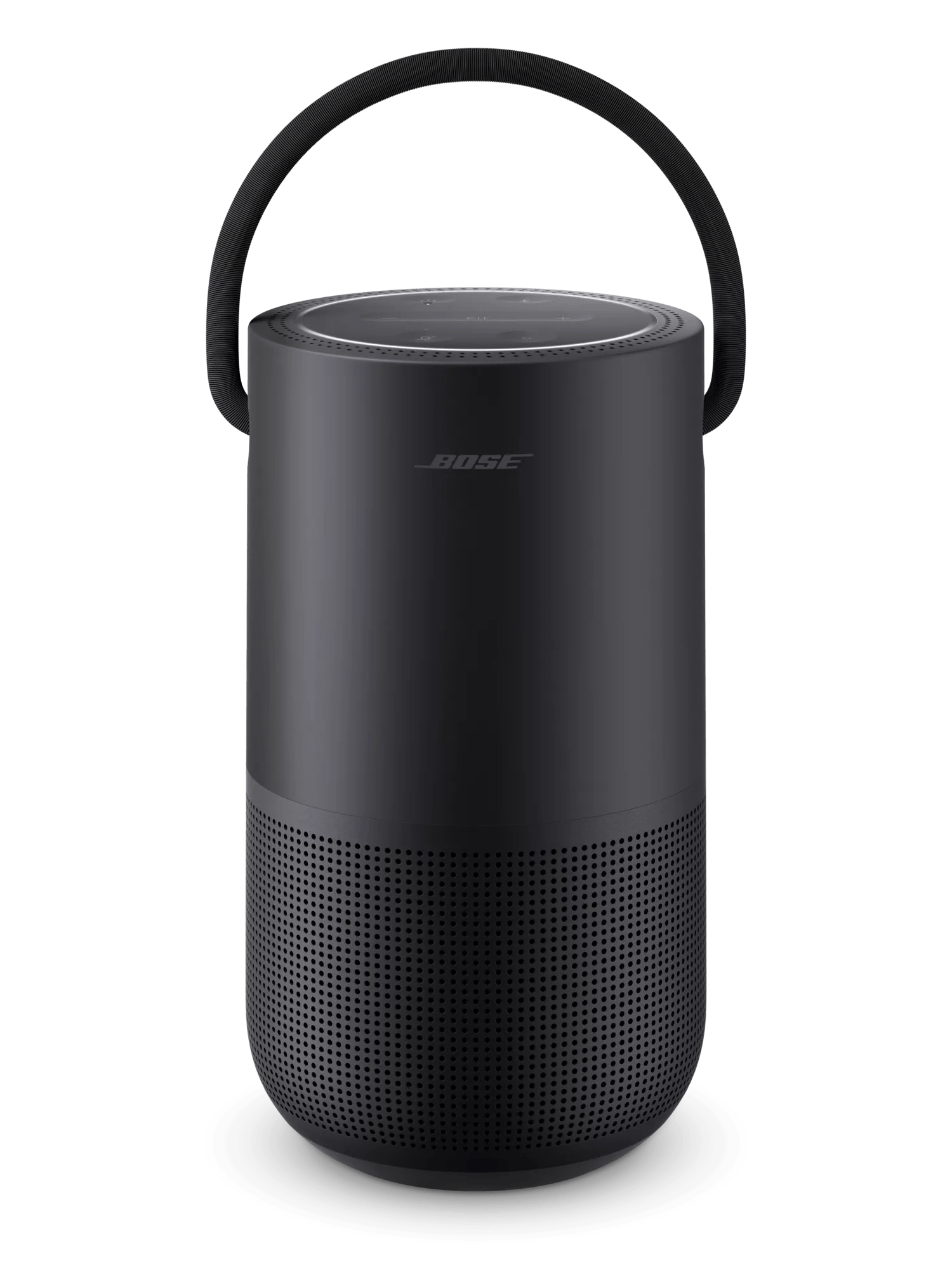
  • Bose Portable Smart Speaker: Supports voice assistants and Wi-Fi streaming.
  • Bose SoundLink Color II: Compact, colorful, with good bass.
Model Battery Life Water Resistance Unique Feature
SoundLink Revolve+ II 17 hours Yes (IP55) 360° Sound
Portable Smart Speaker 12 hours Yes (IPX4) Voice Assistant
SoundLink Color II 8 hours Yes (IPX4) Compact Design

Bose dual speakers focus on rich sound and sleek style. Pairing two units creates a wider soundstage, ideal for indoor and outdoor use.

Sony Dual Speaker Options

Sony offers a variety of dual Bluetooth speakers with advanced features. Their models combine clear audio, deep bass, and extra durability. Many Sony speakers support Party Connect, which links multiple speakers for synchronized sound.

Popular Sony dual speaker models include:

  • Sony SRS-XB33: Extra bass, waterproof, and dustproof.
  • Sony SRS-XB23: Compact size with strong bass and long battery life.
  • Sony SRS-XG300: Large, powerful sound with customizable lighting.
Model Battery Life Durability Key Feature
SRS-XB33 24 hours IP67 Waterproof & Dustproof Extra Bass
SRS-XB23 12 hours IP67 Waterproof & Dustproof Compact & Lightweight
SRS-XG300 25 hours IP66 Water Resistant Lighting Effects

Sony’s dual speakers suit both casual listeners and party hosts. Their robust build supports outdoor use and long sessions.

Anker Soundcore Models

Anker Soundcore delivers affordable yet quality dual Bluetooth speakers. These speakers offer clear sound and good bass for their price. Soundcore models often include features like stereo pairing and waterproofing.

Top Anker Soundcore dual speaker models include:

  • Soundcore Flare 2: 360-degree sound with LED lights and PartyCast technology.
  • Soundcore Motion+: High-resolution audio and long battery life.
  • Soundcore 2: Budget-friendly, waterproof, with solid sound quality.
Model Battery Life Water Resistance Special Feature
Flare 2 12 hours Yes (IPX7) PartyCast LED Lights
Motion+ 12 hours Yes (IPX7) Hi-Res Audio
Soundcore 2 24 hours Yes (IPX7) Affordable

Anker Soundcore dual speakers are great for budget buyers. They provide good sound and features without a high price tag.

Setup And Pairing Tips

Setting up and pairing dual Bluetooth speakers can greatly enhance your listening experience. It allows stereo sound or louder audio by connecting two speakers simultaneously. This section provides clear tips on how to connect two Bluetooth speakers and solve common problems during setup. Follow these easy steps to enjoy seamless wireless audio.

Connecting Two Speakers

Connecting two Bluetooth speakers usually involves pairing them with each other first, then linking to your device. Most dual speaker systems use a “party mode” or “stereo mode” feature. Here’s how to do it:

  • Turn on both speakers. Make sure they are in pairing mode; often, a blinking light indicates this.
  • Pair the speakers together. Press the specific button (often labeled “TWS” or “Link”) on one speaker to connect with the second speaker.
  • Confirm connection. Once linked, the lights usually turn solid or change color.
  • Pair with your device. Go to your phone or tablet’s Bluetooth settings and select the primary speaker.
  • Play audio. Sound should now come from both speakers simultaneously.

Different brands have slight variations in setup. Below is a simple comparison table of common terms and features:

Brand Pairing Button Mode Name Indicator Light
JBL TWS PartyBoost Blue solid light
Bose Bluetooth + Volume+ Party Mode White solid light
Ultimate Ears Connect Double Up Purple blinking light

Always refer to your speaker’s manual for exact instructions. Keep devices close during pairing to avoid interruptions.

Troubleshooting Common Issues

Problems during setup happen often but are easy to fix. Common issues include:

  • No sound from the second speaker
  • Speakers won’t link or stay connected
  • Audio lag or delay between speakers
  • Bluetooth device not finding speakers

Try these solutions:

  1. Restart both speakers. Turn them off and on again to reset connections.
  2. Forget and re-pair devices. Remove the speakers from your device’s Bluetooth list and pair again.
  3. Keep speakers close. Distance or obstacles can weaken signals.
  4. Update firmware. Use the brand’s app to check for software updates.
  5. Check battery levels. Low power can cause connection drops.

Here is a quick troubleshooting checklist:

Issue Possible Cause Fix
No sound on the second speaker Speakers not linked properly Press the pairing button again
Speakers disconnect often Interference or low battery Charge speakers, reduce obstacles
The device won’t find speakers Bluetooth off or out of range Turn on Bluetooth, move closer

Follow these tips for smooth dual speaker use. Patience helps. Most issues clear up quickly.

Best Dual Bluetooth Speakers


Price Range And Value

Choosing the right dual Bluetooth speaker means balancing price and value carefully. These speakers vary widely in cost, from very affordable models to high-end devices with advanced features. Understanding what each price range offers helps you find the best speaker for your needs and budget.

Budget-friendly Choices

Budget-friendly dual Bluetooth speakers offer solid performance without a high price tag. These models often focus on portability, ease of use, and decent sound quality. They suit casual listeners and those who want a speaker for everyday use.

Key features of budget speakers:

  • Compact size for easy carrying
  • Basic Bluetooth connectivity with reliable pairing
  • Battery life ranges from 6 to 12 hours
  • Simple controls for quick setup
  • Water resistance in some models

Here is a quick comparison of popular budget-friendly dual Bluetooth speakers:

Model Price Battery Life Special Feature
SoundBlast Mini $40 8 hours IPX5 Water Resistant
Echo Duo $50 10 hours Built-in Mic
BeatBox Lite $45 7 hours Compact Design

These speakers provide great value for their price. They deliver clear sound and decent bass for everyday use. Perfect for outdoor activities, small parties, or travel.

Premium Options

Premium dual Bluetooth speakers offer superior sound quality, longer battery life, and extra features. These models suit audiophiles and users who want more power and versatility.

Benefits of premium speakers include:

  • Rich, immersive sound with deep bass
  • Long battery life, often 15+ hours
  • Advanced Bluetooth technology for a stable connection
  • Durable build with higher water and dust resistance
  • Additional features like app control, voice assistants, and multi-speaker pairing

Compare some popular premium dual Bluetooth speakers below:

Model Price Battery Life Special Feature
SoundMax Pro $150 20 hours App Equalizer, Voice Assistant
WaveStorm X $180 18 hours 360° Sound, Waterproof IP67
AudioPulse Elite $200 22 hours Multi-Speaker Pairing

These premium speakers justify their price with excellent sound and useful extras. Ideal for home use, parties, or outdoor adventures requiring powerful audio and durability.

Frequently Asked Questions

What makes the Best Dual Bluetooth Speakers different from single speakers?

The Best Dual Bluetooth Speakers deliver true stereo sound by separating left and right channels for richer and louder audio.

How do Best Dual Bluetooth Speakers improve sound quality?

The Best Dual Bluetooth Speakers enhance sound quality by producing a wider soundstage, deeper bass, and clearer details.

Can the Best Dual Bluetooth Speakers connect to one device?

Yes, the Best Dual Bluetooth Speakers pair with one device and play synchronized audio without delay.

Are the Best Dual Bluetooth Speakers suitable for home and outdoor use?

The Best Dual Bluetooth Speakers perform well both indoors and outdoors by spreading sound evenly across large spaces.

Do the Best Dual Bluetooth Speakers support stable Bluetooth connections?

The Best Dual Bluetooth Speakers use advanced Bluetooth technology to maintain strong, stable, and seamless wireless connections.

Conclusion

Choosing the best dual Bluetooth speakers boosts your music experience. They offer clear sound and easy connection. You can enjoy stereo sound without wires. Many models fit different budgets and styles. Portable designs let you take music anywhere. Battery life helps keep the party going longer.

Pairing two speakers creates richer, fuller sound. Use them indoors or outdoors with ease. Find a speaker that matches your needs and lifestyle. Good sound quality makes every moment better.

Dual Wireless Bluetooth Speakers: Sound Freedom & Power

Dual Wireless Bluetooth Speakers

Imagine filling your space with rich, clear sound without any messy wires holding you back. Dual Wireless Bluetooth Speakers give you the freedom to connect two speakers at once, creating a bigger, better audio experience wherever you are.

Whether you want to boost the party vibe, enjoy music in stereo at home, or share your favorite playlist with a friend, these speakers are designed to make it effortless and fun. Ready to discover how they can transform your listening experience?

Keep reading to find out everything you need to know.

Benefits Of Dual Wireless Bluetooth Speakers

Dual wireless Bluetooth speakers offer a unique way to enjoy music with better sound and flexibility. Using two speakers together improves the audio experience significantly. These speakers connect without wires, making them easy to use anywhere. The benefits of dual wireless Bluetooth speakers include clearer sound, a wider listening area, and simple portability. They suit many situations, from small parties to quiet home listening. Let’s explore how these features make dual speakers a smart choice for music lovers.

Enhanced Sound Quality

Using two wireless Bluetooth speakers improves sound quality greatly. Each speaker handles different parts of the audio, creating a fuller and richer sound. This setup reduces distortion and increases volume without losing clarity. Listening with dual speakers means hearing details in music that single speakers often miss.

  • Clearer highs and deeper bass: Separate speakers can focus on different sound ranges.
  • Less distortion at high volume: Sound spreads between two units, reducing strain.
  • Better balance: Sounds come from multiple directions, making music feel natural.

Below is a simple comparison table showing sound quality differences between single and dual wireless Bluetooth speakers:

Feature Single Speaker Dual Speakers
Sound Clarity Good Excellent
Bass Response Average Deep and Full
Volume Range Moderate Higher with Less Distortion

Dual Wireless Bluetooth Speakers

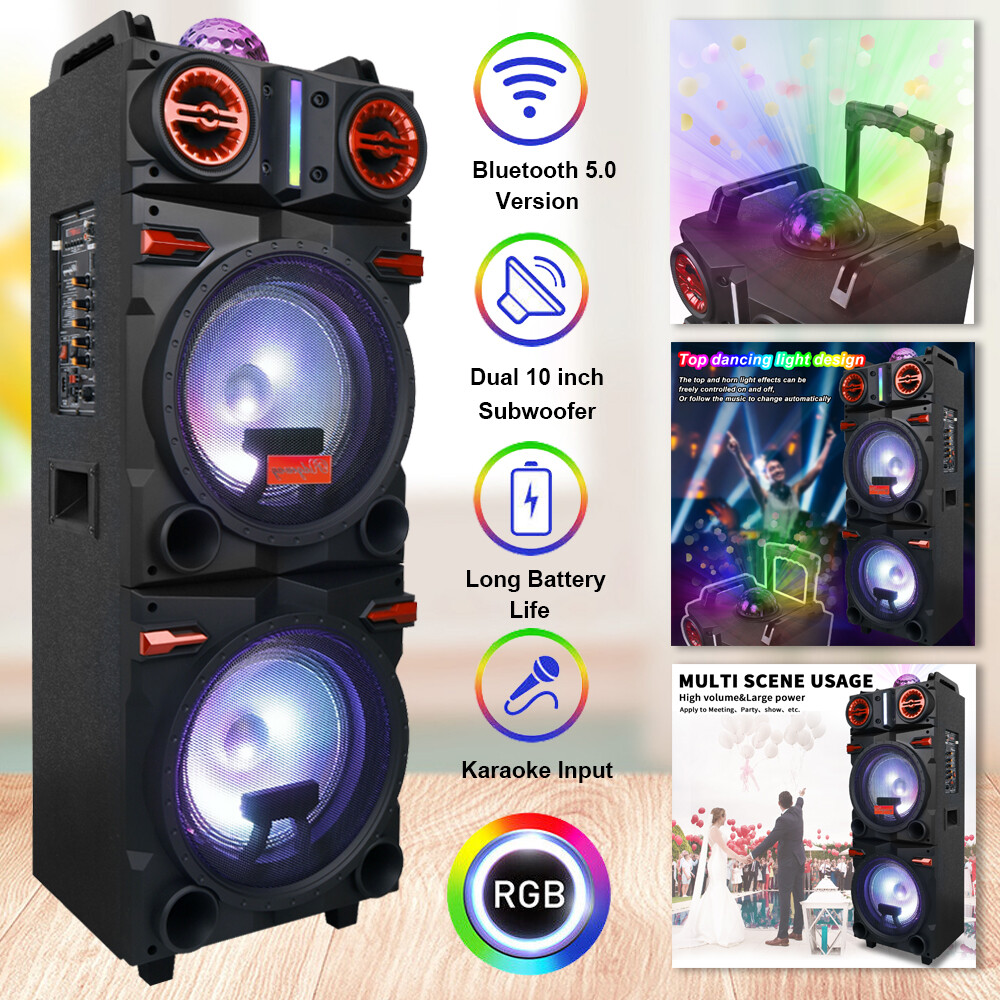
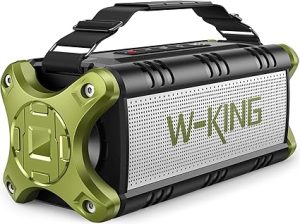
Bluetooth Speaker, 90W Max Outdoor Speaker, Loud Portable Speakers Wireless with 50W Deep Bass, Large Boombox Sound, IPX6 Waterproof, 40H, EQ, Dual Pairing, Subwoofer *2, TF, for Beach/Garage/Jobsite
To buy this product, click here.

Stereo Sound Experience

Dual wireless Bluetooth speakers create a stereo sound effect. This means sound splits into left and right channels. Stereo sound helps listeners feel like they are inside the music. It adds depth and space, making songs more exciting and realistic.

With stereo sound, you can:

  1. Enjoy clear separation between instruments and vocals.
  2. Experience directional effects, such as sounds moving from left to right.
  3. Feel a stronger connection to the music’s rhythm and beat.

Many music tracks are recorded with stereo in mind. Dual speakers allow these details to come through fully. The result is a more immersive listening session. This feature is perfect for movies, games, and music playback.

Portability And Convenience

Dual wireless Bluetooth speakers are easy to carry and use anywhere. They connect without cables, allowing flexible placement. You can move speakers around to find the best sound or fit your space. Their compact size makes them perfect for outdoor activities or travel.

Key points about portability and convenience:

  • Wireless setup: No tangled cords or extra equipment needed.
  • Flexible placement: Place speakers apart to cover larger areas.
  • Battery-powered: Use them without power outlets for hours.
  • Quick pairing: Connect speakers to devices fast and easily.

These features allow users to enjoy music freely. Whether at a park, beach, or home, dual wireless speakers adapt to your lifestyle. They provide a simple and enjoyable audio experience anytime.

Dual Wireless Bluetooth Speakers

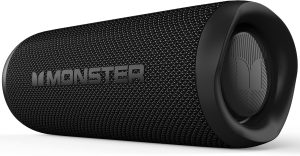
Monster Bluetooth Speaker, Wireless Portable Outdoor Bluetooth Speakers, 60W True Wireless Stereo IPX8 Waterproof, Dual PairingBluetooth 5.4 Built-in Mic, Black
To buy this product, click here.

Key Features To Consider

Dual wireless Bluetooth speakers offer a unique way to enjoy music with rich sound and portability. They connect two speakers wirelessly, creating a wider soundstage and better stereo effects. Choosing the right pair means understanding the key features that affect performance and usability. These features ensure the speakers fit your lifestyle and deliver the best experience.

Battery Life And Charging

Battery life is one of the most important factors for wireless speakers. Longer battery life means more hours of continuous music without needing a charge. Most dual wireless Bluetooth speakers offer battery life ranging from 6 to 24 hours. This depends on the speaker size, volume level, and power efficiency.

Consider these points about battery life and charging:

  • Playback time: Check how many hours the speakers can play on a full charge.
  • Charging time: Faster charging means less waiting before you can use the speakers again.
  • Battery type: Lithium-ion batteries are common for longer life and reliability.
  • Charging methods: USB-C charging is more convenient and faster than older micro USB ports.
  • Battery indicator: A clear battery level display helps avoid surprises during use.

Here is a simple comparison table for battery life and charging:

Feature Average Range Benefit
Playback Time 6 to 24 hours Longer play without recharge
Charging Time 2 to 5 hours Quick readiness for use
Battery Type Lithium-ion Reliable and efficient
Charging Port USB-C or Micro USB Convenient and fast charging

Connectivity Range

The connectivity range shows how far the speakers can stay connected to your device. A longer range allows more freedom to move around without losing sound. Most dual wireless Bluetooth speakers support a range between 30 and 100 feet (10 to 30 meters).

Important points aboutthe  connectivity range include:

  • Bluetooth version: Newer versions (5.0 and above) offer better range and stable connections.
  • Obstacles: Walls and furniture can reduce the effective range.
  • Dual speaker sync: The speakers must maintain a strong connection to each other and your device.
  • Multipoint pairing: Some speakers connect to two devices at once, adding flexibility.

The table below shows common Bluetooth versions and their range:

Bluetooth Version Typical Range Connection Quality
Bluetooth 4.2 30 feet (10 meters) Good for small rooms
Bluetooth 5.0 50 feet (15 meters) Better range and stability
Bluetooth 5.2 100 feet (30 meters) Best range and speed

Water And Dust Resistance

Water and dust resistance protect speakers from damage in outdoor and rough environments. This feature is important for beach trips, poolside parties, or hiking. Resistance is usually rated by IP codes, such as IPX5 or IP67.

Key points about water and dust resistance:

  • IPX rating: Shows water resistance level. For example, IPX7 means the speaker can be submerged in water up to 1 meter.
  • IP rating with dust: Ratings like IP67 include dust protection, keeping dirt and sand out.
  • Durability: Resistant speakers last longer in tough conditions.
  • Outdoor use: Ideal for use near water, in rain, or dusty places.

Here is a quick guide to common IP ratings:

IP Rating Water Resistance Dust Resistance Use Case
IPX4 Water splashes Not rated Light rain or spills
IPX7 Submersion up to 1 meter Not rated Pool or accidental drops
IP67 Submersion up to 1 meter Dust tight Beach, hiking, dusty areas

Popular Models In The Market

Dual wireless Bluetooth speakers have gained popularity for delivering stereo sound without wires. They connect two speakers to one device, creating a richer audio experience. Many brands offer various models that suit different needs and budgets. This section highlights popular models in the market, divided into affordable options, premium choices, and compact designs. Each category helps you find the right speaker based on price, quality, and portability.

Dual Wireless Bluetooth Speakers


JBL Charge 6 – Portable Waterproof & Drop-Proof Bluetooth Speaker, Bold JBL Pro Sound with AI Sound Boost, 28Hrs of Playtime, Built-in powerbank & Comes with a Sturdy/Removable Carrying Strap (Black)
To buy this product, click here.

Affordable Options

Affordable dual wireless Bluetooth speakers provide good sound quality without high costs. These models suit casual listeners and those on a budget. They often come with decent battery life and easy setup features. Popular affordable models include brands like Anker, JBL, and Tribit.

  • Anker Soundcore 2: Clear sound and 24-hour battery life.
  • JBL Flip 5: Waterproof design and punchy bass.
  • Tribit XSound Go: Compact size with balanced audio.

Most affordable models support pairing two speakers for stereo sound. Setup usually involves a simple button press or Bluetooth app. These speakers are ideal for outdoor activities, small parties, or personal use.

Model Battery Life Waterproof Approximate Price
Anker Soundcore 2 24 hours Yes (IPX5) $40 – $50
JBL Flip 5 12 hours Yes (IPX7) $80 – $100
Tribit XSound Go 24 hours Yes (IPX7) $40 – $50

Premium Choices

Premium dual wireless Bluetooth speakers offer superior sound, design, and durability. These models suit audiophiles and frequent users who want excellent audio quality. Brands like Bose, Sony, and Bang & Olufsen lead this category.

  • Bose SoundLink Revolve+: 360-degree sound and deep bass.
  • Sony SRS-XB43: Extra bass and long battery life.
  • Bang & Olufsen Beosound A1 (2nd Gen): Elegant design with clear highs.

These speakers support advanced features like voice assistants, multi-device connection, and app control. Battery life ranges from 15 to 30 hours. Premium models also have water and dust resistance for outdoor use.

Model Battery Life Special Features Approximate Price
Bose SoundLink Revolve+ 16 hours 360° sound, voice assistant $300 – $350
Sony SRS-XB43 24 hours Extra bass, party connect $250 – $280
Bang & Olufsen Beosound A1 18 hours Premium build, voice assistant $250 – $300

Compact Designs

Compact dual wireless Bluetooth speakers focus on portability. Small size and light weight make them easy to carry. These models fit well in backpacks and small spaces. Popular compact speakers come from brands like Ultimate Ears, JBL, and Anker.

  • Ultimate Ears Wonderboom 2: Small but loud with a 13-hour battery.
  • JBL Clip 4: Built-in carabiner for easy attachment.
  • Anker Soundcore Mini 2: Pocket-friendly size with good bass.

Compact speakers still support dual pairing for stereo sound. They usually have water resistance to handle outdoor use. Ideal for hiking, travel, or small rooms.

Model Size Battery Life Approximate Price
Ultimate Ears Wonderboom 2 4 x 4 inches 13 hours $90 – $100
JBL Clip 4 3.5 x 3.7 inches 10 hours $60 – $70
Anker Soundcore Mini 2 3.5 x 3.5 inches 15 hours $35 – $45
Dual Wireless Bluetooth Speakers


Setup And Pairing Tips

Dual wireless Bluetooth speakers offer a rich audio experience by pairing two speakers for stereo sound. Setting up and pairing these devices correctly ensures smooth connectivity and the best sound quality. This section guides you through easy steps to connect two speakers, fix common problems, and improve audio settings. Follow these tips for a seamless setup.

Connecting Two Speakers

Connecting two Bluetooth speakers usually involves pairing each speaker separately and then linking them for dual audio. Start by turning on both speakers and putting them into pairing mode.

  • Step 1: Turn on the first speaker and activate Bluetooth pairing mode (check your speaker manual for the button).
  • Step 2: On your phone or device, find the speaker name in the Bluetooth list and connect.
  • Step 3: Repeat the process for the second speaker.
  • Step 4: Use the manufacturer’s app or built-in speaker buttons to link the two speakers for stereo sound.

Some speakers have a dedicated “Party Mode” or “Dual Mode” button. Pressing this button on one speaker pairs it with the other. The linked speakers will then play audio together, creating a wider sound stage.

Speaker Brand Pairing Method Notes
JBL Press Bluetooth + Volume Up Enables PartyBoost or Connect+ mode
Bose Use the Bose Connect app Supports Stereo and Party Mode
Ultimate Ears Press Bluetooth + Volume Up Activates PartyUp feature

Follow the brand-specific instructions for best results. Keep the speakers close during setup, then move them apart for a stereo effect.

Troubleshooting Common Issues

Sometimes, pairing two Bluetooth speakers may face issues like no sound, connection drops, or one speaker lagging. Fix these with simple checks and steps.

  • Check battery levels: Low power can cause connection problems. Charge both speakers fully before pairing.
  • Restart devices: Turn off speakers and your phone, then turn them back on.
  • Forget and re-pair: Remove the speakers from your device’s Bluetooth list, then pair them again.
  • Keep speakers close: Distance or obstacles can weaken the Bluetooth signal.
  • Update firmware: Use the speaker app to check for and install updates.

Use this table to identify issues and solutions:

Issue Possible Cause Solution
No sound from one speaker Not linked properly Repeat pairing steps for dual mode
Audio lag or delay Interference or low battery Move speakers closer, charge batteries
Speakers disconnect often Bluetooth range exceeded Stay within 30 feet, remove obstacles

Optimizing Audio Settings

Adjusting audio settings improves sound clarity and balance between the two speakers. Most speakers have apps or built-in options for customization.

  • Equalizer (EQ) settings: Change bass, treble, and midrange to suit your music style.
  • Stereo balance: Ensure sound is even between left and right speakers.
  • Volume sync: Keep volumes matched on both speakers to avoid uneven sound.
  • Position speakers: Place speakers at ear level and angle them towards the listening area.

Use this sample EQ table for different music types:

Music Type Bass Midrange Treble
Pop Medium Medium Medium
Rock High Medium High
Classical Low High Medium

Try different settings and listen carefully. Small changes can make music sound much better.

Use Cases And Applications

Dual Wireless Bluetooth Speakers offer flexible sound solutions for different settings. Their ability to connect two speakers wirelessly allows users to enjoy stereo sound without cables. This feature makes them ideal for various use cases and applications. From outdoor fun to home leisure and social events, these speakers enhance audio experiences. The following sections explore where these speakers perform best and how they fit into everyday life.

Outdoor Activities

Dual Wireless Bluetooth Speakers are perfect for outdoor use. Their wireless design lets you place speakers apart, creating wide sound coverage. This is useful for picnics, hiking, or beach trips. Many models have water-resistant or rugged builds, so they can handle rough weather and terrain.

  • Camping: Enjoy music around the campfire without worrying about wires.
  • Picnics: Spread sound evenly across a park or garden.
  • Sports: Use speakers for background music during workouts or games.

Battery life is often long, supporting hours of playback. Some speakers even support quick charging, so you can use them all day. The wireless feature means no tangled cords to manage.

Activity Benefit of Dual Speakers Feature to Look For
Camping Wide sound area for group enjoyment Water resistance, long battery
Beach Durable and portable for sand and sun Rugged design, wireless range
Hiking Lightweight and easy to carry Compact size, good battery life

Home Entertainment

Dual Wireless Bluetooth Speakers improve home entertainment by delivering clear, rich sound. Users can place the speakers in different rooms or corners for better audio distribution. This setup makes watching movies, listening to music, or playing games more immersive.

These speakers often support stereo pairing, offering balanced left and right channels. This separation creates a surround sound effect without extra cables or equipment. Many models connect easily to TVs, smartphones, and computers.

  • Enhances TV sound with powerful bass and crisp treble
  • Allows multi-room music playback
  • Supports voice assistants for smart control

Compact size fits well on shelves or desks. Some designs blend with home decor, adding style alongside function. Wireless control apps help adjust volume, bass, and treble from a phone.

Parties And Gatherings

Dual Wireless Bluetooth Speakers create lively sound for parties and gatherings. They spread music evenly across large spaces, so guests hear clear sound wherever they stand. The wireless link allows flexible speaker placement for the best coverage.

Many models feature built-in microphones and echo cancellation. This helps with announcements or karaoke sessions. Some have LED lights that flash to the beat, adding fun visual effects.

Speakers with high volume capacity can fill rooms without distortion. Battery-powered options remove the need for outlets, so speakers can be moved freely.

  • Creates stereo sound for dance floors
  • Supports multiple connections for guest playlists
  • Durable and easy to carry between rooms or outdoors

Here’s a quick comparison of speaker features suitable for parties:

Feature Benefit for Parties
High volume output Fills large spaces with clear sound
Wireless stereo pairing Creates an immersive sound experience
Built-in microphone Enables announcements and karaoke
LED lights Enhances party atmosphere visually
Dual Wireless Bluetooth Speakers


Maintenance And Care

Dual Wireless Bluetooth Speakers offer great sound and freedom from wires. To keep them working well, proper maintenance and care are essential. Regular care improves sound quality and extends the life of the speakers. Simple steps like cleaning, charging, and updating software help avoid problems and keep the speakers ready to use anytime.

Cleaning And Storage

Cleaning Dual Wireless Bluetooth Speakers protects them from dust and dirt. Dust can block speaker grills and reduce sound quality. Dirt and moisture can damage internal parts. Clean speakers regularly using soft materials and store them properly to avoid damage.

  • Use a soft cloth: Wipe the outside gently to remove dust and fingerprints.
  • Avoid water: Do not use wet cloths or spray water directly on the speakers.
  • Clean speaker grills carefully: Use a soft brush or compressed air to remove dust from grills.
  • Keep ports clean: Use a dry cotton swab to clean charging ports and buttons.

Proper storage helps protect the speakers from damage. Follow these tips:

Storage Tip Reason
Store in a dry place Prevents moisture damage
Keep away from direct sunlight Prevents heat damage and color fading
Use a protective case Protects from dust and scratches
Keep away from magnets Prevents interference with sound quality

Battery Maintenance

The battery is the heart of the Dual Wireless Bluetooth Speakers. Proper battery care ensures long battery life and consistent performance. Follow simple steps to keep the battery healthy and avoid early wear.

  • Charge regularly: Avoid letting the battery drain completely before charging.
  • Use the original charger: Ensures the correct voltage and current for safe charging.
  • Avoid overcharging: Unplug once fully charged to prevent battery stress.
  • Keep battery cool: Avoid charging in hot places, which can damage the battery.
  • Store with partial charge: If storing for a long time, keep the battery around 50% charge.

Battery health can be tracked using built-in indicators or apps. Watch for signs like quick battery drain or slow charging. These indicate the battery may need replacement soon.

Battery Care Tip Benefit
Charge before fully empty Extends battery lifespan
Use the original charger Prevents battery damage
Avoid high temperatures Maintains battery capacity

Software Updates

Software updates improve speaker performance and add new features. They also fix bugs and improve security. Regular updates ensure the speakers work smoothly and stay compatible with devices.

Most Dual Wireless Bluetooth Speakers connect to apps or computers for updates. Follow these tips for easy updating:

  1. Check for updates often: Set reminders to update software regularly.
  2. Connect to stable Wi-Fi: Avoid interruptions during download and installation.
  3. Keep speakers charged: Prevent power loss during the update, which can cause errors.
  4. Follow instructions carefully: Use official apps or websites for downloading updates.

Updates can improve sound quality, fix pairing issues, and add new controls. Ignoring updates can cause problems and limit speaker functions.

Update Benefit Effect
Bug fixes Improves stability and reduces crashes
New features Adds extra functions and better controls
Security patches Protects against vulnerabilities
Dual Wireless Bluetooth Speakers

Frequently Asked Questions

What are Dual Wireless Bluetooth Speakers?

Dual Wireless Bluetooth Speakers connect two speakers wirelessly to play synchronized stereo sound with more power and wider coverage.

How do Dual Wireless Bluetooth Speakers improve sound quality?

Dual Wireless Bluetooth Speakers create true left and right channel separation, which delivers clearer audio, deeper bass, and immersive sound.

Can Dual Wireless Bluetooth Speakers work with one device?

Yes, Dual Wireless Bluetooth Speakers pair with a single smartphone, tablet, or laptop and play music simultaneously without cables.

Are Dual Wireless Bluetooth Speakers good for outdoor use?

Dual Wireless Bluetooth Speakers perform well outdoors by spreading sound evenly and maintaining strong volume across open spaces.

Do Dual Wireless Bluetooth Speakers drain the battery faster?

Dual Wireless Bluetooth Speakers use more power than a single speaker, but efficient Bluetooth technology helps maintain long battery life.

Conclusion

Dual wireless Bluetooth speakers offer clear sound and easy connection. You can enjoy music anywhere without tangled wires. Pairing two speakers creates a fuller, richer audio experience. They work well for parties, outdoor fun, or quiet time. Battery life keeps the music playing longer.

Choose speakers that fit your style and budget. Simple to use and carry, they suit many needs. Great sound, freedom to move, and easy setup make them a smart choice.

Best Bluetooth Dual Speakers: Ultimate boost your music

Best Bluetooth Dual Speakers

Looking for the best Bluetooth dual speakers to boost your music experience? You want clear sound, an easy connection, and something that fits your style.

Choosing the right speakers can be overwhelming with so many options out there. But don’t worry—this guide will help you find the perfect pair that matches your needs and budget. Keep reading to discover how you can enjoy powerful, wireless sound wherever you go.

Your next favorite speakers are just a few clicks away.

Top Bluetooth Dual Speakers

Choosing the best Bluetooth dual speakers can change how you enjoy music. These speakers offer stereo sound by pairing two units. This setup gives clearer, richer audio than a single speaker. Many top models are easy to connect and carry. They suit both indoor and outdoor use. Finding the right pair means knowing what features matter most. This guide covers key points to help you pick the best Bluetooth dual speakers for your needs.

Best Bluetooth Dual Speakers

JBL Charge 6 – Portable Waterproof & Drop-Proof Bluetooth Speaker, Bold JBL Pro Sound with AI Sound Boost, 28Hrs of Playtime, Built-in powerbank & Comes with a Sturdy/Removable Carrying Strap (Black)
To buy this product, click here.

Features To Look For

Focus on features that improve sound and ease of use. Here are important aspects to consider:

  • True Wireless Stereo (TWS) Support: Ensures the two speakers connect wirelessly for true stereo sound.
  • Bluetooth Version: Newer versions (like 5.0) offer better range and stable connections.
  • Water Resistance: Look for IPX ratings if you plan to use speakers outdoors or near water.
  • Build Quality: Durable materials help speakers last longer and resist damage.
  • Compatibility: Works with many devices, like phones, tablets, and laptops.
  • Extra Features: Some models include built-in microphones, voice assistant support, or party mode for multiple speakers.

A quick comparison table for must-have features:

Feature Benefit
TWS Support True stereo sound from two speakers
Bluetooth 5.0 or higher Strong connection and longer range
IPX Rating (Waterproof) Safe use near water and outdoors
Durable Build Speakers last longer, resist damage

Sound Quality Comparison

Sound quality is the main reason to choose dual speakers. They give wider sound and better clarity than single speakers. Some speakers focus on bass, others on balanced sound. Consider the following points:

  • Stereo Separation: Good dual speakers deliver clear left and right channels.
  • Frequency Range: A wide range means better bass and treble.
  • Speaker Size and Drivers: Larger drivers often produce richer sound.
  • Sound Modes: Some models have EQ presets for music, movies, or podcasts.

Here is a simple sound quality comparison:

Speaker Model Bass Clarity Stereo Separation
Model A Strong Clear Excellent
Model B Moderate Good Good
Model C Deep Very Clear Excellent

Best Bluetooth Dual Speakers

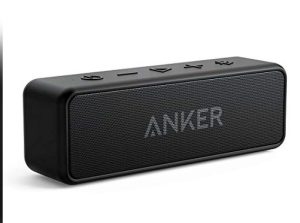
Anker Soundcore 2 Portable Bluetooth Speaker with Stereo Sound, Bluetooth 5, Bassup, IPX7 Waterproof, 24-Hour Playtime, Wireless Stereo Pairing, Speaker for Home, Outdoors, Travel
To buy this product, click here.

Battery Life And Portability

Battery life affects how long you can use your speakers without charging. Portability matters for easy transport. These points help evaluate both:

  • Battery Duration: Longer battery life means more playtime, especially outdoors.
  • Charging Time: Fast charging is useful for quick power-ups.
  • Size and Weight: Smaller and lighter speakers are easier to carry.
  • Carrying Case or Strap: Adds convenience for travel.

Check the battery and portability features in this overview:

Speaker Model Battery Life (Hours) Charging Time (Hours) Weight (lbs) Portable Features
Model A 12 3 1.5 Strap included
Model B 10 2.5 2 Compact design
Model C 15 4 1.8 Carrying case available

Popular Models Reviewed

Choosing the best Bluetooth dual speakers depends on your needs and budget. Popular models offer a range of features, sound quality, and portability. This section reviews well-known options across different price points. Each model has unique strengths for casual listeners or audiophiles. Explore budget-friendly, mid-range, and premium speakers to find the right fit for your audio experience.

Budget-friendly Options

Affordable Bluetooth dual speakers provide good sound without high costs. These models suit casual users or those who want portable sound on a budget. Expect decent battery life, basic controls, and clear audio for small to medium rooms. They often include waterproof or rugged designs for outdoor use.

  • Anker Soundcore 2: Excellent bass and 24-hour battery life.
  • OontZ Angle 3: Compact design with clear sound and splash resistance.
  • JBL GO 3: Small size, punchy sound, and IP67 waterproof rating.
Model Battery Life Water Resistance Price
Anker Soundcore 2 24 hours IPX5 $40 – $50
OontZ Angle 3 14 hours IPX5 $30 – $40
JBL GO 3 5 hours IP67 $40 – $50

These options balance cost and quality. They fit well in kitchens, bedrooms, or small outdoor gatherings. Expect solid wireless range and straightforward pairing. Perfect for users not needing advanced features or booming volume.

Mid-range Picks

Mid-range Bluetooth dual speakers offer better sound and extra features. These models suit daily use and small parties. Expect richer bass, longer battery life, and enhanced connectivity like stereo pairing or voice assistant support.

  • Bose SoundLink Revolve+: 360-degree sound with deep bass and up to 16 hours of battery.
  • JBL Flip 6: Waterproof, durable, with powerful sound and 12 hours of playtime.
  • Ultimate Ears Boom 3: Balanced sound, rugged design, and 15 hours of battery life.
Model Battery Life Special Features Price
Bose SoundLink Revolve+ 16 hours 360° sound, speakerphone $200 – $220
JBL Flip 6 12 hours Waterproof, party boost $120 – $130
Ultimate Ears Boom 3 15 hours Waterproof, app control $130 – $150

Mid-range models offer a good mix of portability and sound quality. They suit outdoor use, home parties, or personal listening. Features like stereo pairing let two speakers create a wider soundstage. Battery life supports long sessions without frequent charging.

Premium Choices

Premium dual Bluetooth speakers deliver top sound quality and build. These models fit audiophiles and users wanting powerful bass and clear highs. Expect advanced features like multi-device connection, app customization, and premium materials.

  • Bose Portable Smart Speaker: Combines Wi-Fi and Bluetooth, voice control, and 12 hours battery.
  • Sonos Roam: High-quality sound, Wi-Fi/Bluetooth, and smart assistant support.
  • Bang & Olufsen Beosound A1 (2nd Gen): Elegant design, rich sound, and IP67 rating.
Model Battery Life Advanced Features Price
Bose Portable Smart Speaker 12 hours Wi-Fi, voice assistant $350 – $370
Sonos Roam 10 hours Wi-Fi, Bluetooth, voice control $180 – $200
Bang & Olufsen Beosound A1 (2nd Gen) 18 hours Premium sound, waterproof $280 – $300

Premium speakers suit users wanting the best experience. They combine style, durability, and excellent sound clarity. These models also support smart home integration and multi-room audio setups. Ideal for home use and serious music enjoyment.

Pairing And Connectivity

Choosing the best Bluetooth dual speakers means focusing on how well they connect and pair with devices. Pairing and connectivity determine the ease of use and audio experience. A speaker that connects quickly and stays stable offers smoother music streaming. This section covers key aspects like Bluetooth versions, multi-device support, and connection range. Understanding these helps select speakers that fit daily use and tech needs.

Bluetooth Versions

Bluetooth technology has evolved over the years, affecting how dual speakers pair and perform. Each version brings improvements in speed, range, and power consumption. Most modern dual speakers use Bluetooth 4.0, 4.2, 5.0, or higher.

Key differences between Bluetooth versions:

  • Bluetooth 4.0: Low energy use, decent speed, suitable for most audio devices.
  • Bluetooth 4.2: Improved privacy and faster data transfer.
  • Bluetooth 5.0: Doubled range and speed compared to 4.2, better connection stability.
  • Bluetooth 5.1 and above: Enhanced location accuracy and better interference management.
Version Max Range Speed Power Use
4.0 50 meters (outdoor) 1 Mbps Low
4.2 50 meters (outdoor) 1 Mbps Low
5.0 200 meters (outdoor) 2 Mbps Low
5.1+ 200+ meters (outdoor) 2 Mbps+ Very Low

Speakers with Bluetooth 5.0 or higher offer better battery life and connection quality. They are ideal for dual speaker setups, keeping both speakers synced. Older versions might struggle with latency and dropouts.

Multi-device Support

Many users want to connect multiple devices to their dual Bluetooth speakers. This feature adds convenience, especially during gatherings or shared listening.

Multi-device support allows:

  • Connecting two or more devices simultaneously.
  • Switching easily between phones, tablets, or laptops.
  • Pairing both speakers together for stereo sound.

Some dual speakers support True Wireless Stereo (TWS). TWS lets two speakers connect wirelessly, creating a richer sound stage. Without TWS, pairing two speakers can be tricky or impossible.

Check if the speaker supports:

  1. Automatic switching between devices.
  2. Easy pairing process with clear instructions.
  3. Simultaneous connection to multiple devices.

Devices with multi-point Bluetooth can connect to two sources at once. This helps when one person plays music from a phone and another from a tablet, without disconnecting.

Feature Benefits Example Use
Multi-point Connection Connect two devices at once Phone and laptop play music alternately
TWS Support Pair two speakers for stereo sound Left and right speaker separation
Easy Device Switching Quickly change the active device Party with friends’ phones

Range And Stability

Bluetooth range affects how far a device can be from the speakers without losing connection. Stability means the connection stays strong without interruptions.

Factors that impact range and stability:

  • Bluetooth version used by the speaker.
  • Physical obstacles like walls or furniture.
  • Interference from other wireless devices.

Most dual Bluetooth speakers offer a range of 30 to 100 feet indoors. Outdoors, the range can reach 200 feet or more with Bluetooth 5.0 or higher.

Speakers with better antennas and software manage interference well. They keep the audio clear and free from dropouts. Some models use adaptive frequency hopping to avoid crowded channels.

Tips for better range and stability:

  • Keep the paired device within line of sight.
  • Avoid placing speakers near microwaves or Wi-Fi routers.
  • Use updated firmware on speakers and devices.

Stable dual speaker connections mean synchronized sound without lag. This is crucial for watching videos or playing games. Look for speakers known for strong, reliable Bluetooth links to enjoy uninterrupted music.

Best Bluetooth Dual Speakers


Design And Durability

Choosing the best Bluetooth dual speakers means paying close attention to design and durability. These features ensure speakers not only look good but also last long and perform well in different settings. A well-built speaker can handle daily use and outdoor conditions without damage. Durability and design go hand in hand, affecting both the user experience and speaker lifespan. Let’s explore the key aspects of design and durability in Bluetooth dual speakers.

Build Materials

The building materials of Bluetooth dual speakers affect their strength, sound quality, and feel. Most high-quality speakers use a mix of plastic, metal, and rubber. Each material adds something important:

  • Plastic: Lightweight and cost-effective. Often used for outer casing.
  • Metal: Adds strength and a premium feel. Common in grills and frames.
  • Rubber: Provides shock absorption and grip. Used on edges or buttons.

Speakers with metal parts resist dents and scratches better than all-plastic models. Rubber corners protect the speaker if it drops. Some models feature fabric covers, which offer style but may collect dust.

Material Benefit Common Use
Plastic Lightweight, affordable Outer casing
Metal Durable, premium look Grills, frames
Rubber Shock absorbent, grip Edges, buttons
Fabric Stylish, soft touch Covers

Strong build materials protect speakers during travel or outdoor use. They also reduce wear from daily handling. A solid design feels good to hold and lasts longer.

Water Resistance

Water resistance is key for speakers used outdoors or near water. Many Bluetooth dual speakers offer some level of protection against splashes, rain, or sweat. This feature helps avoid damage and keeps music playing longer.

Water resistance is measured by an IP rating. It shows how well the speaker resists dust and water. Ratings like IPX5, IPX6, or IP67 are common for outdoor speakers.

  • IPX5: Resists water jets from any angle.
  • IPX6: Can handle powerful water jets.
  • IP67: Fully dustproof and can be submerged in water for a short time.

Speakers with an IP67 rating are best for poolside or beach use. Models with lower ratings still protect against rain and sweat, ideal for hiking or gym use.

IP Rating Protection Level Use Case
IPX5 Water jets resistant Light rain, splashes
IPX6 Strong water jets resistant Heavy rain, near water
IP67 Dustproof, water submersion Pool, beach, dusty areas

Choosing a water-resistant speaker adds peace of mind. It means fewer worries about the weather or spills. This feature also extends the speaker’s life, maintaining sound quality longer.

Size And Weight

Size and weight affect how easy it is to carry and place Bluetooth dual speakers. Compact, lightweight models fit in backpacks or hands comfortably. Larger speakers often deliver louder sound but can be heavier and less portable.

Consider these points about size and weight:

  1. Portability: Smaller, lighter speakers are easier to carry on trips or outdoor activities.
  2. Sound output: Bigger speakers usually have better bass and volume.
  3. Placement: Compact speakers fit better in small spaces like desks or shelves.

Some speakers strike a good balance with medium size and moderate weight. They are easy to carry but still provide strong sound.

Size Weight Ideal Use
Small (under 6 inches) Under 1 lb Travel, personal use
Medium (6-10 inches) 1-3 lbs Home, outdoor
Large (over 10 inches) Over 3 lbs Parties, large gatherings

Picking the right size depends on how and where speakers will be used. Weight affects carrying comfort. Size impacts sound and placement options.

Extra Features

Bluetooth dual speakers offer clear sound and easy connectivity. Their extra features make listening more fun and versatile. These features improve how you control sound and use the speakers in daily life. They give you more than just music. Let’s explore some popular extra features that stand out in the best Bluetooth dual speakers.

Built-in Microphone

A built-in microphone allows these speakers to double as hands-free devices. This feature lets you take calls directly through the speaker without touching your phone. It is useful at home, work, or on the go.

Key benefits include:

  • Clear voice capture for calls and voice commands
  • Noise reduction to improve call quality
  • Easy switching between music and calls
  • Speakerphone mode for group conversations

Some models use advanced microphones that detect your voice even in noisy places. Others include multiple mics to reduce background noise.

Feature Benefit
Noise Cancellation Clearer calls in busy environments
Multi-mic Setup Better voice pickup from all directions
Auto Call Answer Hands-free convenience

Using a built-in microphone turns your Bluetooth dual speaker into a multi-purpose tool. You stay connected without interrupting your music or activities.

App Integration

Many Bluetooth dual speakers come with app integration. A dedicated app lets you control the speaker from your phone. This control includes sound settings, updates, and customization.

With an app, you can:

  1. Adjust equalizer settings for better sound
  2. Switch between input sources
  3. Update speaker firmware for new features
  4. Pair multiple speakers easily
  5. Save favorite sound presets

Apps often provide visual controls, making setup simple. They also unlock features not available on the speaker’s buttons.

App Feature Purpose
Equalizer Control Customize bass, treble, and mids
Firmware Updates Keep the speaker up to date
Speaker Pairing Connect multiple speakers

App integration adds depth to the user experience. It makes sound control easier and more personal. It also keeps the speaker fresh with updates.

Stereo And Party Modes

Stereo and party modes transform how you use Bluetooth dual speakers. Stereo mode splits sound into left and right channels. This creates a richer and wider sound stage. Party mode links multiple speakers to play the same music at once.

Benefits of stereo mode:

  • Clear separation of instruments and vocals
  • Immersive sound experience
  • Feels like a live performance

Party mode is perfect for gatherings. It offers:

  • Louder, room-filling sound
  • Easy syncing with other speakers
  • Simple control from one device

Here is a quick comparison:

Mode Use Advantages
Stereo Mode Two speakers aforleft/right audio Better sound clarity and depth
Party Mode Multiple speakers play the same audio Louder sound, ideal for events

These modes enhance flexibility. You can enjoy music with stereo sound or boost the volume for a party. They make Bluetooth dual speakers suitable for many occasions.

Best Bluetooth Dual Speakers


Tips For Using Dual Speakers

Using Bluetooth dual speakers can greatly improve your listening experience by delivering richer, fuller sound. To get the best results, follow some simple tips for setting up and using these speakers. Proper placement, syncing, and troubleshooting help make your audio clear and balanced. These tips will guide you to enjoy music, movies, or calls with better sound quality and fewer interruptions.

Optimal Placement

Correct placement of dual speakers is key to achieving the best sound. Place the speakers at an equal distance from your main listening spot to create a balanced stereo effect. Avoid putting them too close to walls or corners, as this may cause sound distortion or echo.

Keep these points in mind:

  • Position speakers at ear level for clearer sound.
  • Maintain at least 3 to 6 feet between the two speakers.
  • Face the speakers towards the listening area, not away.
  • Use stable surfaces to avoid vibrations or movement.

Here’s a simple table for speaker placement:

Placement Aspect Recommended Setup
Distance Between Speakers 3 to 6 feet apart
Height At ear level
Distance from Walls At least 1 foot away
Orientation Facing the listening area

Proper placement helps avoid sound overlap and interference. It enhances stereo separation, making music feel more natural. Take time to experiment with different spots for the best sound.

Syncing Techniques

Connecting two Bluetooth speakers so they play in sync can be tricky. Proper syncing prevents delays and echo between the two devices. Follow these steps for smooth syncing:

  1. Turn on both speakers and put them in pairing mode.
  2. Use your phone or device to connect to the primary speaker first.
  3. Activate the dual speaker or stereo mode on the primary speaker if available.
  4. Follow the manufacturer’s instructions to link the secondary speaker.
  5. Wait for both speakers to show a connected status before playing audio.

Some tips to improve syncing:

  • Keep both speakers close during setup (within 3 feet).
  • Use the same app or Bluetooth feature for pairing both speakers.
  • Update speaker firmware regularly for better compatibility.
  • Restart devices if syncing fails the first time.

Each speaker brand may use a different method for syncing. Consult the user manual for specific steps. Proper syncing allows stereo sound with left and right channels split correctly, making music sound wider and clearer.

Troubleshooting Common Issues

Problems with Bluetooth dual speakers can include connection drops, out-of-sync sound, or no sound from one speaker. Here are solutions to common problems:

  • Connection Drops: Move speakers closer to the source device. Remove obstacles like walls or metal objects.
  • Out-of-Sync Sound: Reset both speakers and pair again. Make sure the firmware is updated.
  • One Speaker Not Playing: Check battery levels. Re-pair the speakers using the correct procedure.
  • Low Volume or Distortion: Lower the volume on the source device and speakers. Avoid placing speakers near reflective surfaces.

Use this quick checklist for troubleshooting:

Issue Possible Cause Solution
Connection Drops Distance or interference Move closer, remove obstacles
Sound Out of Sync Poor syncing process Reset and pair again
No Sound from One Speaker Low battery or pairing issue Charge and re-pair
Distorted Audio High volume or placement Lower volume, adjust position

Following these troubleshooting steps keeps your dual speakers working smoothly. Regular maintenance and careful use reduce most issues.

Best Bluetooth Dual Speakers


Frequently Asked Questions

What Are Bluetooth Dual Speakers?

Bluetooth dual speakers are two connected speakers that play sound wirelessly from one device.

How Do Dual Speakers Improve Sound Quality?

They create stereo sound with better depth and clearer audio than a single speaker.

Can I Connect Dual Speakers To Any Bluetooth Device?

Most Bluetooth devices support dual speakers, but check compatibility before buying.

How Long Does The Battery Last On Dual Bluetooth Speakers?

Battery life varies, but many models last between 8 and 12 hours on a full charge.

Are Dual Bluetooth Speakers Easy To Carry Outdoors?

Yes, many dual speakers are compact and lightweight, designed for easy outdoor use.

Conclusion

Choosing the best Bluetooth dual speakers makes your music experience better. Good speakers deliver clear sound and strong bass. Portable designs help you enjoy music anywhere you go. Battery life matters for longer listening without charging. Pairing two speakers creates stereo sound that fills the room.

Think about your budget and needs before buying. The right speakers bring fun and great sound together. Enjoy your favorite songs with ease and style. Music sounds better with the right Bluetooth dual speakers.

Best Corsair Gamer Keyboard for Pro Gaming Performance

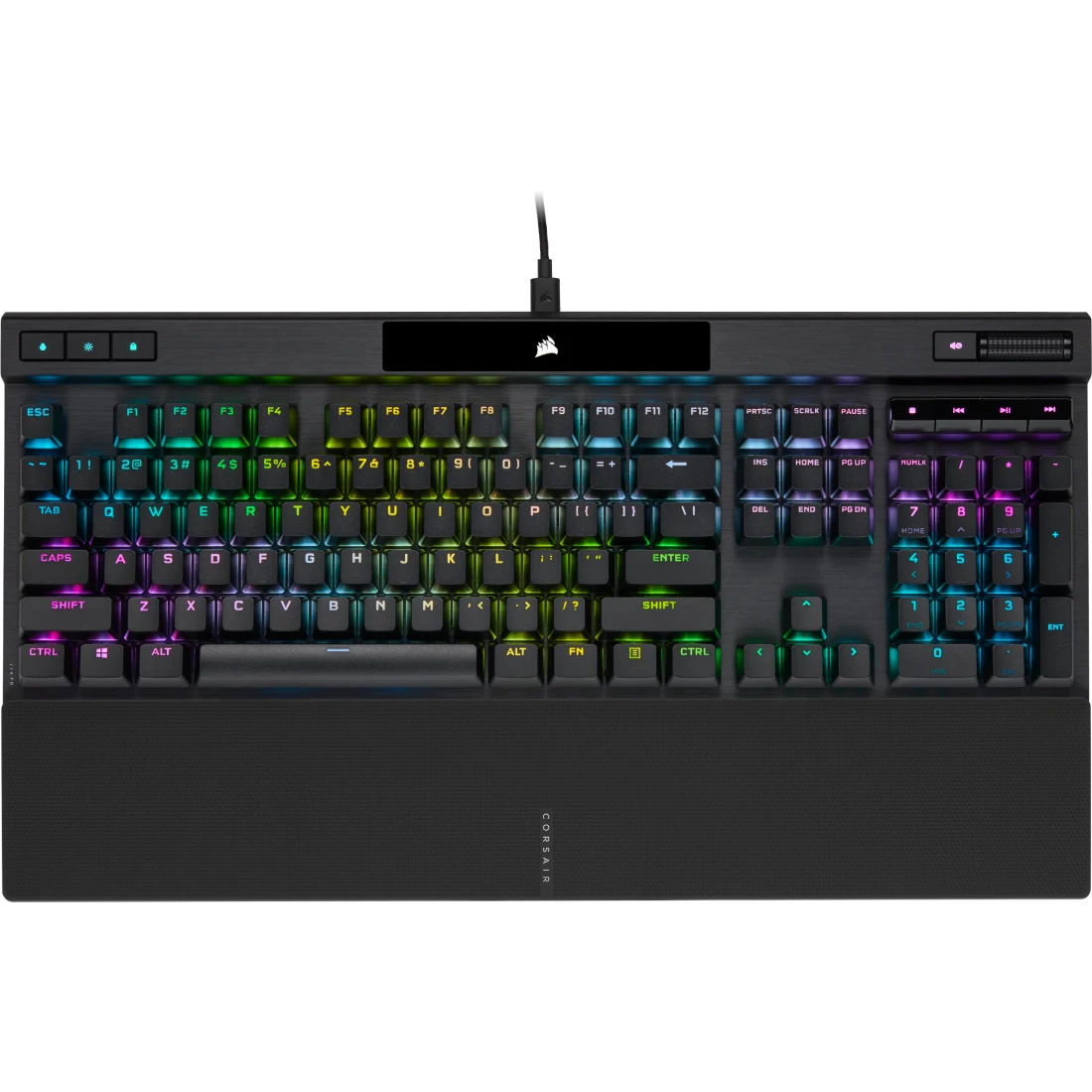
corsair gamer keyboard ultimate performance for pro gamers

Are you ready to take your gaming to the next level? Your keyboard is more than just a tool—it’s the command center for every move, every combo, every victory.

The Corsair Gamer Keyboard is designed to give you the edge you need. With lightning-fast response times and customizable features, it can transform how you play. Keep reading to discover how this keyboard can boost your performance and make your gaming experience smoother and more exciting than ever.

Features Of Corsair Gamer Keyboards

Corsair gamer keyboards offer a blend of performance, durability, and customization. They suit players who want reliable gear for long gaming sessions. The features of Corsair gamer keyboards focus on precision, comfort, and style. This section explores key aspects that make these keyboards popular among gamers worldwide.

Mechanical Switch Options

Corsair keyboards come with several mechanical switch types. Each switch type changes the feel and sound of the keys. These switches affect how fast and accurately you can press keys during games.

  • Cherry MX Red: Smooth and quiet, perfect for fast key presses.
  • Cherry MX Brown: Tactile bump without loud click, good for typing and gaming.
  • Cherry MX Speed Silver: Very light and fast, designed for quick reactions.
  • Cherry MX Blue: Clicky and tactile, ideal if you like clear feedback.

Choosing the right switch depends on your play style and preference. Some players want quiet keys, others need fast response. Corsair offers options to match these needs.

Switch Type Feel Sound Best For
Cherry MX Red Linear Quiet Fast-paced gaming
Cherry MX Brown Tactile Moderate Typing & Gaming
Cherry MX Speed Silver Linear Quiet Competitive gaming
Cherry MX Blue Tactile Clicky Typing

RGB Lighting Effects

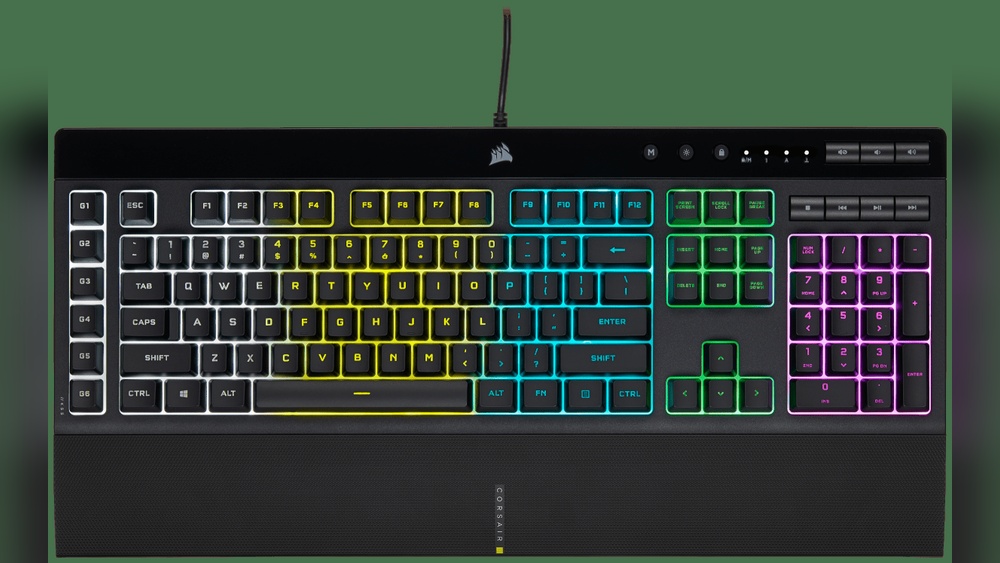
Corsair keyboards feature bright and colorful RGB lighting. This lighting adds style and helps find keys in dark rooms. The lighting can be customized in many ways to fit your setup.

The lighting system supports:

  • Per-key RGB illumination for detailed color control.
  • Multiple lighting effects, such as wave, ripple, and static colors.
  • Sync with other Corsair devices using iCUE software.
  • Dynamic lighting that reacts to game events.

Users can create custom profiles or use presets. The software is user-friendly, letting you adjust brightness, speed, and colors easily. Lighting adds a personal touch and enhances the gaming mood.

Build Quality And Materials

Corsair gamer keyboards are built to last. They use strong materials to withstand heavy use. The keyboards often feature aluminum frames for extra strength. This material resists bending and keeps the keyboard stable on desks.

The keycaps are made from durable plastic. Many models have textured or double-shot keycaps. This means the letters won’t fade even after long use. The design also focuses on comfort, including:

  • Ergonomic wrist rests for hand support.
  • Anti-slip rubber feet to prevent sliding.
  • Spill-resistant designs to protect internal parts.

This build quality ensures the keyboard works well through intense gaming sessions and daily use. Corsair balances durability with a sleek look that fits any gaming setup.

Programmable Keys And Macros

Corsair keyboards include programmable keys that improve gameplay and productivity. These keys let you assign complex commands to a single button. Macros can record multiple keystrokes or mouse actions, reducing effort during games.

Key features include:

  1. Dedicated macro keys on some models for quick access.
  2. Ability to program any key using iCUE software.
  3. Profiles to switch key assignments depending on the game or task.
  4. Macro recording on the fly without leaving the game.

This flexibility helps gamers execute combos faster or manage tasks efficiently. Programmable keys also benefit streamers and content creators by simplifying complex commands.

Popular Corsair Keyboard Models

Corsair is a well-known brand in the gaming world, especially for its high-quality keyboards. Many gamers trust Corsair keyboards for their durability, performance, and style. Popular Corsair keyboard models offer a range of features suited for different types of gamers, from casual players to professionals. These keyboards combine mechanical or membrane switches, RGB lighting, and customizable keys to enhance the gaming experience. Below are some of the most popular Corsair keyboard models that stand out in the market.

Corsair K95 RGB Platinum

The Corsair K95 RGB Platinum is a top-tier mechanical keyboard designed for serious gamers. It features Cherry MX mechanical switches that provide fast and responsive keystrokes. The keyboard has RGB backlighting with 16.8 million colors, allowing full customization through Corsair’s iCUE software.

This model includes:

  • 6 programmable macro keys on the left side for custom commands
  • Aircraft-grade anodized brushed aluminum frame for durability
  • Detachable wrist rest for comfort during long sessions
  • USB pass-through port to easily connect other devices
  • Dedicated media controls for quick volume and playback adjustments

Here’s a quick look at its main specifications:

Feature Description
Switch Type Cherry MX Speed, Brown, or Blue
Lighting RGB per key with dynamic effects
Macro Keys 6 programmable
Frame Aluminum alloy
Connectivity Wired USB

The K95 RGB Platinum is perfect for gamers who want a strong, reliable keyboard with many features. Its build quality and lighting options make it a favorite choice.

Corsair K70 RGB MK. 2

The Corsair K70 RGB MK.2 is a popular mechanical keyboard that balances performance and style. It uses Cherry MX switches known for their smooth and accurate keystrokes. The keyboard supports per-key RGB lighting and allows customization through the Corsair iCUE software.

Key features include:

  • Aircraft-grade aluminum frame for strength and a sleek look
  • Detachable soft-touch wrist rest to reduce hand fatigue
  • Dedicated media keys to control volume and playback
  • 100% anti-ghosting and full key rollover for precise inputs
  • Multi-function digital dial for quick adjustments

Specifications summary:

Feature Description
Switch Type Cherry MX Red, Brown, Blue, Silent Red
Lighting RGB per key
Media Controls Dedicated keys and volume wheel
Wrist Rest Detachable
Connectivity Wired USB

This keyboard works well for gamers who want a reliable, customizable device. It offers excellent typing feel and solid build quality at a slightly lower price than the K95.

Corsair K55 RGB

The Corsair K55 RGB is a budget-friendly keyboard for gamers who prefer membrane keys instead of mechanical switches. It delivers quiet and comfortable typing with good performance for casual gaming.

Main features:

  • RGB backlighting with three-zone lighting effects
  • 6 programmable macro keys to simplify complex commands
  • Dedicated media keys for easy control of music and videos
  • Detachable soft-touch wrist rest for comfort
  • Spill-resistant design to protect against accidents

Here is a brief specification table:

Feature Description
Switch Type Membrane keys
Lighting RGB three-zone
Macro Keys 6 programmable
Wrist Rest Detachable
Connectivity Wired USB

The K55 RGB suits gamers who want a simple keyboard with extra features and lighting effects. It offers good value for its price and is easy to use.

Performance And Gaming Experience

The Corsair Gamer Keyboard delivers excellent performance that enhances every gaming session. It offers quick responses and precise controls to keep players ahead. The keyboard design focuses on comfort and speed, which improves the overall gaming experience. Each key press feels natural and accurate, important for fast-paced games. The keyboard combines hardware and software features to meet the needs of both casual and competitive gamers.

Key Response And Actuation

The Corsair Gamer Keyboard uses high-quality mechanical switches to provide fast key response and low actuation force. This means keys register quickly with minimal effort. Gamers can react faster and reduce finger fatigue during long sessions.

Key features of key response and actuation include:

  • Mechanical Switch Types: Cherry MX Red, Brown, or Speed switches offer different feedback and actuation points.
  • Actuation Distance: Usually around 1.2mm to 2.0mm for rapid key presses.
  • Response Time: Near-instantaneous, reducing input lag.

This table shows the typical actuation distance and feel of popular Corsair switch options:

Switch Type Actuation Force Actuation Distance Feedback
Cherry MX Red 45g 1.2mm Smooth, linear
Cherry MX Brown 45g 2.0mm Tactile bump
Cherry MX Speed 45g 1.0mm Very fast, linear

These switches help with fast key presses and better control. The keyboard also has anti-slip feet and an ergonomic design to keep hands comfortable during intense gaming.

Anti-ghosting And N-key Rollover

Anti-ghosting and N-key rollover are essential for accurate input in gaming. The Corsair Gamer Keyboard supports full N-key rollover, letting every key press register correctly, even when multiple keys are pressed simultaneously.

Anti-ghosting ensures that false key presses do not occur. This helps avoid mistakes when pressing several keys at once.

Benefits include:

  • Accurate simultaneous key presses: Critical for complex game commands.
  • Reliable input: No missed or phantom key inputs.
  • Improved gameplay: Better control in fast or combo-heavy games.

The table below explains the key rollover types and their impact:

Key Rollover Type Description Gaming Impact
6-Key Rollover Registers up to 6 simultaneous key presses. Good for most games.
Full N-Key Rollover Registers every key pressed independently. Best for competitive gaming.

This technology helps players perform complex actions without errors. It increases reliability and confidence during gameplay.

Software Customization

The Corsair Gamer Keyboard comes with powerful software that allows users to customize keys, lighting, and macros. This software enhances performance by tailoring the keyboard to specific game needs.

Customization options include:

  • Key Remapping: Assign different functions or shortcuts to any key.
  • Macro Recording: Create multi-step commands executed with one key press.
  • RGB Lighting: Customize colors, effects, and zones for visual feedback.
  • Profiles: Save different setups for each game or application.

The software interface is user-friendly, with drag-and-drop features and real-time previews. It supports cloud sync, so profiles can move across devices easily.

Example of a simple macro setup:

1. Open software and select 'Macros' tab. 2. Click 'Record' and perform desired key sequence. 3. Assign macro to chosen key. 4. Save and apply profile.

This customization boosts gameplay efficiency and personal comfort. Players can optimize every key and light to match their style and needs.

Corsair Gamer Keyboard


Compatibility And Connectivity

The Corsair Gamer Keyboard offers excellent compatibility and connectivity for various gaming setups. Whether you prefer a wired or wireless connection, Corsair provides options that fit your style. These keyboards connect smoothly with many devices and operating systems, ensuring a seamless gaming experience. Understanding these features helps you pick the right keyboard for your needs.

Wired Vs Wireless Options

Corsair Gamer Keyboards come in both wired and wireless versions. Each type has unique benefits depending on how you game and where you use the keyboard.

  • Wired Keyboards: These connect directly to your PC via a USB cable. They provide a stable and fast connection with no input delay. Ideal for gamers who want reliable performance without any risk of battery issues.
  • Wireless Keyboards: These use Bluetooth or a USB receiver to connect. They offer freedom of movement and less cable clutter. Perfect for gamers who like a clean desk or play from a distance.

Here is a quick comparison:

Feature Wired Wireless
Connection Type USB cable Bluetooth or USB receiver
Latency Very low Low to moderate
Battery No battery needed Requires charging or batteries
Mobility Limited by cable High freedom of movement
Setup Plug and play May require pairing

Choose wired for consistent speed and power. Choose wireless for flexibility and less clutter. Both options are built with quality materials and reliable switches.

Operating System Support

Corsair Gamer Keyboards support multiple operating systems. This means you can use them with different devices without problems. The keyboards work well with popular systems, including Windows, macOS, and Linux.

  • Windows: Full support with all features enabled, including lighting and macros.
  • macOS: Most functions work, but some advanced software features may be limited.
  • Linux: Basic typing and gaming work well, but specialized software may not be available.

The Corsair iCUE software controls lighting and macros. It runs best on Windows but has limited support on other systems.

Operating System Keyboard Features Supported iCUE Software Support
Windows All features (lighting, macros, profiles) Full support
macOS Basic features, some lighting Limited support
Linux Basic typing and gaming No official support

Check your system before buying. This ensures you get full use of your Corsair keyboard. The keyboards are designed for easy setup across platforms. Plug and play works on most systems, making it simple to get started fast.

Maintenance And Durability

The Corsair Gamer Keyboard is designed for intense gaming sessions and daily use. Its maintenance and durability ensure it stays reliable over time. Proper care keeps the keyboard clean and responsive, while its sturdy build handles long hours of gaming. Understanding how to maintain your Corsair keyboard can save money and improve performance.

Cleaning Tips

Keeping the Corsair Gamer Keyboard clean improves its lifespan and performance. Dust, crumbs, and sweat can get under the keys and affect the switches. Follow these easy steps for proper cleaning:

  • Unplug the keyboard before cleaning to avoid damage.
  • Use a soft brush or compressed air to remove dust between keys.
  • Wipe the surface with a damp microfiber cloth. Avoid harsh chemicals.
  • For deep cleaning, gently remove keycaps with the included puller tool.
  • Clean the keycaps separately using warm water and mild soap. Dry them well before reattaching.

Here is a simple cleaning schedule:

Frequency Task
Weekly Wipe the surface and use compressed air
Monthly Remove keycaps and clean thoroughly
Every 3 Months Check for sticky or unresponsive keys

Regular cleaning prevents dust buildup and key malfunctions. Avoid eating or drinking near the keyboard to reduce spills. Proper care keeps the Corsair Gamer Keyboard looking new and working smoothly.

Longevity And Warranty

The Corsair Gamer Keyboard is built with high-quality materials. Mechanical switches provide durability and consistent performance. These keyboards often last for millions of keystrokes, making them ideal for gamers.

To ensure long life, avoid exposing the keyboard to extreme heat or moisture. Store it in a clean, dry place when not in use. Using a keyboard cover can protect it from dust and spills.

Corsair offers a warranty that covers manufacturing defects. Here is what you get:

  • Standard warranty: Usually 2 years from the purchase date.
  • Coverage: Defects in materials or workmanship.
  • Exclusions: Damage from misuse, spills, or accidents.

Check the warranty details in your product manual or on Corsair’s website. Registering your keyboard after purchase helps with quicker support.

Proper maintenance and the warranty together ensure the Corsair Gamer Keyboard lasts long and stays reliable. This combination protects your investment and keeps your gaming setup ready.

Corsair Gamer Keyboard


Comparisons With Other Gaming Keyboards

The Corsair Gamer Keyboard stands out in the crowded market of gaming keyboards. Comparing it with other popular models helps highlight its strengths and weaknesses. This section explores how Corsair fares against competitors in price, features, and user feedback. Understanding these points makes it easier to decide if this keyboard fits your gaming needs.

Price Vs Features

The Corsair Gamer Keyboard offers a variety of features that justify its price. It usually costs more than basic gaming keyboards but less than ultra-premium models. The balance between cost and performance is important for many buyers.

Key features include:

  • Mechanical switches for fast and accurate key presses
  • RGB lighting with customizable effects
  • Dedicated macro keys for complex commands
  • Durable build quality with aluminum frames
  • Software integration for easy customization

Here is a simple comparison table with some popular gaming keyboards:

Keyboard Model Price Range Key Features Build Quality
Corsair Gamer Keyboard $100 – $150 Mechanical keys, RGB, macro keys, software Aluminum frame
Razer BlackWidow $120 – $180 Mechanical keys, RGB, programmable keys Plastic with a metal top plate
Logitech G Pro $130 – $160 Mechanical keys, RGB, compact design Plastic frame
HyperX Alloy FPS $80 – $110 Mechanical keys, simple design Steel frame

The Corsair model delivers solid features at a mid-range price. Its aluminum frame adds durability, missing in some cheaper keyboards. The rich software options give users control over lighting and macros.

User Reviews And Ratings

Users generally rate the Corsair Gamer Keyboard highly for performance and build quality. It earns praise for its responsiveness and customization options. Many gamers find it reliable for long sessions.

Common positive points from reviews include:

  • Comfortable key feel with mechanical switches
  • Easy software setup for macros and lighting
  • Strong build that lasts over time
  • Good value for the price paid

Some users mention minor drawbacks:

  • Software can be complex for beginners
  • Higher price than basic keyboards
  • RGB lighting may consume more power

Average ratings across major retail sites typically range between 4.3 and 4.7 out of 5 stars. Here is a summary table of ratings:

Platform Average Rating Number of Reviews
Amazon 4.5 / 5 3,500+
Best Buy 4.4 / 5 1,200+
Newegg 4.3 / 5 800+

Positive user feedback confirms Corsair’s reputation for quality gaming keyboards. It suits gamers who want reliable hardware and advanced features without paying top-tier prices.

Corsair Gamer Keyboard


Frequently Asked Questions

What Features Make Corsair Gamer Keyboards Popular?

Corsair keyboards have mechanical keys, RGB lighting, and fast response times.

Are Corsair Gamer Keyboards Good For Typing Too?

Yes, they offer comfortable keys and quiet switches for typing.

Can I Customize Lighting On Corsair Gamer Keyboards?

Yes, Corsair keyboards support customizable RGB lighting with software.

Do Corsair Keyboards Work With Both Pc And Mac?

Most models work well on PC; Mac support may be limited.

How Durable Are Corsair Gamer Keyboards?

They use high-quality materials and mechanical switches for long-lasting use.

Conclusion

Corsair gamer keyboards offer solid performance for any player. They provide comfort anda quick response during intense games. The design suits both beginners and experienced gamers. Customizable keys let you set your own controls. A durable build means the keyboard lasts a long time.

Bright lighting adds style and helps you play in the dark. Choosing this keyboard can improve your gaming setup. Give your fingers a break with its smooth keys. A good keyboard makes gaming more fun and less tiring. Consider Corsair for a reliable, user-friendly keyboard.

Best 10 Noise Cancelling Headphones for Perfect Sound

Have you ever been stuck in a noisy place, trying to focus on your music or calls, only to be distracted by constant background sounds? Discover the Best 10 Noise Cancelling Headphones that block noise and deliver perfect sound for ultimate focus.

Whether you’re working from home, commuting, or just relaxing, unwanted noise can steal your peace and concentration. That’s where the right noise-cancelling headphones come in. They help you create a quiet bubble, so you can enjoy clear sound and block out distractions.

Choosing the right pair makes daily life easier and more enjoyable. In this article, we’ll explore some of the best noise-cancelling headphones available, from trusted brands like Bose, Sony, and Anker. Keep reading to find the perfect headphones that fit your lifestyle and bring back your calm and focus.

Soundcore By Anker Q20i Hybrid Active Noise Cancelling Headphones

Best 10 Noise Cancelling Headphones

The Soundcore by Anker Q20i Hybrid Active Noise Cancelling Headphones are ideal for users who seek high-quality wireless audio with extended battery life and advanced noise cancellation. Whether you’re a frequent traveler, remote worker, or an audiophile looking for immersive sound without distractions, these headphones are designed to meet your needs. Their comfortable over-ear design and customizable settings make them perfect for long listening sessions and on-the-go use.

Pros:

  • Hybrid Active Noise Cancelling technology effectively reduces ambient noise for an immersive listening experience.
  • Up to 40 hours of ANC playtime ensures long-lasting use without frequent charging.
  • Supports Hi-Res Audio delivering crisp and clear sound quality.
  • Wireless Bluetooth connectivity offers convenience and freedom of movement.
  • Customizable sound profiles through a dedicated app enhance user personalization.
  • Transparency Mode allows users to stay aware of their surroundings without removing the headphones.
  • Lightweight design (0.57 pounds) ensures comfort during extended wear.

Cons:

  • The black color option may not appeal to users seeking more vibrant or varied color choices.
  • The over-ear design could feel bulky for some users during intense physical activity.
  • Some users might find the app interface slightly complex initially.

The Soundcore Q20i headphones feature a powerful Hybrid Active Noise Cancelling system that combines feedforward and feedback ANC to block out a wide range of environmental sounds. This ensures users can enjoy music, podcasts, or calls without interference from background noise, making them perfect for noisy environments like airplanes, offices, or public transport. The Hi-Res Audio certification guarantees that the sound reproduction is rich and detailed, especially with enhanced, big bass, delivering an engaging audio experience.

Users benefit from an impressive 40-hour battery life with ANC activated, allowing for uninterrupted use across multiple days without needing frequent recharges. The wireless Bluetooth connectivity provides hassle-free pairing and stable connections to smartphones or other devices. Additionally, the ability to customize sound settings through the dedicated app empowers users to tailor their audio preferences, while the Transparency Mode adds safety by letting ambient sound in when needed. Overall, the Soundcore Q20i headphones blend comfort, performance, and advanced features to suit a variety of users looking for premium wireless audio solutions.

To buy this product, click here.

Soundcore By Anker Q20i Hybrid Active Noise Cancelling Headphones

Best 10 Noise Cancelling Headphones

The Soundcore by Anker Q20i Hybrid Active Noise Cancelling Headphones are ideal for audiophiles, commuters, and remote workers who seek immersive sound quality combined with effective noise cancellation. If you want to enjoy your music, podcasts, or calls without distractions, especially in noisy environments like public transport or busy offices, these wireless over-ear headphones are a perfect choice. Their long battery life and customizable features also make them suitable for long listening sessions and personalized sound experiences.

Pros:

  • Hybrid Active Noise Cancelling effectively reduces ambient noise for clearer audio.
  • Wireless Bluetooth connectivity offers convenience and freedom of movement.
  • Up to 40 hours of ANC playtime ensures extended usage without frequent charging.
  • Hi-Res Audio delivers crystal-clear sound quality with rich detail.
  • Big Bass enhances the depth and impact of music.
  • Customization available via an intuitive app to tailor sound preferences.
  • Transparency Mode allows users to hear their surroundings without removing headphones.
  • Lightweight design at 0.54 pounds for comfortable wear over long periods.

Cons:

  • Almond White color may show dirt or stains more easily compared to darker options.
  • Dimensions might feel bulky for users preferring compact headphone designs.

The Soundcore Q20i headphones stand out with their advanced hybrid active noise-cancelling technology, which significantly diminishes background noise, providing a peaceful listening environment. This feature is particularly beneficial for travelers and office workers who need to focus or relax amidst distractions. The inclusion of Transparency Mode adds safety and convenience by allowing users to remain aware of their surroundings without taking off the headphones.

With a remarkable 40-hour battery life under ANC mode, these headphones ensure uninterrupted enjoyment throughout the day and well into the night. The Hi-Res Audio capability, combined with boosted bass,s delivers a rich and immersive sound experience, ideal for music enthusiasts who appreciate clarity and depth. Additionally, the ability to customize sound settings through the dedicated app allows users to fine-tune audio performance to their liking, making the Soundcore Q20i a versatile choice for diverse listening preferences.

To buy this product, click here.

Aptkdoe Bluetooth 5.Headphonesne

Best 10 Noise Cancelling Headphones

The Aptkdoe Bluetooth 5.4 Headphone Sport with Earhooks is ideal for active individuals who seek a reliable and comfortable audio companion during workouts, runs, or outdoor activities. If you need a durable pair of earphones that can withstand sweat and rain while delivering clear sound, this IPX7 waterproof earphone is designed specifically for you. Its ENC noise-cancelling technology makes it perfect for users who want to enjoy music or calls without distractions, even in noisy environments.

Pros:

  • Bluetooth 5.4 for stable and fast wireless connectivity
  • Earhooks ensure a secure fit during intense physical activity
  • ENC noise cancelling enhances call clarity by reducing background noise
  • IPX7 waterproof rating protects against sweat and water exposure
  • Lightweight and comfortable design suitable for long use

Cons:

  • Limited color option available (Camel)
  • May not have advanced touch controls found in premium models
  • Battery life details are not specified, which may concern heavy users

The Aptkdoe Bluetooth 5.4 Headphone Sport combines the latest wireless technology with practical design elements. The Bluetooth 5.4 ensures a strong connection with minimal dropouts, making these earphones reliable for both casual listening and intense workouts. The earhooks provide extra stability, preventing the earbuds from falling out during vigorous movements. This makes the headphones especially suitable for runners, cyclists, and gym enthusiasts.

Additionally, the ENC noise-cancelling feature significantly improves call quality by filtering out ambient noise, allowing for clearer conversations even in bustling environments. Its IPX7 waterproof rating means these earphones can handle sweat and rain without damage, enhancing their durability and making them a great choice for outdoor sports and activities. The camel color adds a stylish and unique touch while maintaining a neutral appearance that suits any outfit or gear.

To buy this product, click here.

Bose QuietComfort Headphones

Best 10 Noise Cancelling Headphones

The Bose QuietComfort Headphones are ideal for individuals who prioritize exceptional sound quality and comfort during extended listening sessions. Whether you’re a frequent traveler, a remote worker, or simply someone who enjoys immersive music experiences, these wireless Bluetooth headphones with active noise cancelling are designed to meet your needs.

Pros:

  • Active Over-Ear Noise-Cancelling technology effectively reduces ambient sounds for a focused listening experience.
  • Wireless Bluetooth connectivity offers freedom from tangled cords and seamless device pairing.
  • USB-C Charging ensures fast and convenient recharging of the headphones.
  • Deep Bass delivers rich and powerful audio performance for all music genres.
  • Up to 24 Hours of Playtime supports long listening sessions without frequent recharging.
  • Lightweight design with a weight of just 0.53 pounds enhances comfort for extended use.

Cons:

  • The Sandstone color option may not appeal to users preferring more traditional black or white finishes.
  • Premium features come with a higher price point compared to basic headphones.

The Bose QuietComfort Headphones feature advanced active noise-cancelling technology that creates a quiet environment, allowing users to immerse themselves fully in music, podcasts, or calls. The over-ear design provides a comfortable fit while ensuring sound isolation. Their wireless Bluetooth capabilities make it easy to connect to smartphones, tablets, or laptops without the hassle of cables, enhancing user convenience during commutes or work sessions.

Equipped with USB-C charging, these headphones recharge quickly and efficiently. The deep bass response enriches audio playback, delivering a dynamic soundstage that appeals to audiophiles and casual listeners alike. With an impressive 24 hours of playtime, users can rely on these headphones to last throughout the day, making them a perfect companion for travel, work, or leisure activities.

To buy this product, click here.

Runolim Hybrid Active Noise Cancelling Headphones

Best 10 Noise Cancelling Headphones

The RUNOLIM Hybrid Active Noise Cancelling Headphones are ideal for individuals who seek premium sound quality with the convenience of wireless functionality. Whether you are a frequent traveler, a remote worker, or someone who enjoys immersive audio experiences at home or the office, these headphones offer a perfect blend of comfort, durability, and advanced audio features.

Pros:

  • Hybrid Active Noise Cancelling technology effectively reduces ambient noise for uninterrupted listening.
  • Wireless Bluetooth connectivity ensures hassle-free pairing with multiple devices.
  • Up to 70 hours of playtime provides long-lasting battery life for extended use.
  • The foldable design makes it compact and easy to carry during travel.
  • HiFi Audio and Deep Bass deliver rich, high-quality sound performance.
  • Built-in microphone supports clear hands-free calls.

Cons:

  • The black color option may not appeal to users looking for more vibrant styles.
  • At approximately 0.57 pounds, it might feel slightly heavier compared to ultra-light models.

Featuring advanced Hybrid Active Noise Cancelling technology, the RUNOLIM headphones create an immersive listening environment by minimizing external sounds, which is especially beneficial for noisy settings like airplanes or busy offices. The wireless Bluetooth connectivity ensures seamless integration with smartphones, laptops, and other devices, providing users with the freedom to move without tangled wires. The impressive 70 hours of playtime mean you can enjoy uninterrupted music or calls for days without worrying about recharging frequently.

The foldable design enhances portability, making these headphones a convenient companion for travel. Additionally, the HiFi audio and deep bass features deliver a rich and dynamic sound profile that caters to audiophiles and casual listeners alike. The inclusion of a built-in microphone allows for crystal-clear communication, ideal for professional calls or casual conversations, ensuring versatility across different usage scenarios. Overall, the RUNOLIM Hybrid Active Noise Cancelling Headphones combine comfort, sound quality, and practical features to meet the needs of diverse users.

To buy this product, click here.

Bose QuietComfort Headphones

Best 10 Noise Cancelling Headphones

The Bose QuietComfort Headphones are ideal for individuals who prioritize exceptional sound quality and comfort in their wireless headphones. Perfect for frequent travelers, remote workers, and music enthusiasts, these headphones offer superior active noise-cancelling technology, making them suitable for noisy environments and long listening sessions. If you seek a premium audio experience with extended battery life and a stylish Moonlight Grey design, these headphones are an excellent choice.

Pros:

  • Advanced Active Noise Cancelling for an immersive sound experience
  • Wireless Bluetooth connectivity for convenience and freedom
  • Up to 24 hours of playtime for all-day use without frequent charging
  • Comfortable over-ear design suitable for extended wear
  • USB-C charging for fast and efficient power replenishment
  • Rich, deep bassenhancesg music enjoyment
  • Includes built-in microphone for clear calls and voice commands
  • Unique Moonlight Grey limited edition color adds style

Cons:

  • Relatively higher price point compared to basic headphones
  • May feel slightly bulky for users preferring lightweight earbuds
  • No water resistance rating, limiting use in wet conditions

The Bose QuietComfort Headphones feature cutting-edge active noise-cancelling technology that effectively reduces ambient noise, allowing users to fully immerse themselves in their music, podcasts, or calls. The wireless Bluetooth connectivity ensures easy pairing with a wide range of devices, offering seamless freedom of movement without the hassle of cords. Coupled with a comfortable over-ear design, these headphones are perfect for long listening sessions, whether at home, in the office, or on the go.

Additionally, the headphones boast an impressive 24-hour battery life, ensuring uninterrupted entertainment or productivity throughout the day. The inclusion of USB-C charging allows for quick and efficient recharging, minimizing downtime. The deep bass enhances the overall audio experience by delivering rich and powerful sound, while the built-in microphone facilitates clear communication during calls. The exclusive Moonlight Grey limited edition color adds a touch of elegance and uniqueness, making these headphones not only functional but also stylish.

To buy this product, click here.

Logitech Zone Wireless 2 Es

Best 10 Noise Cancelling Headphones

The Logitech Zone Wireless 2 ES for Business is ideal for professionals who require high-quality audio during calls and meetings, especially in noisy office environments or remote work setups. This noise-canceling wireless headset is perfect for individuals who prioritize clear communication, comfort, and seamless connectivity in their daily work routine.

Pros:

  • Adaptive Hybrid ANC effectively reduces background noise for clearer conversations.
  • Native Bluetooth ensures easy and reliable wireless connection to multiple devices.
  • Microsoft Teams is certified for optimized call and collaboration experiences.
  • Lightweight design (approximately 0.47 pounds) offers comfortable all-day wear.
  • Graphite color provides a professional and sleek appearance.

Cons:

  • Price point may be higher than basic headset options.
  • Limited color options available.
  • May require software updates for optimal performance in some environments.

The Logitech Zone Wireless 2 ES features Adaptive Hybrid Active Noise Cancellation (ANC), which intelligently detects and suppresses ambient noise. This allows users to focus on important conversations without distractions from busy office sounds or household noise. The headset’s native Bluetooth technology supports seamless wireless connectivity to laptops, smartphones, and tablets, enabling flexible use across multiple devices without frequent pairing issues.

Designed with the business user in mind, this headset is Microsoft Teams Certified, ensuring compatibility and optimized audio quality for meetings and calls on the platform. Additionally, its lightweight and ergonomic design makes it comfortable to wear during long work hours, while the durable build and professional graphite finish add to its appeal for corporate settings. Overall, the Logitech Zone Wireless 2 ES combines advanced features with a user-friendly design, making it a valuable tool for enhancing productivity and communication.

To buy this product, click here.

Sony Wh-ch720n Wireless Headphones

Best 10 Noise Cancelling Headphones

The Sony WH-CH720N Noise-Canceling Wireless Headphones are ideal for music enthusiasts, remote workers, and frequent travelers who seek high-quality sound and effective noise cancellation in a comfortable, wireless design. If you value clear audio, hands-free convenience with a built-in microphone, and smart features like Alexa integration, this headset is perfect for enhancing your listening experience both at home and on the go.

Pros:

  • Effective noise cancellation for immersive listening
  • Bluetooth wireless connectivity for freedom of movement
  • Comfortable over-the-ear design suitable for long listening sessions
  • Built-in microphone for clear calls and voice commands
  • Integrated Alexa support for hands-free control and smart assistance
  • Sleek black color with a lightweight design for portability

Cons:

  • May have limited battery life compared to some premium models
  • Noise cancellation might not be as strong in extremely loud environments
  • Controls and features could have a slight learning curve for new users

The Sony WH-CH720N headphones combine advanced noise-canceling technology with wireless Bluetooth connectivity, enabling users to enjoy crystal-clear sound without distractions. The ergonomic over-the-ear design ensures comfort during extended use, while the lightweight build makes them easy to carry around. Whether you’re tuning into music, podcasts, or taking calls, the built-in microphone provides excellent voice clarity, making these headphones versatile for both entertainment and communication.

Additionally, the integration of Alexa allows users to control music playback, get information, and manage smart home devices hands-free, enhancing convenience and productivity. The sleek black finish adds a stylish touch, making these headphones an excellent choice for anyone looking to combine aesthetics with functionality. Overall, the Sony WH-CH720N delivers a well-rounded audio experience tailored for modern lifestyles.

To buy this product, click here.

Tagry Hybrid Active Noise Cancelling Headphones

Best 10 Noise Cancelling Headphones

These TAGRY Hybrid Active Noise Cancelling Headphones are ideal for frequent travelers, gamers, and anyone who values immersive audio experiences combined with long-lasting battery life. If you need a pair of wireless headphones that deliver clear calls, high-resolution audio, and effective noise cancellation for work or leisure, this model is designed for you.

Pros:

  • 120 hours of playtime for extended use without frequent charging
  • Hybrid Active Noise Cancelling (ANC) technology to reduce ambient noise effectively
  • Environmental Noise Cancellation (ENC) for crystal-clear voice calls
  • Comfortable over-ear design with soft earcups for long listening sessions
  • Low-latency mode is ideal for gaming and video synchronization
  • Wireless Bluetooth connectivity for convenient and tangle-free use

Cons:

  • Relatively bulky dimensions may affect portability
  • Only available in black, limiting color choices

The TAGRY Hybrid ANC Headphones feature advanced noise cancellation technology that combines both feedforward and feedback microphones to minimize external sounds efficiently. This ensures an immersive audio experience, whether you are traveling on a noisy plane or focusing on your favorite game at home. The inclusion of Environmental Noise Cancellation (ENC) also makes voice calls remarkably clear, reducing background noise for better communication during calls or virtual meetings.

Equipped with an impressive 120 hours of playtime, these headphones provide uninterrupted entertainment or work sessions without the hassle of frequent recharging. The low latency mode enhances gaming and video streaming by syncing audio perfectly with visuals, giving users a competitive edge anda more enjoyable viewing experience. Additionally, the comfortable over-ear earcups ensure that users can wear these headphones for extended periods without discomfort, making them perfect for long trips or extended gaming sessions.

To buy this product, click here.

Jbl Tune 670nc

Best 10 Noise Cancelling Headphones

The JBL Tune 670NC headphones are ideal for music enthusiasts and professionals who seek a blend of excellent sound quality and advanced noise-cancelling technology. Perfect for commuters, remote workers, and frequent travelers, these wireless on-ear headphones offer comfort and long battery life for extended use throughout the day.

Pros:

  • Adaptive Noise Cancelling technology effectively reduces ambient sounds for an immersive listening experience.
  • Up to 70 hours of battery life with Speed Charge ensures uninterrupted usage over multiple days.
  • Lightweight and comfortable design with foldable construction makes them easy to carry and wear for long periods.
  • Smart Ambient mode allows users to stay aware of their surroundings without removing the headphones.
  • Wireless connectivity offers freedom of movement and convenience.

Cons:

  • On-ear design may cause slight discomfort for some users during extended wear.
  • Limited color options are available only in black.

The JBL Tune 670NC headphones feature adaptive noise cancelling, which intelligently filters out background noise while allowing important sounds through via Smart Ambient mode. This combination ensures that users can enjoy clear audio in noisy environments without losing awareness of their surroundings, making it ideal for busy commuters or office settings.

With up to 70 hours of battery life and the convenience of Speed Charge, these headphones are built to last through long workdays and travel sessions. The lightweight and foldable design adds to their portability, making them easy to pack and comfortable to wear for hours on end. Overall, the JBL Tune 670NC offers a powerful mix of sound quality, comfort, and smart features suited for modern lifestyle needs.

To buy this product, click here.

Frequently Asked Questions

What Is Active Noise Cancelling In Headphones?

Active noise cancelling uses microphones to detect ambient sounds and creates opposite sound waves to cancel noise. It improves listening clarity in noisy environments.

How Long Does Battery Life Last On Noise Cancelling Headphones?

Battery life varies by model, ranging from 24 to 120 hours. For example, TAGRY offers 120 hours, while Bose QuietComfort provides up to 24 hours.

Can I Customize Sound Settings On These Headphones?

Yes, some models like Soundcore Q20i allow sound customization through a dedicated app. Users can adjust bass, treble, and other audio settings.

Are These Headphones Suitable For Sports And Outdoor Use?

Models like Aptkdoe Bluetooth 5. 4 with IPX7 waterproof rating are ideal for sports. Earhooks ensure stability during physical activities.

Do Noise Cancelling Headphones Support Bluetooth Connectivity?

Yes, all listed headphones support wireless Bluetooth connections, enabling easy pairing with smartphones, tablets, and other devices for convenient listening.

What Is Transparency Mode in Noise-Cancelling Headphones?

Transparency Mode lets ambient sounds in, allowing users to hear their surroundings while wearing headphones. It’s useful for safety and conversations without removal.

Conclusion

Choosing the right noise-cancelling headphones can make a big difference in your daily life. These headphones help block out unwanted sounds, so you can focus better or relax quietly. Models like the Soundcore Q20i and Bose QuietComfort offer long battery life and clear sound, making them great for work or travel.

For sports or outdoor use, options like Aptkdoe sport earhooks and JBL Tune 670NC provide comfort and water resistance. Features such as Bluetooth connectivity, deep bass, and app customization add extra convenience and enjoyment. Whether you need headphones for calls, music, or noise reduction, there is a pair that fits your needs.

Remember to consider battery life, comfort, and sound quality when making your choice. Good noise-cancelling headphones create a calm space wherever you go. They bring peace to noisy places and improve your listening experience every day.

Noise-Cancelling Headphones: Sound Escape Guide

Have you ever wished you could block out the noisy world around you and just focus? Noise-cancelling headphones might be exactly what you need.

They do more than just play music—they create a quiet space just for you. But how do they work? And what makes them different from regular headphones? Keep reading to discover how these clever devices can change the way you listen and help you enjoy peace wherever you go.

How Noise Cancelling Works

Noise-cancelling headphones reduce unwanted sounds so users enjoy clear audio. Understanding how noise-cancelling works helps in choosing the right headphones. These devices use different methods to block or cancel outside noise, improving the listening experience. The technology involves physical design and electronic processing. Both work together to minimize background noise and enhance sound quality.

Active Vs Passive Noise Cancellation

Noise-cancelling headphones use two main types of noise reduction: active and passive. Each works differently to block sound.

  • Passive Noise Cancellation means blocking sound physically. The headphones have thick ear pads or tight seals that stop noise from entering the ear. This method works well for high-frequency sounds like voices or sharp noises.
  • Active Noise Cancellation (ANC) uses electronics to cancel noise. Small microphones detect outside sounds, and then the headphones produce opposite sound waves to cancel them out.

The table below shows the differences between active and passive noise cancellation:

Feature Active Noise Cancellation Passive Noise Cancellation
Method Electronic sound wave cancellation Physical noise blocking
Best for Low-frequency sounds (engines, air conditioners) High-frequency sounds (voices, sharp noises)
Power Needed Yes, requires a battery No power needed
Weight Usually heavier due to electronics Usually lighter

Many headphones combine both types for better noise reduction. Passive blocking reduces most noise, while active cancellation handles deeper sounds.

Sound Wave Interference

Active noise cancelling works by creating sound waves that cancel outside noise. This process is called sound wave interference. It uses the principle of destructive interference.

Sound waves have peaks and valleys. When two waves meet, they can either add up or cancel each other.

  • Constructive interference: waves add together, making the sound louder.
  • Destructive interference: waves cancel out, reducing sound.

ANC headphones produce sound waves that match the outside noise but are exactly opposite in phase. This opposite wave cancels the incoming noise wave. The listener hears less or no noise.

This method works best on steady, low-frequency sounds like airplane engines or air conditioners. Sudden noises are harder to cancel because they change quickly.

In summary, sound wave interference lets headphones create “anti-noise” that blocks unwanted sounds. It is the core of active noise cancellation technology.

Microphone Role In Noise Detection

Microphones inside noise-cancelling headphones play a key role. They listen to external noise and help the device respond quickly.

There are usually two types of microphones:

  1. External microphones: placed on the outside of the ear cups. They detect outside noise before it reaches the ear.
  2. Internal microphones: placed inside the ear cups. They monitor the sound inside the headphone to adjust cancellation.

The microphones continuously pick up sound waves from the environment. The headphone’s processor analyzes these waves in real time. It then creates inverse sound waves to cancel the noise.

Microphones must work fast and accurately. Any delay can reduce noise cancellation effectiveness. Good microphones improve the headphone’s ability to block a wide range of sounds.

In summary, microphones detect noise, help create opposite waves, and improve ANC performance. They are essential for active noise-cancelling headphones to function properly.

Types Of Noise Cancelling Headphones

Noise-cancelling headphones reduce unwanted sounds by using special technology that blocks outside noise. They help users focus on music, calls, or silence in noisy places. These headphones come in different types, each designed for comfort, sound quality, and convenience. Understanding the main types of noise-cancelling headphones helps choose the best fit for daily use.

Over-ear Models

Over-ear noise-cancelling headphones have large ear cups that fully cover the ears. This design helps block noise by creating a physical barrier around the ear.

  • Comfort: Soft padding makes them comfortable for long listening sessions.
  • Sound Quality: Larger drivers offer rich sound and deep bass.
  • Noise Cancellation: Often the best at reducing loud background noise.

These models are popular for travel, office work, and home use. They tend to be heavier and less portable, but provide excellent noise isolation.

Feature Benefit
Large Ear Cups Complete ear coverage for better noise blocking
Battery Life Usually long, supporting hours of noise cancellation
Sound Quality Clear audio with strong bass and treble

In-ear Models

In-ear noise-cancelling headphones fit directly inside the ear canal. Their small size makes them very portable and easy to carry.

  • Comfort: Light and less bulky, but may cause ear fatigue over time.
  • Noise Cancellation: Use earbuds to create a seal and active noise-cancelling technology.
  • Use Cases: Ideal for workouts, commuting, and casual listening.

They block noise by both a physical seal and electronic sound waves. Some models come with different ear tip sizes for a better fit.

Feature Benefit
Compact Design Fits easily in pockets or small bags
Noise Seal Blocks outside noise with a snug fit
Battery Life Shorter than over-ear but long enough for daily use

Wireless Options

Wireless noise-cancelling headphones connect via Bluetooth, removing the need for cables. This offers greater freedom of movement and convenience.

  • Portability: Easy to carry without tangled wires.
  • Battery Life: Built-in rechargeable batteries power noise cancellation and sound.
  • Compatibility: Works with smartphones, tablets, and laptops.

Wireless headphones come in both over-ear and in-ear styles. They may include extra features like touch controls, voice assistant support, and quick charging.

Feature Wireless Headphones
Connectivity Bluetooth for cable-free use
Battery Life Ranges from 5 to 30 hours, depending on the model
Additional Features Touch controls, voice commands, fast charging

Benefits Of Noise Cancelling Headphones

Noise-cancelling headphones reduce unwanted background sounds using advanced technology. They create a quieter space around your ears. This helps you enjoy music or calls without raising the volume too high. These headphones offer several important benefits that improve your daily audio experience. From clearer sound to better focus and even protecting your hearing, noise-cancelling headphones add value in many ways.

Improved Audio Experience

Noise-cancelling headphones deliver a much clearer and richer sound. They block outside noise, so you hear every detail in your music or podcasts. This means the bass, vocals, and instruments sound more balanced and pure.

Benefits of improved audio experience:

  • Clearer sound: Less background noise means better clarity.
  • Better bass and treble: You hear the full range of sound.
  • Enjoy music at lower volumes: No need to crank volume to mask noise.
  • Immersive listening: Feel like you are inside the music or movie.

Here is a simple comparison table between noise-cancelling and regular headphones:

Feature Noise-Cancelling Headphones Regular Headphones
Background Noise Greatly reduced Present
Sound Clarity High Moderate
Volume Needed Lower Higher
Listening Comfort More comfortable Less comfortable

Enhanced Focus And Concentration

Noise-cancelling headphones help you stay focused by cutting out distracting sounds. Whether you work in a busy office or study at home, they create a quiet environment. This can improve your concentration and productivity.

How noise-cancelling headphones improve focus:

  1. Reduce background chatter: Less noise from conversations around you.
  2. Block traffic and city sounds: Helps during travel or outdoor work.
  3. Minimize interruptions: Creates a calm space for deep thinking.
  4. Encourage longer work sessions: Fewer distractions mean better endurance.

Many users find it easier to enter a “flow state” with noise-cancelling headphones. This state boosts creativity and efficiency. Using these headphones during work or study can lead to better results in less time.

Hearing Protection

Noise-cancelling headphones protect your hearing by reducing the need to raise the volume. Loud sounds can damage your ears over time. By blocking outside noise, these headphones let you listen safely at lower levels.

Ways noise-cancelling headphones help protect hearing:

  • Lower volume use: Less risk of hearing loss.
  • Reduce ear fatigue: Ears feel less tired after long use.
  • Prevent noise-induced stress: Quieter listening reduces ear strain.
  • Safe for daily use: Protect hearing during commutes or noisy places.

Experts recommend keeping volume below 60% for long listening sessions. Noise-cancelling headphones make this easier by cutting distractions. This simple change helps maintain healthy ears over many years.

Noise-Cancelling Headphones

Common Uses And Applications

Noise-cancelling headphones have become popular for many reasons beyond just playing music. Their main job is to reduce background noise, letting users hear sounds clearly and without interruption. This feature makes them useful in many places and situations. Below are some common uses and applications that show how noise-cancelling headphones improve daily life.

Travel And Commuting

TTravellersoften face loud noises from engines, crowds, and announcements. Noise-cancelling headphones block out these sounds, creating a quiet space for relaxation. They help reduce fatigue caused by constant noise and allow users to enjoy music or podcasts without raising the volume too high.

  • Airplane travel: Reduces engine noise and cabin sounds for a peaceful flight.
  • Train and subway: Blocks chatter and screeching noises during rides.
  • Bus and car commutes: Minimizes traffic sounds and distractions.

These headphones also help with concentration during travel, making it easier to work or read. Many models offer long battery life, which suits long trips. Some even have adjustable noise cancellation levels, allowing users to control how much sound they block out.

Feature Benefit for Travelers
Active Noise Cancellation Blocks constant engine and background noise
Comfortable Fit Allows long wear without discomfort
Long Battery Life Supports all-day travel use

Office And Work Environments

Offices can be noisy places. Conversations, phone rings, and typing sounds distract workers. Noise-cancelling headphones create a quiet zone, helping users focus on tasks. This leads to better productivity and less stress.

Many use these headphones during meetings or calls. The noise cancellation improves voice clarity and reduces echo. It also helps block out open office noise, making it easier to think and write.

  • Concentration: Reduces interruptions from coworkers and machines.
  • Privacy: Keeps conversations clear during calls.
  • Stress relief: Lowers noise-related frustration and fatigue.

Some headphones offer a “transparency mode” to hear announcements or talk briefly without removing them. This feature suits busy office settings where quick communication is needed.

Gaming And Entertainment

Noise-cancelling headphones improve gaming and entertainment experiences by isolating sound. Players hear in-game effects and voices clearly, which enhances immersion and performance. This helps in competitive games where sound cues matter.

Watching movies or listening to music also benefits from noise cancellation. It blocks outside noise, letting users enjoy rich sound details even at lower volumes. This protects hearing and increases comfort.

  • Enhanced sound quality: Clear audio without outside noise interference.
  • Better focus: Keeps players attentive during intense gaming sessions.
  • Comfort: Soft ear cushions allow long usage without pain.

Gamers often prefer headphones with a built-in microphone. This allows easy communication with teammates while noise cancellation keeps background sounds away. Many models also offer surround sound features, making gameplay more realistic.

Limitations And Considerations

Noise-cancelling headphones offer a great way to reduce unwanted sounds. They help users enjoy music, calls, or silence in noisy places. Still, these headphones have limitations and important points to consider. Knowing these helps users choose the right model and use titsafely. Below, we explore key factors like battery life, how well they work in different places, and possible hearing risks.

Battery Life And Charging

Active noise-cancelling (ANC) headphones need power to work. This power comes from a battery inside the headphones. Battery life varies by model and use, but most last between 15 and 30 hours on a full charge.

Here are important points about battery life and charging:

  • Charging time: Most headphones take 2 to 3 hours to fully charge.
  • Quick charge: Some models offer fast charging, giving 2-3 hours of use from 15 minutes of charging.
  • Usage tips: Turning off ANC or using wired mode can extend battery life.
  • Battery health: Batteries lose capacity over time, meaning less playtime after months or years.
  • Replacement: Some headphones allow battery replacement, but many do not.

Below is a simple comparison of battery life for popular ANC headphones:

Headphone Model Battery Life (Hours) Charging Time (Hours) Quick Charge Feature
Model A 20 2.5 Yes (10 min = 3 hr)
Model B 30 3 No
Model C 18 2 Yes (15 min = 2 hr)

Battery life and charging are crucial for daily use. Users should consider how long they need ANC and how often they can charge.

Effectiveness In Different Environments

Noise-cancelling headphones perform differently in various settings. Their ability to block sound depends on the type and volume of noise. ANC works best on constant, low-frequency sounds such as:

  • Airplane engines
  • Air conditioning units
  • Traffic noise

ANC is less effective against sudden or high-frequency sounds, such as

  • People talking
  • Dog barking
  • Keyboard clicking

The headphone design also affects noise cancellation. Over-ear models usually block more noise than on-ear or in-ear types due to better ear coverage.

Here is a quick guide to ANC effectiveness by environment:

Environment ANC Effectiveness Reason
Airplane cabin High Constant engine noise
Office Medium Mixed noises, voices
Outdoor street Low Sudden and varying sounds

Users should choose headphones based on where they plan to use them most. Noise cancelling is great on planes and trains, but less so in busy streets or crowded places.

noise-cancelling-headphones

Sony WH-CH720N Noise Cancelling Wireless Headphones Bluetooth Over The Ear Headset with Microphone and Alexa Built-in
To buy this product, click here.

Potential Hearing Risks

Noise-cancelling headphones can protect ears by reducing background noise. This means users can listen to music at lower volumes. Lower volume reduces the risk of hearing damage. Still, some risks exist:

  1. Volume control: Listening at very high volumes can damage hearing over time.
  2. Extended use: Wearing headphones for many hours may cause ear fatigue or discomfort.
  3. Awareness: ANC can block important sounds like alarms or traffic, which might cause safety issues.
  4. Pressure feeling: Some people feel ear pressure due to ANC technology, which can be uncomfortable.

Simple tips to protect hearing include:

  • Keep volume below 60% of maximum.
  • Take breaks every hour.
  • Use headphones in safe environments.
  • Choose models with adjustable ANC levels.

Balancing sound quality and safety is key. Noise-cancelling headphones help reduce noise and protect ears if used wisely.

Noise-Cancelling Headphones


Noise-Cancelling Headphones


Frequently Asked Questions

What Do Noise-CancellingHeadphones Actually Do?

They reduce background sounds by using special microphones and electronic signals.

How Do Noise-Cancelling Headphones Improve Sound Quality?

They block outside noise, so music or voices sound clearer and richer.

Can Noise-Cancelling Headphones Protect My Hearing?

Yes, by lowering background noise, you can listen at lower, safer volumes.

Do Noise Cancelling Headphones Work Well On Airplanes?

Yes, they reduce engine noise and make flights more comfortable and quiet.

Are Noise Cancelling Headphones Good For Studying Or Working?

Yes, they help you focus by cutting out distractions and background noise.

Conclusion

Noise-cancelling headphones block unwanted sounds around you. They create a quiet space to enjoy music or calls. These headphones use technology to reduce background noise. They help you focus better in noisy places. Battery life and comfort matter when choosing them.

Everyone can benefit from less noise and more peace. Try them to experience calm and clear sound. Quiet moments feel better with good noise-cancelling headphones.

Noise Cancelling Headphones Safety Guide by Experts

Have you ever wondered if your noise cancelling headphones are truly safe to use? This Noise Cancelling Headphones Safety Guide explains how to enjoy music and podcasts while protecting your hearing and overall health.

Understanding how these headphones work and their potential risks can help you protect your ears without giving up the peace you love. Keep reading to discover what you need to know to use your noise cancelling headphones safely every day.

Noise Cancelling Headphones Safety Guide


How Noise Cancelling Headphones Work

Noise-cancelling headphones reduce unwanted sounds around you. They create a quieter space for listening to music or making calls. Understanding how these headphones work helps to know their safety and benefits. There are two main types: active and passive noise cancelling. Both types block noise but in different ways. This section explains their working methods and the technology inside.

Active Vs Passive Noise Cancelling

Passive noise cancelling means blocking sound by physical design. It uses materials like foam or thick padding to stop noise from entering your ears. These headphones cover your ears tightly, creating a seal. This seal reduces sounds like chatter, wind, or engine noise.

Active noise cancelling (ANC) uses electronics to reduce noise. Tiny microphones detect outside sounds. The headphones then create sound waves that cancel out the noise. This process is called an anti-phase sound wave. ANC works best for constant, low-frequency noises like airplane engines.

  • Passive noise cancelling is simple and needs no power.
  • Active noise cancelling requires batteries or charging.
  • Passive works well for sharp or sudden sounds.
  • Active works well for steady background noise.
Feature Passive Noise Cancelling Active Noise Cancelling
Method Physical barriers like foam and padding Microphones and electronic sound waves
Power Needed No Yes, battery or charging
Best For Suddenly, sharp noises Constant, low-frequency noise
Cost Usually lower Usually higher

Technology Behind Noise Reduction

Active noise cancelling headphones use clever technology to reduce noise. Small microphones pick up sounds from outside and inside the ear cups. These sounds are sent to a processor. The processor creates a sound wave with the opposite phase of the noise. This wave cancels the noise, making it almost silent.

The key parts include:

  1. Microphones: Detect external and internal sounds.
  2. Processor: Analyzes sounds and creates opposite waves.
  3. Speakers: Play the anti-noise wave to cancel sound.
  4. Battery: Powers the system for continuous noise cancelling.

Passive noise cancelling relies on materials and design. The ear pads block sound waves physically. The tight fit prevents noise from leaking in. This method does not change sound waves but stops them from reaching the ear.

Both technologies can be combined in one headphone. This gives better noise reduction. The passive part blocks high-frequency noise. The active part cancels low-frequency noise. Together, they create a quiet and comfortable listening experience.

Noise Cancelling Headphones Safety Guide


Health Concerns Linked To Noise Cancelling

Noise-cancelling headphones have become popular for their ability to block out unwanted sounds. Many use them daily at work, while traveling, or during workouts. Despite their benefits, some health concerns arise with prolonged use. Understanding these concerns helps users make safer choices. This section discusses the main health issues related to noise-cancelling technology.

Potential Hearing Risks

Noise-cancelling headphones reduce background noise by creating sound waves that cancel out external sounds. This feature helps users listen at lower volumes, protecting their ears from loud noise damage. Still, some risks exist:

  • Hearing Damage from High Volume: Users might increase volume to unsafe levels, especially in noisy places.
  • False Sense of Safety: Noise-cancelling may cause people to ignore warning sounds, like alarms or traffic.
  • Long Listening Hours: Extended use can cause ear fatigue and hearing strain.

Studies show that safe listening volume is under 85 decibels for no more than 8 hours a day. Noise-cancelling headphones can help keep volume lower, but users must stay aware.

Risk Description Prevention Tips
High Volume Listening Listening at loud volumes can damage hearing over time. Keep volume below 60% and take breaks every hour.
Ignoring Warning Sounds Important environmental sounds may be missed. Use transparency mode or remove headphones in risky places.
Extended Usage Long use can cause ear discomfort and fatigue. Limit use to 1-2-hour sessions with breaks.

Impact On Ear Pressure And Comfort

Noise-cancelling headphones create a sealed space around or inside the ear. This design can cause a feeling of pressure or discomfort for some users. The effect is similar to the sensation during airplane takeoff or underwater diving.

Common issues include:

  • Ear Pressure Sensation: Active noise cancelling can cause mild pressure on the eardrum.
  • Discomfort or Pain: Wearing headphones tightly or for long periods can lead to soreness.
  • Ear Canal Irritation: In-ear models may cause itchiness or moisture buildup.

Tips to improve comfort:

  1. Choose headphones with adjustable headbands and cushioned ear pads.
  2. Take regular breaks to relieve ear pressure.
  3. Keep ears clean and dry to avoid irritation.
  4. Use over-ear models if in-ear models cause discomfort.

Users sensitive to pressure might prefer headphones with passive noise isolation instead. Listening at moderate volume and limiting use time helps reduce discomfort and ear strain.

Safe Usage Tips

Using noise cancelling headphones can greatly improve your listening experience by reducing background noise. To keep your ears safe, it is important to follow some simple usage tips. Proper habits help prevent hearing damage and make your headphones last longer. This section shares easy and practical advice for safe headphone use.

Volume Control Guidelines

Keeping the volume at a safe level protects your hearing over time. Loud sounds can cause permanent damage to your ears. Many experts suggest staying below 85 decibels (dB) for long listening sessions.

  • Set volume at a moderate level. Avoid turning it up to the maximum.
  • Use volume limit features. Many devices allow you to set a max volume to prevent accidental loudness.
  • Check for distortion. If the sound becomes unclear or distorted, lower the volume immediately.

Here is a quick guide to common volume levels and their impact:

Volume Level (dB) Effect on Hearing Safe Listening Time
60 dB Safe for all-day listening Unlimited
85 dB Risk of hearing damage from long exposure Up to 8 hours
100 dB Potential hearing loss after a short time Less than 15 minutes

Use this table to keep your volume in a safe zone. Remember, noise cancelling headphones can help you listen at lower volumes by blocking outside noise.

Recommended Listening Duration

Listening for long hours without breaks can strain your ears. Even at safe volumes, your ears need rest. Experts advise limiting continuous headphone use and taking regular breaks.

  1. Follow the 60/60 rule: Listen at 60% volume for no more than 60 minutes at a time.
  2. Take short breaks: Remove your headphones for 5-10 minutes after each hour.
  3. Pay attention to discomfort: Stop listening if you feel ringing, pain, or muffled hearing.

Here’s a simple schedule to protect your ears:

Listening Time Break Duration Notes
1 hour 5-10 minutes Rest your ears and reduce fatigue
2 hours 10-15 minutes Longer break for better recovery
4 hours 30 minutes or more Avoid continuous long sessions

Using noise cancelling headphones properly with breaks helps maintain hearing health. Your ears will stay comfortable and safe for longer listening.

Benefits Beyond Noise Reduction

Noise-cancelling headphones do more than just block out sounds. They provide benefits beyond noise reduction that improve daily life. These headphones create a quieter space that helps with mental clarity and emotional well-being. Understanding these benefits can show why many people choose noise cancelling headphones for work, travel, or relaxation.

Improved Focus And Concentration

Noise-cancelling headphones help create a calm environment, which supports better focus and concentration. In busy places like offices, cafes, or public transport, background noise can distract the mind. These headphones reduce distractions by lowering unwanted sounds, making it easier to concentrate on tasks.

Here are some ways they improve focus:

  • Block out loud conversations: Prevent interruptions from nearby talkers.
  • Reduce repetitive noises: Eliminate sounds like typing, traffic, or engine hums.
  • Enhance audio clarity: Make voices and music clearer without raising the volume.
  • Create a private space: Help users feel less disturbed by their environment.

Studies show people using noise cancelling headphones can complete tasks faster and make fewer mistakes. The quiet helps the brain stay on one topic longer. Students, writers, and professionals often report better productivity with these headphones.

Benefit Effect on Focus
Noise reduction Limits distractions, improves attention span
Comfortable fit Allows longer use without discomfort
Clear sound quality Helps understand audio content easily

Reduced Stress Levels

Noise-cancelling headphones can reduce stress levels by creating a peaceful environment. Loud or constant noise often causes tension and irritability. These headphones lower noise, helping the mind and body relax.

Benefits that reduce stress include:

  • Calm surroundings: Less noise means fewer triggers for stress.
  • Better sleep: Can be used to block noise before sleeping.
  • Control over sound: Choose when to listen or stay silent.
  • Enjoy music or sounds: Play soothing audio at safe volumes.

Many users feel calmer and less anxious after using noise cancelling headphones during stressful moments. The quiet helps slow down the heart rate and reduce muscle tension. Office workers, travelers, and students benefit from lower stress by using these headphones daily.

Stress Factor How Headphones Help
Background chatter Blocks distracting voices
Traffic noise Reduces loud, unpleasant sounds
Work pressure Creates a quiet zone for focus
Travel anxiety Softens harsh travel noises

Comparing Noise Cancelling To Regular Headphones

Comparing noise cancelling headphones to regular headphones helps understand their safety and use. Both types let you listen to music or sounds. But they work differently to block outside noise. Noise-cancelling headphones use special technology to reduce background sounds. Regular headphones mainly cover your ears and let some outside noise in. Knowing how these differences affect your ears and when to use each type helps protect your hearing.

Noise Cancelling Headphones Safety Guide

JBL Tune 770NC – Adaptive Noise Cancelling with Smart Ambient Wireless Over-Ear Headphones, Bluetooth 5.3, Up to 70H Battery Life with Speed Charge, Lightweight, Comfortable & Foldable Design
To buy this product, click here.

Differences In Hearing Impact

Noise-cancelling headphones create a quiet space by sending sound waves that cancel outside noise. This means you can listen at lower volumes. Lower volume reduces the risk of hearing damage over time. Regular headphones block noise only by covering your ears. You might raise the volume to cover outside sounds, which can harm your hearing.

Key points on hearing impact:

  • Noise-cancelling headphones: Allow listening at safer volumes.
  • Regular headphones may cause users to increase the volume.
  • Long-term use: High volume damages hearing regardless of headphone type.
  • Comfort level: Noise-cancelling can reduce ear strain by lowering background noise.
Feature Noise Cancelling Headphones Regular Headphones
Noise Blocking Active cancellation with sound waves Passive blocking by ear coverage
Volume Level Needed Lower volume possible Often higher volume is needed
Risk of Hearing Damage Lower if the volume is kept moderate Higher if the volume is raised often
Ear Comfort Reduces ear fatigue from noise Less effective for noise reduction

Situations For Optimal Use

Choosing the right headphones depends on the environment and activity. Noise-cancelling headphones work best in noisy places. Airplanes, busy streets, or offices are good examples. They help focus by cutting out distractions. Regular headphones suit quiet settings like home or libraries. They offer good sound without extra technology.

Best uses for each type:

  1. Noise Cancelling Headphones:
    • Traveling by plane or train
    • Working in noisy offices
    • Commuting in loud public transport
    • Concentrating in busy environments
  2. Regular Headphones:
    • Listening at home or in quiet places
    • Playing games in peaceful rooms
    • Watching videos without background noise

Safety tips for use:

  • Keep volume below 60% of maximum
  • Take breaks every hour
  • Choose a comfortable fit for long use
  • Be aware of your surroundings, especially outdoors

Noise Cancelling Headphones Safety Guide


Frequently Asked Questions

Are Noise Cancelling Headphones Harmful To Ears?

Noise-cancelling headphones are generally safe when used at moderate volume and for a limited time.

Can Noise Cancelling Headphones Cause Hearing Loss?

Hearing loss risk is low if the volume stays under 85 decibels and usage is not too long.

Do Noise Cancelling Headphones Block Important Sounds?

Some sounds may be blocked, but many models allow ambient noise or voice passthrough.

Is It Safe To Wear Noise Cancelling Headphones All Day?

Wearing them all day might cause ear discomfort or fatigue; breaks are recommended.

How Do Noise Cancelling Headphones Affect Ear Health?

They reduce background noise, which can help protect ears from loud environments.

Conclusion

Noise-cancelling headphones can be safe when used correctly. Keep volume at a moderate level to protect your ears. Take breaks to avoid discomfort and ear fatigue. Choose quality brands that follow safety rules. Listen carefully to your surroundings when needed.

These steps help you enjoy sound without harm. Stay aware and use headphones wisely every day. Safety matters for your hearing health.

ANC Headphones Guide: Meaning, Benefits & Tech

Have you ever wished you could block out the noise around you and fully immerse yourself in your music or focus on your work? This ANC Headphones Guide explains how ANC headphones are designed to do exactly that.

But what are ANC headphones, and how can they make your listening experience so much better? If you’re curious about how these headphones work and why they’re becoming a must-have gadget, keep reading. This article will help you understand ANC headphones in simple terms and show you why they might be the perfect fit for your daily life.

ANC Headphones Guide

Anc Headphones Basics

ANC headphones are special headphones that reduce outside noise. ANC means Active Noise Cancelling. These headphones help you hear music clearly without loud sounds from your surroundings. They are great for noisy places like buses, planes, or busy streets. Understanding the ANC headphones basics helps you choose the right pair and use them well.

How Anc Works

Active Noise Cancelling works by using tiny microphones inside and outside the headphones. These microphones listen to the sounds around you. Then, the headphones create a sound wave that is the exact opposite of the outside noise. This opposite wave cancels out the noise, making it much quieter.

This process happens very fast, many times per second. It helps reduce low-frequency sounds like the hum of an airplane or engine noise. Here is a simple explanation:

  • Microphones pick up outside noise.
  • The headphones create an opposite sound wave.
  • The opposite wave cancels the noise.
  • You hear less outside sound and more music.

There are two main parts in ANC headphones:

  1. Microphones: Capture external noise.
  2. Noise-cancelling circuit: Produces opposite sound waves.
Component Function
Microphones Detect external sounds
Noise-cancelling circuit Generates opposite sound waves
Speakers Play music with reduced background noise

ANC headphones work best with steady, low sounds. Sudden noises like people talking loudly are harder to cancel. Combining ANC with a good headphone design improves noise reduction.

Types Of Anc Technology

There are different types of ANC technology in headphones. Each type uses a unique method to reduce noise. Knowing the types helps you find ANC headphones that match your needs.

  • Feedforward ANC: Microphones on the outside detect noise before you hear it. The headphones create opposite sound waves early. This method works well for high-frequency sounds but can miss some noise inside the ear.
  • Feedback ANC: Microphones inside the ear cup listen to the sound after it passes through. The headphones adjust noise cancellation based on what you actually hear. This method reacts better to changes but can have a small delay.
  • Hybrid ANC: Combines feedforward and feedback microphones. It offers better noise cancellation by catching more types of sounds. Hybrid ANC is common in high-quality headphones.
Type of ANC Description Advantages Disadvantages
Feedforward ANC Microphones outside the ear detect noise early Good for high-frequency noise Less effective for internal sounds
Feedback ANC Microphones inside the ear cup monitor sound Adjusts to the actual sound heard Possible small delay in cancellation
Hybrid ANC Uses both outside and inside microphones Best overall noise cancellation More expensive and complex

Choosing the right ANC type depends on your environment and budget. Hybrid ANC offers the best noise reduction but costs more. Feedforward or feedback ANC can be good for casual use.

ANC Headphones Guide


Benefits Of Anc Headphones

ANC headphones, or Active Noise Cancelling headphones, use special technology to reduce unwanted background noise. They create sound waves that cancel out external sounds, giving users a clearer listening experience. The benefits of ANC headphones go beyond just noise reduction. These headphones improve audio quality, offer comfort, and add convenience to daily listening. Many people choose ANC headphones for travel, work, or relaxation because they help create a peaceful sound environment.

Noise Reduction Advantages

One of the main reasons people buy ANC headphones is for their noise reduction capabilities. They reduce sounds like airplane engines, traffic, or chatter in busy places. This makes it easier to focus on music, calls, or podcasts without distractions.

Benefits of noise reduction include:

  • Less stress: Loud noise can cause stress and fatigue. ANC headphones help lower this effect.
  • Better focus: Blocking out noise allows more concentration on work or study.
  • Improved hearing: Less background noise means you can listen at lower volumes and protect your ears.
Type of Noise ANC Effectiveness
Low-frequency sounds (engines, hums) Highly effective
High-frequency sounds (voices, clicks) Moderately effective

ANC headphones work best with constant, low-frequency sounds. Sudden or sharp noises may still be heard but are less distracting. This technology helps create a calm environment almost anywhere.

Improved Audio Experience

ANC headphones not only reduce noise but also improve how music and voices sound. Without background noise, the audio becomes clearer and more detailed. This allows users to hear all parts of songs or conversations more easily.

Key improvements include:

  • Clearer vocals: Voices stand out better without noise interference.
  • Richer sound: Music sounds fuller with less outside noise mixing in.
  • Better bass: Low sounds feel deeper and more powerful.

Many ANC headphones come with sound tuning features. Users can adjust bass, treble, or balance to match their preferences. This customization makes listening more enjoyable and personal.

Here is a simple comparison of audio quality:

Audio Aspect Without ANC With ANC
Clarity Reduced by background noise Clear and crisp
Sound detail Masked by noise More distinct
Listening volume Higher needed Lower and safer

Lower volume means less ear damage over time. ANC headphones help protect hearing while improving sound quality.

Comfort And Convenience

Comfort plays a big role in choosing headphones. ANC headphones are designed to be worn for hours without pain or discomfort. Their soft ear pads and adjustable headbands provide a snug fit.

Features that add comfort and convenience:

  • Lightweight design: Easy to wear during long flights or work sessions.
  • Wireless options: No cables to tangle or limit movement.
  • Long battery life: Many models last 20+ hours per charge.
  • Easy controls: Buttons or touch panels to adjust volume or skip tracks.

ANC headphones often include a “transparency mode.” This lets outside sounds through when needed. Users can hear announcements or talk without removing headphones.

Below is a quick checklist for comfort and convenience:

  1. Soft ear cushions
  2. Adjustable headband
  3. Wireless Bluetooth connection
  4. Long-lasting battery
  5. Easy-to-use controls
  6. Transparency or ambient sound mode

Overall, ANC headphones offer a comfortable listening experience combined with practical features. This makes them ideal for daily use in many situations.

Popular Anc Headphone Models

Active Noise Cancelling (ANC) headphones help reduce background noise for a better listening experience. Popular ANC headphone models come from trusted brands and offer various features. These headphones are perfect for travel, work, or relaxing in noisy places. Choosing the right model depends on brand reputation and the features you need.

Top Brands

Several brands lead the market with popular ANC headphone models known for quality and performance. These brands have earned trust through consistent innovation and user satisfaction.

  • Sony: Known for industry-leading noise cancellation and clear sound quality.
  • Bose: Famous for comfort and effective noise reduction.
  • Apple (AirPods Max): Offers seamless integration with Apple devices and a premium design.
  • Samsung: Provides good ANC with a focus on wireless connectivity.
  • Jabra: Combines ANC with great call quality for office use.

Below is a table showing popular ANC headphone models from these brands:

Brand Model Key Features Price Range
Sony WH-1000XM5 Excellent noise cancellation, long battery life, touch controls High
Bose QuietComfort 45 Comfortable fit, balanced sound, reliable ANC High
Apple AirPods Max Spatial audio, premium build, active noise control Very High
Samsung Galaxy Buds Pro Compact design, good ANC, wireless charging Medium
Jabra Elite 85h Smart ANC, water resistance, strong call quality Medium

Features To Look For

Choosing ANC headphones requires attention to key features. These features impact comfort, sound quality, and noise cancellation effectiveness.

Noise Cancellation Quality: Look for headphones with adjustable ANC levels. This allows control over how much outside sound is blocked.

Comfort and Fit: Soft ear cushions and adjustable headbands make long use comfortable. Over-ear models usually offer better noise isolation.

Battery Life: Longer battery life supports extended use without frequent charging. Many models offer 20+ hours on a single charge.

Sound Quality: Clear, balanced audio enhances the listening experience. Check for models with good bass, mids, and highs.

Additional Features: Consider these helpful extras:

  • Built-in microphone for calls
  • Wireless or Bluetooth connectivity
  • Quick charge support
  • App support for customization
  • Foldable design for easy storage

Here is a quick checklist:

  • Effective ANC with adjustable levels
  • Comfortable ear cushions and fit
  • Long battery life (20+ hours)
  • Clear, balanced sound quality
  • Additional features like mic, Bluetooth, app support


ANC Headphones Guide


Using Anc Headphones Effectively

Using ANC headphones effectively means knowing how to get the most from their noise-cancelling power. ANC (Active Noise Cancellation) headphones block outside sounds with special technology. This helps you focus on music, calls, or silence without distractions. To use ANC headphones well, you must pick the right places and care for their battery. Both affect how well the ANC works and how long you can enjoy it. Below are tips on the best places to wear ANC headphones and ways to save battery life.

Best Environments For Anc

ANC headphones work best in places with steady, low-frequency noises. These sounds are easier for ANC technology to cancel. Examples include:

  • Airplanes or trains with engine noise
  • Busy offices with hums and chatter
  • City streets with traffic sounds
  • Cafes with background noise

In these places, ANC helps reduce distractions and lets you focus better. Loud, sudden sounds like people talking loudly or doors slamming are harder to block completely. ANC headphones are not a perfect sound shield,d but greatly reduce constant noise.

Here is a simple table showing the best and least suitable environments for ANC use:

Best for ANC Less Suitable for ANC
Airplanes Outdoor parks
Public transport Busy markets
Offices Sport events
Home with background noise Sudden loud noises

Using ANC headphones in quiet rooms may not make much difference. The technology is designed for noisy places. Turn off ANC in silent areas to save battery.

Battery Life Tips

ANC headphones use more battery than regular headphones because of tnoise-cancellinging feature. To keep your ANC headphones working longer, follow these tips:

  1. Turn off ANC when not needed. Use ANC only in noisy places.
  2. Lower the volume. High volume drathe ins battery faster.
  3. Charge fully before use. A full charge lasts longer.
  4. Use wired mode if available. Some ANC headphones allow wired listening without ANC, saving power.
  5. Keep firmware updated. Updates can improve battery performance.

Here is a quick guide showing battery use with ANC on and off:

ANC Mode Battery Usage Typical Battery Life
ANC On High 15-20 hours
ANC Off Low 25-30 hours

Following these steps helps extend playtime and keeps your headphones ready for use. Proper care of battery life ensures better performance and a longer headphone lifespan.

Limitations Of Anc Technology

Active Noise Cancelling (ANC) headphones use technology to reduce unwanted background sounds. They create sound waves that cancel out noise, helping you focus on music or calls. Though ANC headphones work well in many places, their technology has limits. Understanding these limits helps users choose the right headphones and set correct expectations.

Situations Where Anc May Struggle

ANC technology works best with steady, low-frequency sounds like airplane engines or air conditioners. It faces challenges with some noise types and environments. Here are common situations where ANC may not perform well:

  • Sudden Loud Noises: Sounds like horn blasts or loud talking can pass through because ANC cannot react instantly.
  • High-Frequency Sounds: Noise like human voices or sirens is harder to block due to their sharp, irregular waves.
  • Wind Noise: Wind hitting the microphones can cause extra noise or reduce ANC effectiveness.
  • Physical Movement: Rapid head or body movements can disrupt ANC’s sound wave patterns.

Below is a quick comparison of noise types and ANC performance:

Noise Type ANC Effectiveness Reason
Steady Engine Noise High Predictable sound waves
Human Voices Low Irregular, high frequency
Sudden Loud Noises Low Delayed response time
Wind Noise Medium to Low Microphone interference

ANC Headphones Guide

JBL Live 770NC – Wireless Over-Ear Headphones with True Adaptive Noise Cancelling with Smart Ambient, Up to 65 Hours of Battery Life, Comfort-fit Fabric Headband & Carrying Pouch
To buy this product, click here.

Potential Downsides

ANC headphones offer many benefits but also come with some drawbacks. These downsides affect comfort, battery life, and sound quality. Knowing these helps users decide what fits their needs.

  • Battery Usage: ANC needs power, which drains the battery faster than regular headphones. Charging is often required.
  • Sound Quality Changes: ANC can sometimes reduce audio clarity or add a slight hiss sound.
  • Ear Pressure: Some users feel a slight pressure or discomfort in their ears due to the noise cancellation effect.
  • Price: ANC headphones usually cost more than regular headphones because of the extra technology.
  • Weight: Extra parts may make ANC headphones heavier, causing discomfort on long use.

Here is a summary of common potential downsides and their impact:

Downside Impact Notes
Battery Life Reduced Usage Time Need frequent charging
Sound Quality Possible Slight Distortion Depends on the headphone model
Ear Pressure Discomfort for Some Users Varies by individual sensitivity
Price Higher Cost More technology included
Weight Heavier Feel May reduce comfort over time

Frequently Asked Questions

What Does ANC Mean In Anc Headphones?

ANC stands for Active Noise Cancelling. It blocks outside sounds using special microphones.

How Do ANC Headphones Work To Reduce Noise?

They use microphones to catch noise and create opposite sound waves to cancel it out.

Are ANC Headphones Better For Noisy Places?

Yes, they help reduce background noise, making music and calls clearer in loud areas.

Can ANC Headphones Affect Sound Quality?

Some models may lower the sound slightly, but good ANC headphones keep the sound clear and balanced.

Do ANC Headphones Use More Battery Than Regular Ones?

Yes, ANC needs extra power, so these headphones usually have shorter battery life than normal ones.

Conclusion

ANC headphones reduce background noise for a better listening experience. They use special technology to block sounds around you. This helps you enjoy music or calls without distractions. Many people use ANC headphones in busy places like planes or streets.

They come in different styles and prices to fit your needs. Choosing the right pair depends on comfort and sound quality. ANC headphones make daily life quieter and more peaceful. They bring clear sound closer to you, anytime and anywhere.

Are Noise Cancelling Headphones Safe for Hearing?

Have you ever wondered if noise cancelling headphones safe for hearing? You probably use them to enjoy music or block out distractions, but what if they could do more—like actually helping protect your hearing from long-term damage?

Understanding how these headphones work and their impact on your ears can help you make smarter choices. Keep reading to discover the truth about noise cancelling headphones and how they might safeguard your hearing every day.
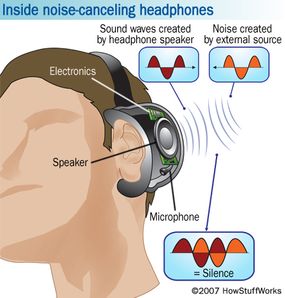
 Noise Cancelling Headphones Safe for Hearing

How Noise Cancelling Headphones Work

Noise-cancelling headphones are popular for reducing unwanted sounds. They help users focus or relax by lowering background noise. Understanding how these headphones work is key to knowing if they protect your hearing. Noise-cancelling technology uses special methods to block or reduce noise around you. This technology can be active or passive, each with different ways of cutting down sound. Both types aim to create a quieter listening experience, which can help protect your ears from loud sounds.

Active Vs Passive Noise Cancellation

Active Noise Cancellation (ANC) uses electronic technology to reduce noise. Tiny microphones pick up outside sounds. Then, the headphones create sound waves that cancel out those noises. This process is called “anti-phase sound wave” or “destructive interference.”

  • ANC works best for steady, low-frequency sounds like airplane engines or air conditioners.
  • It requires batteries or charging to power the electronics.
  • Helps reduce noise without raising the volume of your music.

Passive Noise Cancellation blocks noise using physical materials. Thick padding and snug ear cups stop sound waves from entering your ears. This method does not need power or batteries.

  • Good for blocking high-frequency sounds like human voices or sudden noises.
  • Works by sealing your ears from outside noise.
  • Common in over-ear and in-ear headphones with good fit and cushioning.
Feature Active Noise Cancellation Passive Noise Cancellation
Method Electronic sound wave cancellation Physical sound blocking with materials
Power Needed Yes, needs a battery or charging No power needed
Best For Low-frequency, steady sounds High-frequency, sudden sounds
Common Use Airplane, office, travel General noise blocking

Technology Behind Noise Reduction

Noise-cancelling headphones use advanced technology to reduce sound. The main parts include microphones, processors, and speakers. Microphones pick up outside noise. Then, a processor creates a sound wave to cancel the noise. This wave is sent through the headphones’ speakers.

The process works like this:

  1. Microphones detect external sounds.
  2. The processor analyzes the sound wave’s shape and frequency.
  3. The processor creates an opposite sound wave (anti-phase).
  4. The speakers play the opposite wave to cancel the noise.

This method is called destructive interference. It reduces how much noise reaches your ears. The headphones also use sound insulation materials to block noise physically. These materials absorb or reflect sound waves before they reach the ear.

Some noise cancelling headphones adjust automatically to different environments. They change how much noise they block based on the sounds around you. This smart adjustment helps keep noise low without making music sound bad.

Understanding this technology helps explain how noise cancelling headphones can protect your hearing. By lowering background noise, they let you listen at safer volumes. This reduces the risk of hearing damage from loud sounds.

 Noise Cancelling Headphones Safe for Hearing


Hearing Risks From Loud Environments

Noise-cancelling headphones can help reduce background noise, but understanding hearing risks from loud environments is key. Loud sounds can damage your ears over time. Protecting hearing means knowing what causes harm and how long exposure affects your ears. This section explains common noise sources and what happens if exposure lasts too long.

Common Sources Of Harmful Noise

Loud noises come from many places. Some are easy to avoid, while others are part of daily life. Recognizing these helps protect your hearing.

  • Traffic and Road Noise: Cars, trucks, and motorcycles create noise above safe levels.
  • Construction Sites: Drills, hammers, and heavy machines often exceed 85 decibels.
  • Music and Events: Concerts and clubs can reach 100+ decibels, harmful without protection.
  • Industrial Workplaces: Factories and plants have constant loud machinery noise.
  • Household Tools: Lawn mowers, blenders, and vacuum cleaners produce loud sounds.

Here is a table showing noise levels for common sources:

Source Noise Level (dB) Risk Level
Normal Conversation 60-70 Safe
Traffic Noise 85 Borderline
Power Tools 90-110 Harmful
Concerts 100-120 Very Harmful
Gunfire 140-190 Extremely Harmful

Impact Of Prolonged Exposure

Repeated exposure to loud noise damages tiny hair cells in the ear. These cells help send sound signals to the brain. Once damaged, hair cells do not grow back. This causes permanent hearing loss.

Long exposure to loud sound can cause:

  • Tinnitus: Ringing or buzzing sounds in the ears.
  • Difficulty Hearing: Trouble understanding speech, especially in noisy places.
  • Ear Pain: Discomfort or pressure after a loud noise.

Safe listening depends on sound level and time exposed. The louder the noise, the shorter the safe exposure.

  1. 85 dB: Up to 8 hours safe exposure
  2. 90 dB: Up to 2 hours safe exposure
  3. 100 dB: Less than 15 minutes safe exposure

Noise-cancelling headphones can lower background noise. This helps reduce the need to raise volume, protecting ears from damage.

Role Of Noise Cancelling Headphones In Hearing Protection

Noise-cancelling headphones offer more than just clear sound. They also play a key role in protecting your hearing. These headphones reduce outside noise, allowing you to listen at lower volumes. This can help prevent damage caused by loud sounds. Understanding how noise cancelling technology supports hearing health is important for everyone who uses headphones regularly.

Reducing Ambient Noise Levels

Noise-cancelling headphones use special technology to block out background sounds. This means you hear less of the noisy world around you. The headphones create sound waves that cancel out external noise. This effect is called active noise cancellation (ANC). It helps reduce distractions and makes your listening experience more comfortable.

By lowering the noise around you, these headphones allow you to:

  • Listen to music or podcasts clearly without raising the volume
  • Focus better in noisy places like buses, planes, or busy streets
  • Reduce ear strain caused by loud environments

Here is a simple comparison of noise levels with and without noise cancelling headphones:

Environment Average Noise Level (dB) Noise Level With ANC Headphones (dB)
City Traffic 85 60
Airplane Cabin 90 65
Office 70 50

This noise reduction lets your ears relax. It lowers the risk of noise-induced hearing loss caused by loud environments. Wearing noise cancelling headphones can protect your ears from constant loud noise exposure.

Limiting Volume Usage

Noise-cancelling headphones help keep your music volume lower. Because outside noise is reduced, you do not need to turn the volume up high. Listening at high volumes is one of the main causes of hearing damage. Using these headphones can prevent that risk.

Some key benefits of lower volume use include:

  • Less stress on the ear’s sensitive cells
  • Lower chance of tinnitus (ringing in the ears)
  • Better long-term hearing health

Here is a quick guide on safe volume levels and listening time:

Volume Level (dB) Recommended Max Listening Time
70 dB Unlimited
85 dB 8 hours
100 dB 15 minutes

Noise-cancelling headphones make it easier to stay within safe volume limits. Users often find they enjoy music more at lower volumes. This habit supports hearing protection and reduces fatigue.

Limitations Of Noise Cancelling Headphones

Noise-cancelling headphones help reduce loud sounds around you. They use technology to block or lower background noise. Many people think these headphones protect hearing. Yet, they have limits that users must understand. Knowing these limits helps avoid damage to the ears and hearing problems.

Situations Where Protection Is Insufficient

Noise-cancelling headphones work well for steady sounds like airplane engines or air conditioners. They reduce noise by creating opposite sound waves. But some sounds are harder to block:

  • Sudden loud noises: Sirens, alarms, or explosions are quick and sharp. Headphones may not stop these sounds fast enough.
  • High-frequency sounds: Some whistles or sharp noises pass through noise-cancelling technology.
  • Very loud environments: Construction sites or concerts have sounds too strong for headphones alone.

Here is a simple table to show where noise cancelling headphones protect and where they don’t:

Type of Noise Protection Level
Steady low-frequency noise (e.g., airplane engine) High
Sudden loud noise (e.g., sirens, alarms) Low
High-frequency noise (e.g., whistles) Medium to Low
Very loud noise (e.g., concerts, construction) Low

Noise-cancelling headphones reduce some noise but do not replace ear protection devices designed for loud work areas. Users should still be careful in very loud places.

Potential For Misuse

Noise-cancelling headphones can cause harm if used incorrectly. Some common mistakes include:

  1. Listening at high volume: Users may increase volume to block noise. This can hurt the ears more than the noise outside.
  2. Wearing for too long: Long use can cause ear fatigue and discomfort.
  3. Ignoring warning signs: Ear pain, ringing, or muffled hearing after use are signs to stop and rest the ears.

Here are tips to avoid misuse:

  • Keep volume below 60% of the maximum.
  • Take breaks every hour to rest your ears.
  • Check for ear discomfort regularly.
  • Use earplugs or other protection in very loud places instead of relying only on headphones.

Overreliance on noise cancelling headphones can lead to a false sense of safety. This might cause users to stay longer in noisy environments without proper protection. Always combine headphones with safe listening habits for the best hearing care.

Comparing Noise Cancelling Headphones With Earplugs

Noise-cancelling headphones and earplugs both help protect hearing by reducing loud sounds. They work differently but share a common goal: lowering noise to prevent ear damage. Comparing noise cancelling headphones with earplugs shows how each suits different needs and environments. Choosing the right option depends on where and how you plan to use them.

Effectiveness In Different Settings

Noise-cancelling headphones use electronic technology to block out background noise. They are most effective against consistent, low-frequency sounds like airplane engines or air conditioners. Earplugs work by physically blocking sound waves from entering the ear canal. They reduce a wider range of noises, including sudden loud sounds.

Here’s a quick comparison:

Setting Noise Cancelling Headphones Earplugs
Airplane Travel Excellent at reducing engine hum and cabin noise Good, but less effective against low-frequency engine noise
Concerts Moderate noise reduction; may not block very loud bursts Very effective at blocking loud music and sudden noises
Workplace Good for constant machine noise Better for sudden loud noises and protecting from spikes

Noise-cancelling headphones excel in steady, low-pitched noises. Earplugs offer broad protection, including sharp, loud sounds. Using both together can provide stronger hearing protection in noisy places.

Comfort And Practicality

Comfort varies greatly between noise cancelling headphones and earplugs. Headphones are bulky but soft and cushioned. They may feel warm after long use. Earplugs are small and light, but can cause discomfort if not fitted well.

Consider these points:

  • Noise Cancelling Headphones: Comfortable for hours, but heavy for some users.
  • Earplugs: Very portable and discreet, but may irritate ears if worn too long.
  • Ease of Use: Headphones are easy to put on and adjust volume.
  • Earplugs require proper insertion to be effective.
  • Headphones need charging; earplugs do not.

Both options have pros and cons in comfort and practicality. Headphones suit quiet spaces like offices or travel. Earplugs work well for loud events or quick noise blocking. Choosing depends on personal comfort and the situation.

 Noise Cancelling Headphones Safe for Hearing


Tips To Maximize Hearing Protection

 Noise-cancelling headphones can help reduce loud background sounds, which may protect your hearing. To get the best protection, follow some simple tips. These tips help you use headphones safely and keep your ears healthy for longer. Understanding how to protect your hearing is very important. Below are key points to help you maximize hearing safety while using noise cancelling headphones.

Safe Volume Practices

Keeping the volume at a safe level is the most important step to protect your hearing. Listening to sounds that are too loud can cause permanent damage. Experts suggest keeping the volume below 60% of the maximum level. Use the 60/60 rule: listen at 60% volume for no more than 60 minutes at a time. Taking breaks is also essential. Give your ears a rest every hour to avoid strain.

  • Set volume limits on your device to avoid accidental loud sounds.
  • Use built-in volume warnings that alert you when the sound is too loud.
  • Avoid increasing volume to block outside noise; instead, rely on noise-cancelling features.
  • Take listening breaks every 60 minutes for at least 5-10 minutes.

Here is a simple table to show safe listening limits:

Volume Level Maximum Listening Time Per Day
60% Volume Up to 8 hours
80% Volume Up to 2 hours
100% Volume Less than 15 minutes

Follow these volume practices to reduce the risk of hearing loss. Remember, loud sounds damage ears slowly and painlessly. Protect your hearing before problems start.

Choosing The Right Headphones

Not all headphones offer the same level of hearing protection. Noise-cancelling headphones help block outside noise so you can listen at lower volumes. Choose headphones that fit well and seal your ears to reduce sound leakage. Over-ear models usually provide better noise isolation than earbuds. Look for models with active noise cancelling (ANC) technology. ANC uses microphones to cancel background noise.

Consider these factors when selecting headphones:

  1. Comfort: Choose headphones you can wear for long periods without pain.
  2. Noise Cancelling Quality: Higher ANC levels mean less need to raise volume.
  3. Volume Limiting: Some headphones include volume limiters to protect hearing.
  4. Durability: Pick headphones made with quality materials for long-term use.

Here is a comparison of headphone types for hearing protection:

Headphone Type Noise Isolation Comfort Hearing Protection Level
Over-Ear with ANC High High Best
In-Ear with ANC Medium Medium Good
Regular Over-Ear Medium High Fair
Regular In-Ear Low Low Poor

Choosing the right headphones reduces the need for loud volume. This helps keep your ears safe. Always test headphones before buying. Make sure they feel good and block noise well.

Noise Cancelling Headphones Safe for Hearing

JBL Tune 770NC – Adaptive Noise Cancelling with Smart Ambient Wireless Over-Ear Headphones, Bluetooth 5.3, Up to 70H Battery Life with Speed Charge, Lightweight, Comfortable & Foldable Design
To buy this product, click here.

Frequently Asked Questions

Do Noise Cancelling Headphones Reduce Hearing Damage?

Yes, they lower the need to raise volume by blocking outside noise.

Can Noise Cancelling Headphones Prevent Ear Fatigue?

They help reduce ear strain by cutting background sounds and softening loud noises.

Should I Use Noise Cancelling Headphones For Hearing Protection?

They can protect hearing if used at moderate volume and not for too long.

How Do Noise Cancelling Headphones Compare To Earplugs?

Headphones reduce noise electronically; earplugs block sound physically, and both protect hearing differently.

Can Noise Cancelling Headphones Cause Hearing Problems?

Using very high volume with any headphones can harm your ears, so keep the volume low.

Conclusion

Noise-cancelling headphones help reduce loud background sounds. They lower the need to increase volume too high. This can protect your ears from damage over time. Still, they do not block all noise completely. Using headphones at safe volume levels is important.

Taking breaks from listening also helps your hearing stay healthy. Choose quality headphones and listen responsibly. Your ears will thank you later.