Razer Gamer Keyboard: Ultimate Guide to Boost Your Gameplay
Are you ready to take your gaming to the next level? Your keyboard is more than just a tool—it’s the key to faster reactions, smoother gameplay, and ultimate control.
A Razer gamer keyboard can give you the edge you need to outplay your opponents and fully enjoy every moment of your gaming sessions. Whether you’re a casual player or a serious competitor, discovering what makes these keyboards special will change how you game forever.
Keep reading to find out how a Razer keyboard can transform your setup and boost your performance.
Razer offers a wide range of keyboards designed for gamers with different needs. Their keyboard models focus on performance, comfort, and style. Choosing the right Razer keyboard depends on the type of switches, design, and connectivity. Understanding the main types of Razer keyboards helps gamers pick the best fit for their setup and play style.
Mechanical Keyboards
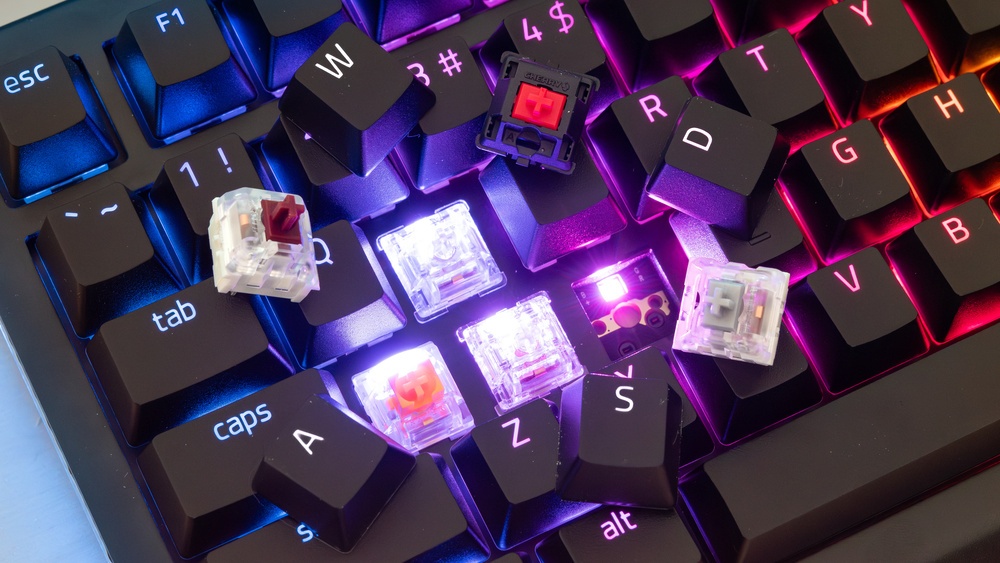
Razer mechanical keyboards use individual mechanical switches under each key. These switches provide a precise and tactile feel. Many gamers prefer mechanical keyboards for their fast response and durability.
Switch Types: Razer offers several switch options, such as Green (clicky), Orange (silent tactile), and Yellow (linear).
Durability: Mechanical switches can last for up to 80 million keystrokes.
Customization: Most models support customizable RGB lighting and programmable keys.
The table below shows popular Razer mechanical keyboard models and their key features:
Model
Switch Type
Size
Special Features
Razer BlackWidow V4 Pro
Green, Yellow, Orange
Full-size
RGB, Macro Keys, USB Passthrough
Razer Huntsman Elite
Optical Purple, Clicky
Full-size
Optical Switches, Wrist Rest, RGB
Razer BlackWidow V4 Tenkeyless
Green, Yellow, Orange
Tenkeyless
Compact Design, RGB Lighting
Mechanical keyboards offer excellent feedback and speed. They suit gamers who want precision and long-lasting performance.
Membrane Keyboards
Razer membrane keyboards use a softer rubber dome under each key. This design creates a quieter and cheaper keyboard option. Membrane keyboards feel softer but have less key feedback than mechanical ones.
Quiet Typing: Keys are more peaceful, great for shared spaces or streaming.
Cost-Effective: These models usually cost less than mechanical keyboards.
Spill-Resistant: Some membrane keyboards offer spill protection.
Razer’s membrane keyboards focus on comfort and simplicity. They have fewer customization options but still provide solid performance for casual gaming.
Model
Key Type
Size
Special Features
Razer Cynosa V2
Membrane
Full-size
RGB Lighting, Programmable Keys
Razer Cynosa Lite
Membrane
Full-size
Single-Color Backlight, Spill-Resistant
These keyboards suit gamers who want a quiet, budget-friendly keyboard. They are good for beginners or light gaming sessions.
Wireless Options
Razer offers wireless keyboards for gamers who want a clean setup without cables. These keyboards use Bluetooth or Razer’s proprietary wireless technology.
Low Latency: Razer wireless tech reduces input lag for smooth gameplay.
Multi-Device Support: Some models connect to multiple devices and switch easily.
Battery Life: Wireless models have long battery life, some with charging via USB-C.
Wireless keyboards balance freedom and performance. They work well for gamers who move their keyboard often or want a minimalist desk.
Model
Connection
Battery Life
Features
Razer BlackWidow V4 Pro Wireless
Razer HyperSpeed Wireless, Bluetooth
Up to 40 hours
Mechanical Switches, RGB, Multi-Device
Razer Turret
Razer HyperSpeed Wireless
Up to 40 hours
Mechanical Switches, Compact Design
Razer Cynosa V2 Pro
Bluetooth, Razer HyperSpeed
Up to 20 hours
Membrane, RGB, Multi-Device
Wireless keyboards offer flexibility without much loss in performance. Ideal for gamers who want a clean, portable setup.
Key Features
The Razer Gamer Keyboard stands out with powerful features that boost gaming performance. These key features enhance comfort, speed, and control. Each feature is designed to improve your gaming experience, whether you play casually or compete seriously. Understanding these features helps you get the most from your keyboard.
Chroma Rgb Lighting
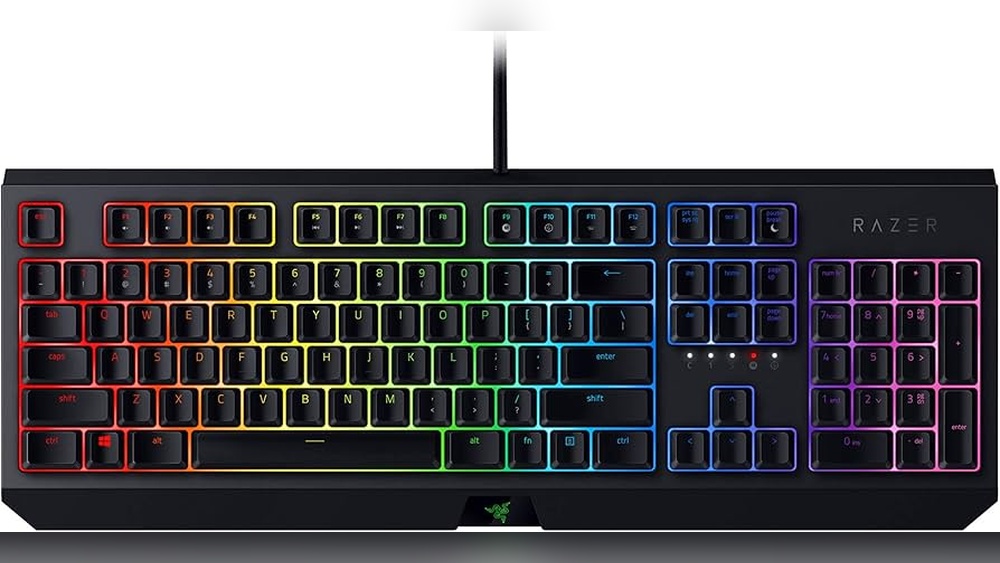
The Chroma RGB Lighting on the Razer Gamer Keyboard offers vibrant colors and effects. It uses 16.8 million colors to create eye-catching lighting. This feature lets you customize your keyboard’s look to match your style or game theme.
You can choose from many lighting effects:
Static: A single color glows steadily.
Breathing: The lights fade in and out smoothly.
Wave: Colors move across the keyboard in a wave pattern.
Reactive: Keys light up when pressed.
Ripple: A ripple spreads from the pressed key.
The lighting is easy to control using Razer’s software. You can create custom profiles for different games or moods. The lighting also helps in low-light environments. It highlights important keys, making them easier to find.
Feature
Benefit
16.8 million colors
Wide range of color options
Multiple effects
Customizable lighting styles
Software control
Easy customization and profiles
Programmable Keys
The Razer Gamer Keyboard includes programmable keys that let you assign commands and macros. This feature saves time and simplifies complex actions. You can customize keys for faster gameplay and better control.
Key benefits:
Assign any key to perform a specific action
Create macros to execute multiple commands with one press
Switch profiles easily for different games or apps
Use software to program keys without coding
For example, you can program a key to reload your weapon and switch to a different gun in one step. This gives you an edge in fast-paced games. The keyboard stores these settings in its memory. So, your custom keys work even on different computers.
Here is a simple example of a macro for a game:
/reload
/switch_weapon 2
/use_grenade
This macro reloads, switches weapons, and uses a grenade with one key press. Programmable keys make gameplay smoother and more efficient.
Anti-ghosting Technology
Anti-Ghosting Technology ensures every key press registers correctly during intense gaming sessions. Ghosting happens when extra, unintended keys register. It causes mistakes and disrupts gameplay.
The Razer Gamer Keyboard prevents ghosting by using advanced hardware and software. This allows multiple keys to be pressed at the same time without errors. This feature is crucial in games requiring fast, multiple key presses.
Advantages of Anti-Ghosting:
Accurate input recognition
Supports simultaneous key presses
Improves reaction time and gameplay
Reduces missed commands
The keyboard supports full n-key rollover. This means every key press is recorded,d no matter how many keys you press simultaneously. It is a must-have for gamers playing competitive or fast games.
Feature
Explanation
Anti-Ghosting
Blocks false key signals
Full n-key rollover
Registers all simultaneous keys
Improved gameplay
Faster, accurate key response
Switch Types
The Razer Gamer Keyboard offers a variety of switch types designed to fit different gaming styles and preferences. Each switch has unique features affecting how keys feel and respond. Choosing the right switch can improve comfort, speed, and accuracy during gameplay.
Green Switches
Green switches are known for their tactile bump and audible click. They provide clear feedback with every key press, making them popular for gamers who like to feel and hear each action.
Actuation Force: Approximately 50 grams
Travel Distance: 1.9 mm to actuate, 4.0 mm total
Sound Level: Loud click
This switch suits players who prefer a strong response and do not mind the noise. The tactile bump helps avoid accidental key presses. Gamers who play FPS or MOBA games may find this switch helpful for precise control.
Feature
Green Switch
Type
Clicky, Tactile
Force Required
50g
Sound
Loud Click
Best For
Gamers who like feedback and audible clicks
Orange Switches
Orange switches offer a quiet tactile experience. They have a softer bump without the loud click, making them great for gamers who want feedback but less noise.
Actuation Force: Around 45 grams
Travel Distance: 1.9 mm to actuate, 3.5 mm total
Sound Level: Quiet, no click
This switch type suits players who game in shared spaces or prefer a silent keyboard. The tactile bump helps with accuracy but keeps noise low. It works well for typing and gaming alike, especially in long sessions.
Feature
Orange Switch
Type
Tactile, Silent
Force Required
45g
Sound
Quiet
Best For
Gamers who want quiet feedback
Yellow Switches
Yellow switches are linear and smooth. They do not have a tactile bump or click sound, allowing quick and easy key presses.
Actuation Force: About 45 grams
Travel Distance: 1.2 mm to actuate, 3.5 mm total
Sound Level: Very quiet
These switches suit fast-paced games requiring rapid key presses. The smooth action helps reduce finger fatigue during long gaming sessions. Players who want a silent, quick response choose yellow switches.
Feature
Yellow Switch
Type
Linear, Silent
Force Required
45g
Sound
Very Quiet
Best For
Fast-paced gaming and silent typing
Build And Design
The Razer Gamer Keyboard stands out with its strong focus on build and design. This keyboard combines style, comfort, and durability. Every detail aims to improve your gaming experience. From the shape of the keys to the materials used, Razer ensures both performance and comfort.
Ergonomics
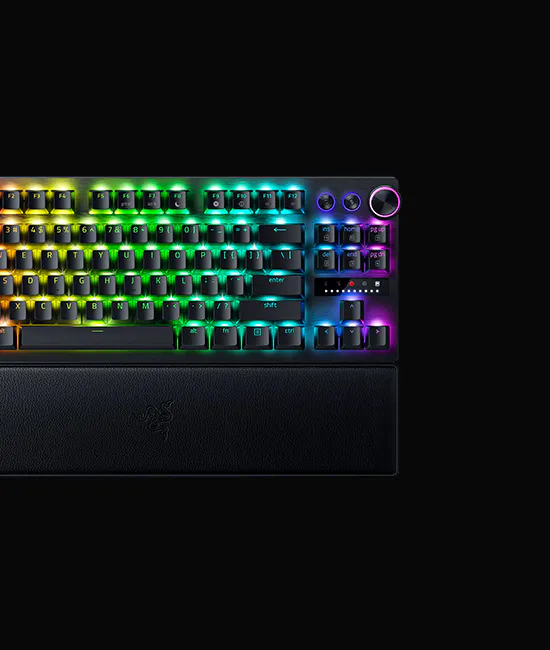
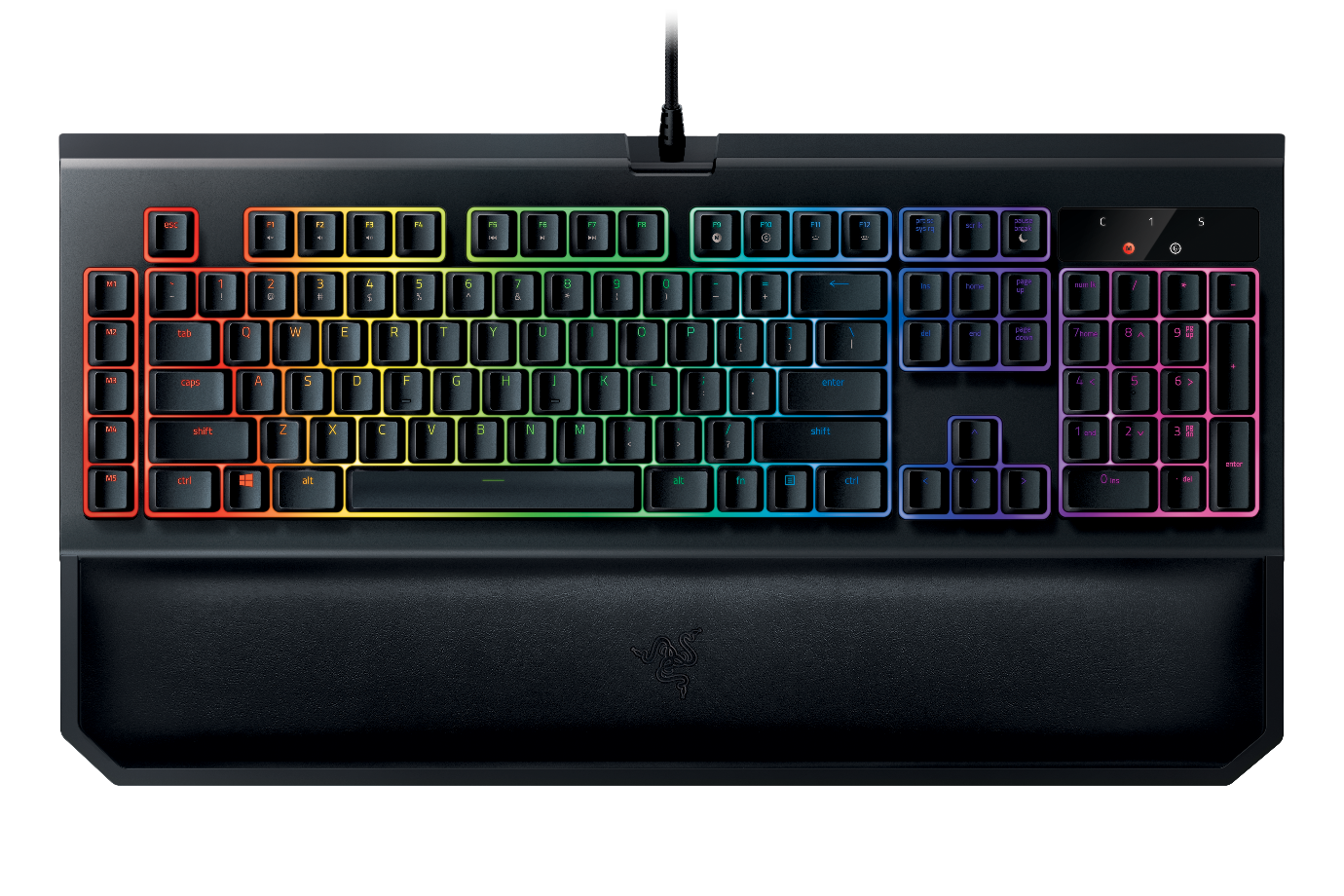
Ergonomics plays a major role in the design of the Razer Gamer Keyboard. The keyboard is built to reduce strain during long gaming sessions. It features a wrist rest that supports your hands and keeps them in a natural position. This helps prevent fatigue and discomfort.
The keys are spaced perfectly to allow fast and accurate typing. The keyboard also has adjustable feet. These let you change the angle to find the most comfortable typing posture.
Wrist Rest: Soft, cushioned, and detachable for comfort.
Key Shape: Slightly curved keys for finger comfort.
Adjustable Height: Two-level feet for better hand positioning.
Anti-Slip Base: Keeps the keyboard steady during intense play.
These ergonomic features reduce wrist pain and improve hand positioning. This design supports longer gaming without strain. The keyboard also uses mechanical switches that need less force to press. This helps decrease finger fatigue during rapid keystrokes.
Materials Used
The build quality of the Razer Gamer Keyboard is impressive. It uses high-quality materials to ensure durability and a premium feel. The keyboard frame is made from anodized aluminum, which makes it strong and lightweight. The aluminum surface also resists scratches and fingerprints.
The keys are made from double-shot molded ABS plastic. This process molds two layers of plastic together. It makes the key legends (letters and symbols) very durable and clear. The keys do not fade even after heavy use.
Component
Material
Benefit
Frame
Anodized Aluminum
Lightweight, strong, scratch-resistant
Keycaps
Double-shot ABS Plastic
Durable, clear legends, long-lasting
Wrist Rest
Soft-touch plastic with foam padding
Comfort reduces wrist strain
Razer also uses high-quality mechanical switches inside the keyboard. These switches offer consistent feedback and last for millions of keystrokes. The material choices make the keyboard tough and comfortable for daily use.
Compact Vs Full-size
Razer offers both compact and full-size gamer keyboards. Each type suits different needs and spaces. The full-size keyboard includes a numeric keypad and extra function keys. It is ideal for gamers who want all keys readily available.
The compact keyboard is smaller and more portable. It removes the numeric keypad and some extra keys. This saves desk space and makes it easier to carry.
Feature
Compact Keyboard
Full-size Keyboard
Size
Smaller, saves space
Larger, more keys
Numeric Keypad
No
Yes
Portability
Easy to carry
Less portable
Function Keys
Limited
Full set available
Choose the compact keyboard for tight spaces or travel. Pick the full-size keyboard for complete key access. Both versions keep the solid build and ergonomic design. The choice depends on the user’s preference and gaming setup.
Software Integration
The Razer Gamer Keyboard does more than just offer mechanical keys and RGB lighting; its true power lies in its seamless software integration. This integration allows users to control, customize, and enhance their gaming experience through advanced software tools. The Razer Synapse software is at the core, providing an intuitive interface for managing all keyboard features. With this software, users can tailor their keyboard settings, create unique profiles, and optimize performance for different games or tasks.
Razer Synapse Features
Razer Synapse is a cloud-based software that connects your Razer Gamer Keyboard to your PC. It offers many features that improve gameplay and usability. The software automatically detects your device and syncs settings across devices.
Cloud Storage: Save your settings online and access them on any computer.
Real-Time Lighting Effects: Customize RGB lighting with effects like wave, ripple, and reactive modes.
Macro Recording: Record sequences of keystrokes and assign them to a single key.
Hardware Configuration: Adjust polling rate, key response time, and more.
Below is a summary of key Razer Synapse features:
Feature
Description
Cloud Sync
Stores profiles and settings on the cloud for easy access.
RGB Lighting Control
Customize lighting zones and effects with ease.
Macro Management
Create and assign macros for complex commands.
Device Customization
Adjust keyboard hardware settings for better performance.
Customization Options
The Razer Gamer Keyboard offers extensive customization through Razer Synapse. Users can change almost every aspect of the keyboard to fit their style and needs. The software makes customization simple.
Key Remapping: Change what each key does with a drag-and-drop interface.
Lighting Zones: Divide the keyboard into multiple zones and assign different colors.
Effect Layers: Stack multiple lighting effects for dynamic visuals.
Macro Setup: Create macros with delays, repeats, and key sequences.
Customization helps users create a personalized setup that improves both aesthetics and gameplay. For example, you can highlight important keys in bright colors or set lighting to react to in-game actions. The software even supports third-party integrations for added effects.
Here is a simple example of key remapping code in Razer Synapse:
{ "key": "F1", "remap_to": "Ctrl+C" }
This snippet shows how to remap the F1 key to perform the copy command (Ctrl+C), useful for quick actions.
Profile Management
Profile management is vital for gamers who switch between different games or tasks. The Razer Gamer Keyboard lets users create multiple profiles, each with unique settings and macros. Profiles can be saved locally or synced to the cloud.
Profiles help by:
Keeping game-specific keybindings separate.
Allowing quick switching without manual changes.
Saving time during tournaments or multi-game sessions.
Profiles can be set to switch automatically based on the active application. For example, your FPS game profile will load when you launch the game, and your work profile will activate when you open office software.
Profile Feature
Benefit
Automatic Switching
Switches profiles based on running applications.
Cloud Backup
Profiles are stored online for easy recovery.
Profile Sharing
Share profiles with friends or teammates.
Managing profiles is simple within Razer Synapse. Users can duplicate, rename, or delete profiles as needed. This system ensures every game or task has its ideal keyboard configuration ready to go.
Performance In Gaming
The Razer Gamer Keyboard is designed to meet the high demands of gaming performance. It offers features that help players react faster, maintain long gaming sessions, and enjoy a reliable device. This keyboard’s performance can greatly affect gameplay, especially in fast-paced games where every millisecond counts.
Response Time
Response time is crucial for gamers. The Razer Gamer Keyboard uses mechanical switches that register key presses almost instantly. This speed helps players execute commands quickly and accurately.
Mechanical Switches: Razer uses its own switches, like the Razer Green or Yellow, known for fast actuation.
Anti-Ghosting: Allows multiple keys to be pressed simultaneously without errors.
Polling Rate: The keyboard has a high polling rate (up to 1000 Hz), meaning it sends data to the computer every 1 ms.
Below is a comparison of response times for popular Razer switch types:
Switch Type
Actuation Force
Actuation Point
Response Time (ms)
Razer Green
50 g
1.9 mm
~0.2 ms
Razer Yellow
45 g
1.2 mm
~0.15 ms
Fast response times reduce input lag. This feature ensures that commands are registered the moment keys are pressed. For gamers, this means smoother gameplay and quicker reactions.
Durability
Durability is a key factor for any gaming keyboard. The Razer Gamer Keyboard is built to last through intense gaming sessions.
It uses high-quality materials and mechanical switches rated for millions of keystrokes. This means the keyboard can handle heavy use over a long period without failing.
Switch Lifespan: Most Razer switches last up to 80 million keystrokes.
Build Quality: Sturdy frames made from aluminum or reinforced plastic.
Keycap Design: Double-shot or laser-etched keycaps prevent wear and fading.
Here is a breakdown of durability features:
Feature
Details
Benefit
Mechanical Switches
Rated for 80 million presses
Long-lasting and reliable performance
Aluminum Frame
Strong and lightweight
Resists damage from heavy use
Keycap Material
Double-shot or laser-etched
Prevents fading and wear
Many gamers appreciate how the Razer keyboard stays responsive and intact even after months of daily use.
User Feedback
Users share positive experiences about the Razer Gamer Keyboard’s gaming performance. Many mention improved reaction times and comfortable typing during long sessions.
Common praises include:
Responsive keys: Players notice faster actions in games.
Comfort: Ergonomic design reduces hand fatigue.
Customization: Ability to program keys and lighting helps personalize setups.
Some users report minor issues, like key noise or price concerns, but overall feedback remains strong.
Here is a summary of user ratings from popular review sites:
Aspect
Average Rating (out of 5)
Comments
Performance
4.7
Fast and reliable key response
Durability
4.5
Strong build and long-lasting switches
Comfort
4.3
Good ergonomics for long play
Overall, users find the Razer Gamer Keyboard a solid choice for gaming performance. It supports fast input, lasts long, and feels comfortable during play.
Price And Availability
The Razer Gamer Keyboard is a popular choice for gamers who want precision and style. Knowing about its price and availability helps buyers plan their purchase. This section covers the cost details, special offers, and where to find these keyboards. Understanding these points makes it easier to get the best value for your money.
Retail Pricing
The price of a Razer Gamer Keyboard varies depending on the model and features. Basic models are more affordable, while advanced versions with extra keys and lighting cost more.
Entry-Level Models: Usually priced between $70 and $100. These have standard keys and basic RGB lighting.
Mid-Range Models: Cost around $100 to $150. They include mechanical switches and customizable lighting.
High-End Models: Range from $150 to $250. These offer premium switches, programmable keys, and advanced lighting effects.
Prices can change based on sales, new releases, and stock levels. Some keyboards include extra features like wrist rests or USB ports, which may increase the price.
Model Type
Price Range (USD)
Key Features
Entry-Level
$70 – $100
Membrane switches, basic RGB lighting
Mid-Range
$100 – $150
Mechanical switches, customizable lighting
High-End
$150 – $250
Premium switches, programmable keys, and advanced effects
Checking prices regularly helps catch the best deals and avoid paying too much.
Bundles And Deals
Razer often offers bundles that include the keyboard with other gaming gear. These bundles give extra value and save money.
Keyboard + Mouse Combos: Get both devices together at a lower price than buying them separately.
Keyboard + Headset Bundles: Ideal for gamers needing a full setup.
Limited-Time Discounts: Seasonal sales or special events may lower prices by 10% to 30%.
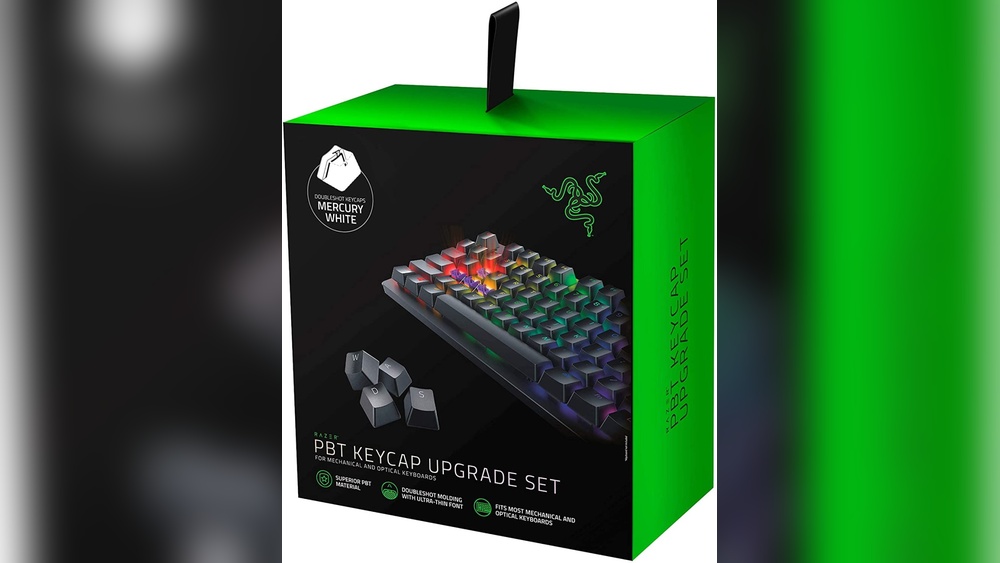
Retailers sometimes add free items like mousepads or keycap sets to bundles. These extras improve the gaming experience.
Some deals require signing up for newsletters or membership programs. This can unlock exclusive discounts or early access to sales.
Bundle Type
Includes
Typical Discount
Keyboard + Mouse
Razer Keyboard, Razer Mouse
15% – 25%
Keyboard + Headset
Razer Keyboard, Gaming Headset
10% – 20%
Seasonal Offers
Varies (may include accessories)
Up to 30%
Watching for deals can reduce the cost significantly. Signing up for alerts keeps you updated.
Where To Buy
Razer Gamer Keyboards are available in many places. Choosing a trusted seller ensures the product is genuine and covered by warranty.
Official Razer Website: Direct purchase with full warranty and latest models.
Online Retailers: Amazon, Best Buy, and Newegg offer a wide selection and user reviews.
Physical Stores: Electronics shops and gaming stores carry popular models for hands-on testing.
Prices may differ between stores. Some online shops offer free shipping or faster delivery.
Buying from official or authorized sellers reduces the risk of counterfeit products. It also makes returns and support easier.
Check the seller’s ratings and reviews before buying.
Compare prices across different platforms.
Look for warranty and return policies.
Many stores allow pre-orders for new releases. This guarantees a keyboard on launch day without extra cost.
Frequently Asked Questions
What Makes Razer Gamer Keyboards Popular Among Players?
Razer keyboards have fast response times and durable keys suited for gaming.
Do Razer Gamer Keyboards Support Customizable Rgb Lighting?
Yes, they offer full RGB lighting with many colors and effect options.
Are Razer Gamer Keyboards Compatible With Mac And Windows?
Most Razer keyboards work well with both Windows and Mac computers.
Can I Program Macros On Razer Gamer Keyboards?
Yes, you can easily create and assign macros using Razer software.
What Types Of Switches Are Used In Razer Gamer Keyboards?
Razer uses mechanical switches like Green, Orange, and Yellow for different feels.
Conclusion
Razer gamer keyboards offer solid performance and great comfort. They help players react fast and play longer. The keys feel smooth and respond quickly. Lighting effects add a cool look without distraction. Many models suit different budgets and needs. Choosing the right keyboard can boost your gaming fun.
Think about what features matter most to you. A good keyboard makes gaming easier and more enjoyable. Try one to see the difference yourself.